
For players who want to be sure it’s supported
Start by choosing a controller for your console or PC, then check whether your snowboard game supports it. For example, Ubisoft lists the Xbox Wireless Controller and DualSense for Riders Republic.


Start by checking whether your snowboard game and platform support the controller. A backlit controller is no use if the game doesn’t recognise it. Then decide whether you want controls you can find by touch, adjustable lighting or wireless play. Check which features each model actually supports in your game.
Start by choosing a controller for your console or PC, then check whether your snowboard game supports it. For example, Ubisoft lists the Xbox Wireless Controller and DualSense for Riders Republic.
If you want to identify the controls by touch or have lighting on the controller, check exactly which parts light up. Adjustable lighting zones don’t necessarily mean the button symbols are illuminated.
Look for sticks and assignable buttons, but only factor these features into your decision if your game and device support them.
First check that your game and platform support the controller. Then compare visibility, controls and the practical implications of cables or power.
| What to consider | What should you check? | Who is this important for? |
|---|---|---|
| Game and platform support | Check that you have the right version of the game, that it supports the controller and, if necessary, that you’re using the right connection method. | I want to know first whether my snowboard game supports the controller on my console or PC; compatibility is the top priority for around 33% of consumers. |
| Finding the buttons in the dark | Check which parts light up, whether you can adjust the brightness and whether you can identify the buttons by touch. | I want to find the controls in a dark room without guessing; visibility is the top priority for around 27% of consumers. |
| Control when steering and performing tricks | Check whether extra buttons can be assigned and whether your game supports them. | I want to use the sticks and buttons for tricks in a way my game supports; around 20% of consumers prioritise precise control. |
| Power and freedom of movement | Check the cable route, charging or battery requirements, and the stated battery life. | I want to play from the sofa without a cable, or avoid having to charge during a session; power and freedom of movement matter most to around 20% of consumers. |
Lighting on parts of a controller doesn’t prove that the symbols on the buttons themselves light up.
Check which parts are actually illuminated and whether you can easily identify the buttons where you play.
According to PlayStation, haptic feedback on PC requires both game support and a USB connection.
Check that your game supports the feature and that you have a suitable USB cable if you want to use it.
If you don’t already have a suitable cable, you may need to get one separately.
A wired controller limits your setup to the length and route of the cable.
Check the distance between your playing area and console in advance, and confirm which connector and cable come with the model.
Before choosing based on batteries or a built-in rechargeable battery, check the power requirements for the full model and specific version.
Compare the product information for the exact version with the manufacturer’s information.
The Xbox Wireless Controller is designed for Xbox and Windows PCs. Ubisoft specifically lists this type of controller for Riders Republic.
The DualSense is designed for PS5 and supported PC games, including Riders Republic.
The wired Spectra Infinity is aimed at players looking for an Xbox controller with lighting.
The Switch Pro Controller is designed for games on the original Nintendo Switch that support this accessory.
The Ultimate 2C Wireless is aimed at Windows players looking for extra assignable bumpers.
This selection of Joybuy products includes controllers whose titles mention Switch, Xbox/PC or PC. Check whether each model supports your snowboard game and the features you want.
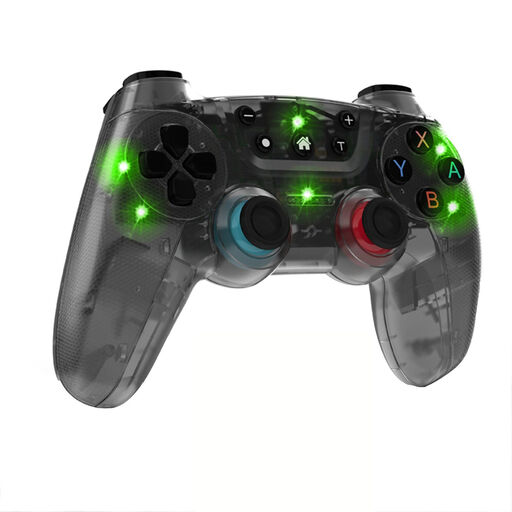 Image unavailable
The product title describes a wireless gamepad for Switch. Check whether your snowboard game supports this controller.
The title lists 7-colour LED lighting, vibration feedback and a range of 10 m.
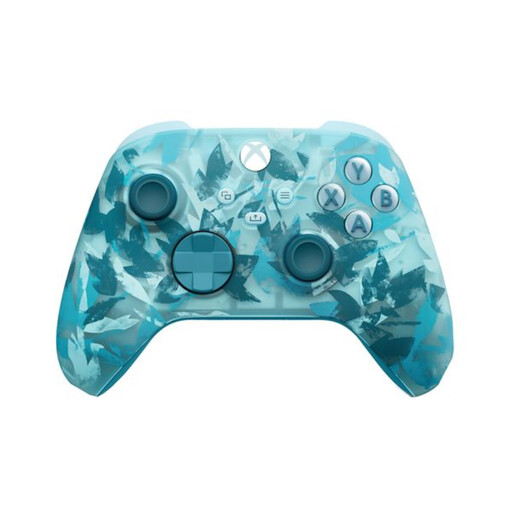 Image unavailable
The product title lists Xbox Series and PC. Also check whether your specific snowboard game supports the controller.
The product description lists textured triggers and rear grips, a hybrid D-pad and button mapping. It doesn’t confirm button lighting.
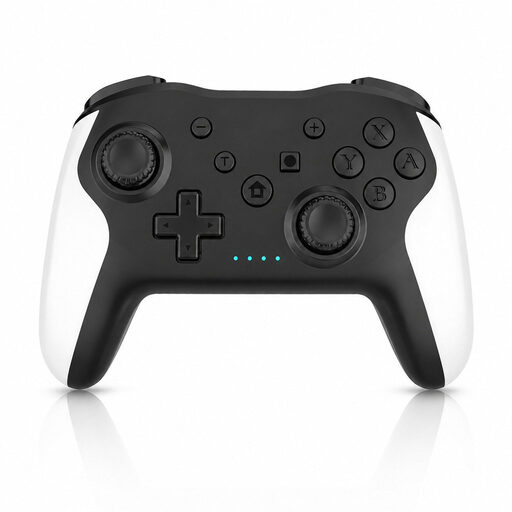 Image unavailable
The product title lists Switch and PC. Check that your snowboard game supports the controller on your chosen device.
The title lists dual vibration and gyro; the description mentions Bluetooth and three adjustable vibration settings.
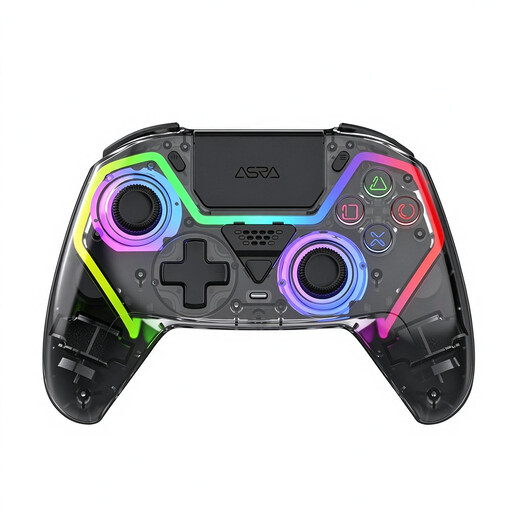 Image unavailable
The product title lists PC and a PS5 layout. A PS5 layout alone doesn’t confirm compatibility with a PS5 console.
The title lists Hall Effect joysticks, 255-level Hall Effect triggers, programmable rear buttons, RGB lighting, a 1000 mAh battery and USB-C.
 Image unavailable
The product title lists PC and Switch, as well as iOS and Android. Check that your snowboard game supports the controller on your chosen device.
The title lists Mag-Res TMR sticks, Hall Effect and microswitch triggers, RGB lighting and a charging dock. The description mentions connection via 2.4 GHz, Bluetooth or cable.
No, don’t assume it will. Ubisoft lists the Xbox Wireless Controller and DualSense among the controllers for PC. Other input devices may work, but Ubisoft doesn’t officially support them and they may require additional software.
PlayStation explains how to pair it via Bluetooth or connect it using USB. According to PlayStation, haptic feedback on PC requires both game support and a USB connection.
No. ACM ConsuWijzer explains that statutory guarantees in the Netherlands don’t have a fixed two-year limit. What you can expect with normal use and the product’s circumstances are what matter. Contact the seller if there’s a fault.
Electronic products placed on the market in the EU must meet the applicable safety requirements, including CE marking where required. This doesn’t establish whether an individual controller meets those requirements, so check the information for the specific product.