
Vandaag of morgen in huis

Kwaliteit gegarandeerd

Welkomstaanbiedingen ontgrendelen: GRATIS bezorging | Tot 80% korting | Gratis 30 dagen JoyPlus-proefperiode
Download de app
A smartphone gimbal can reduce camera shake when you’re walking, vlogging or livestreaming. But not every model is right for everyone. A compact phone gimbal, for example, may not have enough room for a heavy smartphone, while a model packed with AI features may not work with every app.
As Joybuy Product Recommendation Officer, I look first at specifications you can verify. Not big marketing promises, but stabilisation, compatibility, battery life and ease of use.
An AI tracking gimbal can follow a face, body, pet or several people. That doesn’t necessarily mean every feature will be available in TikTok, Instagram, YouTube or a livestreaming app. Some models use their own app, while others work with features such as Apple DockKit or a separate tracking module.
So check:
A 3-axis gimbal corrects movement across three axes: tilt, pan and roll. This generally gives you more freedom of movement than a 2-axis phone gimbal. However, the results still depend on your smartphone’s weight, how well it’s balanced and the way you walk.
A model with a wide phone holder isn’t automatically suitable for large handsets with a thick case. Check the stated clamp size and maximum payload before you order.
Manufacturers often quote battery life under specific conditions. Intensive tracking, a built-in light, charging your phone or frequent movement can increase power consumption. So don’t just look at the number of hours. Also check:
A 2-axis gimbal stabiliser may be suitable for simple selfies, static videos and short clips. If you film while walking, turn as you record or often switch between portrait and landscape orientation, a 3-axis smartphone stabiliser is usually a better choice.
Also check the pan rotation. Unlimited horizontal rotation gives you more freedom to move around your subject, but you’ll need to pay extra attention to cables, accessories and the space around you.
Measure your smartphone’s width with its case on. According to the product information, the Verbex C16 is suitable for phones 67 to 84 mm wide. That gives you a clear starting point, but always check your own handset.
Good balance stops the motors from having to work constantly to correct the phone’s position. Place your smartphone in the centre of the holder and remove a heavy case if it causes the gimbal to tilt. Only use magnetic clamps if they fit your handset securely, and follow the fitting instructions provided.
A foldable gimbal is handy for travellers, as it fits in a coat pocket or small bag. A gimbal with a built-in tripod is useful when you’re filming alone: you can set your phone down, start recording and step out of shot.
A built-in selfie stick, remote control, teleprompter or light can save you from carrying separate accessories. Just check the overall weight. More features often mean a heavier handle and more components to charge.
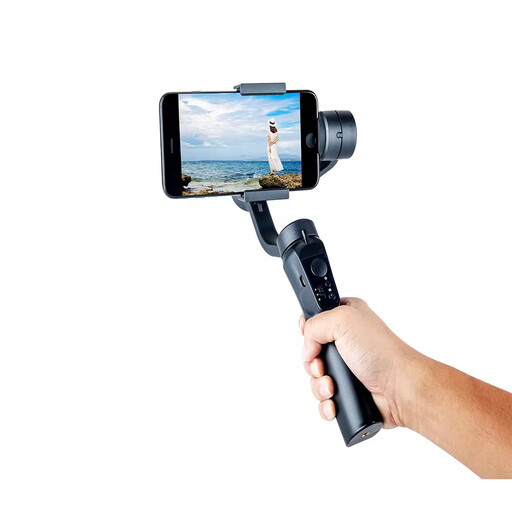
Why it suits this user: This foldable gimbal for iPhone and Android is designed for vlogging, travel and short livestreams. According to the product specifications, the phone holder fits smartphones 67 to 84 mm wide.
The clamp size is listed, and the manufacturer states a maximum operating time of up to 8 hours. This lets you check compatibility and recording time before you buy.
2-axis stabilisation, joystick and button controls, USB-C charging and a weight of around 352 grams.
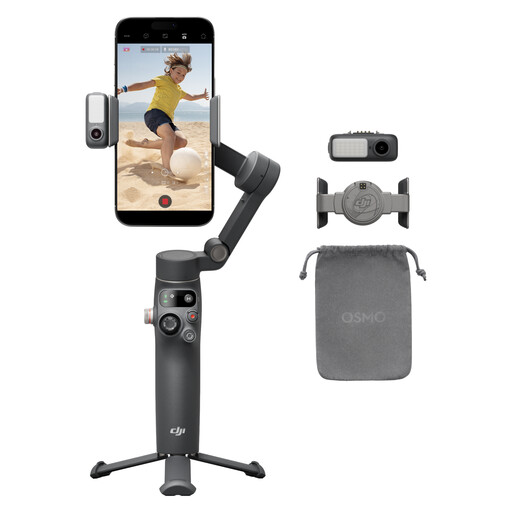
Why it suits this user: A good fit for creators looking for a complete vlogging gimbal with 3-axis stabilisation, tracking, lighting and extra control features.
The product information lists 3-axis stabilisation, ActiveTrack 7.0, the multifunctional module and an operating time of up to 10 hours separately. This makes the features easier to assess.
Built-in extendable pole and tripod, USB-C support, and compatibility with the DJI Mimo app for ShotGuides and one-tap editing.
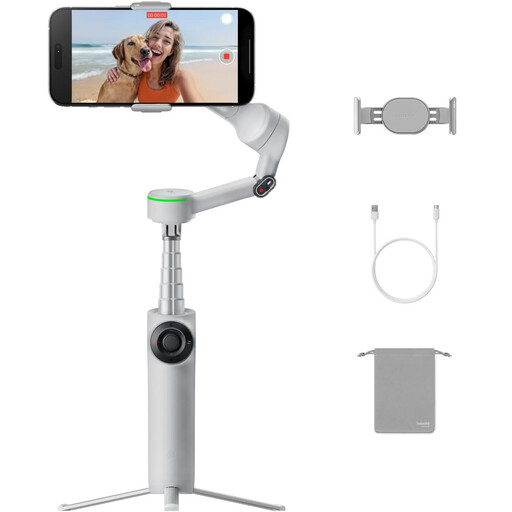
Why it suits this user: A handy choice for livestreaming, group videos, online presentations and creators who need tracking across multiple apps.
The product description mentions DockKit for more than 200 compatible iOS apps, along with a separate AI Tracker. So check in advance whether your phone and the apps you use are supported.
3-axis stabilisation, 360° pan tracking, multi-person tracking, a built-in tripod and selfie stick, plus a stated battery life of up to 10 hours.
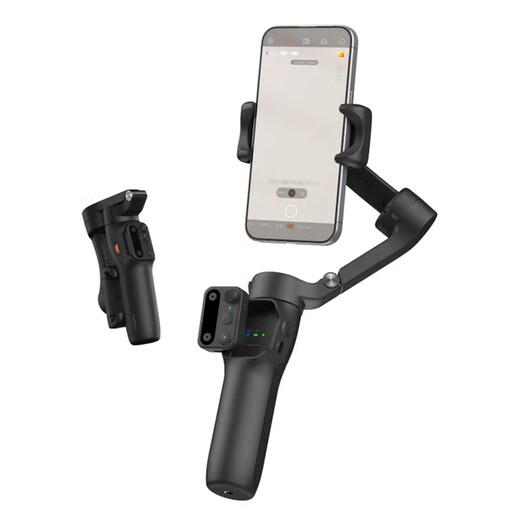
Why it suits this user: A practical choice for travellers and everyday creators looking for a foldable model with long operating time and a wireless remote control.
The key details are clearly stated: 3-axis stabilisation, a foldable design and a stated battery life of up to 11 hours. This makes it easier to compare.
Wireless remote control with a range of up to 10 metres, portrait and landscape support, and creative modes via the hohem Joy app.
We’ve put together a complete, up-to-date list of products that meet these strict selection criteria and current European safety requirements.
No. Check your phone’s width and weight, as well as the app it requires. Tracking features can also vary between iOS and Android versions. So a gimbal for iPhone and Android won’t necessarily have exactly the same features on both platforms.
Its lifespan depends on battery use, hinges, motors and how it’s transported. Keep the device dry, avoid dropping it and charge the lithium battery according to the instructions. Store a foldable gimbal without putting pressure on the clamp or motor arms.
Not always. A basic 2-axis model may be enough for static selfies and short clips. For walking vlogs, automatic tracking, livestreaming and longer recording sessions, 3-axis stabilisation, a tripod and sufficient battery life are usually more important than a low purchase price alone.
