
Vandaag of morgen in huis

Kwaliteit gegarandeerd

Welkomstaanbiedingen ontgrendelen: GRATIS bezorging | Tot 80% korting | Gratis 30 dagen JoyPlus-proefperiode
Download de app
A smartphone gimbal can reduce shaky footage, but not every phone gimbal suits every filming style. A model that seems ideal for TikTok may be too heavy for travelling. An AI smartphone gimbal may offer tracking, but sometimes only through a specific app or with certain iPhone models.
As a Joybuy Product Recommendation Officer, I therefore start by checking verifiable specifications. This helps you avoid paying mainly for marketing terms.
“Gimbal with tracking” does not automatically mean that face or object tracking is available in every app. Some features only work in the brand’s app. Apple DockKit may enable native tracking in compatible iOS apps, but that does not automatically say anything about Android compatibility.
So check:
A gimbal with a tripod and selfie stick is practical for solo filming. However, a short or narrow base may be less stable on uneven ground, such as beside a Dutch cycle path or on a windy quayside.
Pay attention to the construction, the weight of your smartphone and how the phone is clamped in place. A case, heavy camera module or power bank can affect the balance.
The stated battery life usually applies under specific conditions. Tracking, a built-in light, Bluetooth and charging your phone can reduce operating time. Also check the charging time and whether the gimbal can be used as a power bank.
3-axis stabilisation corrects movement in three directions: tilt, roll and pan. This is particularly helpful when walking, following a subject or filming handheld. A 2-axis smartphone stabiliser may be lighter or cheaper, but it offers less correction during complex movements.
Stabilisation does not automatically make footage completely shake-free. Your walking pace, grip, phone weight and chosen filming mode remain important.
A gimbal for iPhone and Android must do more than physically fit your phone. The app, Bluetooth version, tracking features and remote control may also differ between operating systems.
Before buying, check:
A foldable gimbal is useful for travellers and vloggers with limited luggage space. Do not just compare the weight of the gimbal; also consider the weight of a magnetic clamp, remote control, light or tripod.
For long walks, a lower total weight is usually more comfortable. For sports footage and outdoor filming, a heavier model may provide a more secure grip. A vlogging gimbal with a built-in selfie stick and tripod also reduces the number of separate accessories you need.
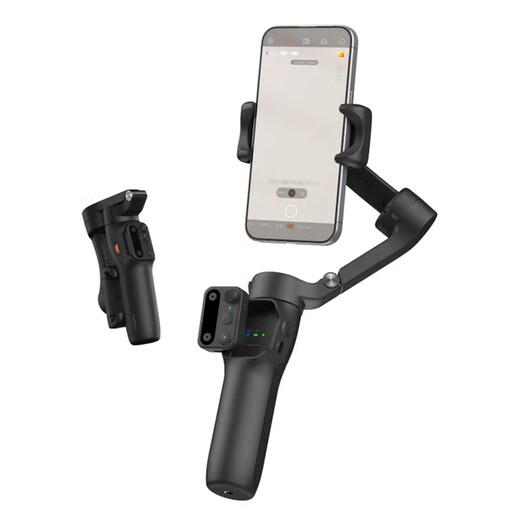
Why it suits this profile: This foldable model is aimed at beginner vloggers, travellers and creators making TikTok and YouTube videos. Its controls support both horizontal and vertical filming.
The specifications mention 3-axis stabilisation, a foldable design and up to 11 hours of battery life. However, check your phone’s dimensions and weight beforehand.
3-axis iSteady 8.0 stabilisation, a detachable remote control with a range of up to 10 metres and up to 11 hours of battery life according to the product information.
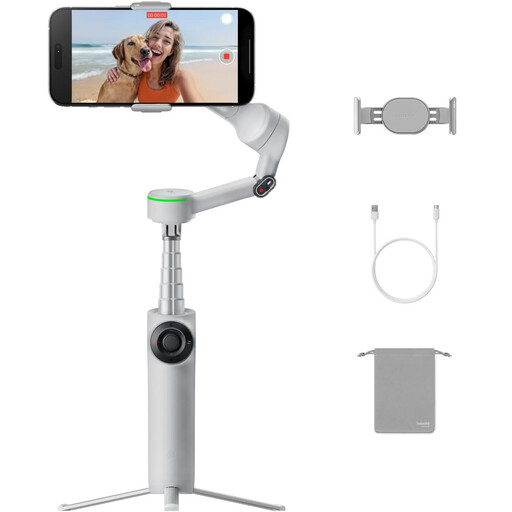
Why it suits this profile: Ideal for creators who value tracking, group shots and hands-free filming. The combination of a tripod, selfie stick and AI Tracker is practical for travelling, livestreams and video calls.
The product information distinguishes between DockKit for compatible iOS apps and the AI Tracker for multiple platforms. So check the app you want to use before buying.
3-axis stabilisation, 360° pan tracking, multi-person tracking, a built-in tripod and selfie stick, and a stated battery life of up to 10 hours.
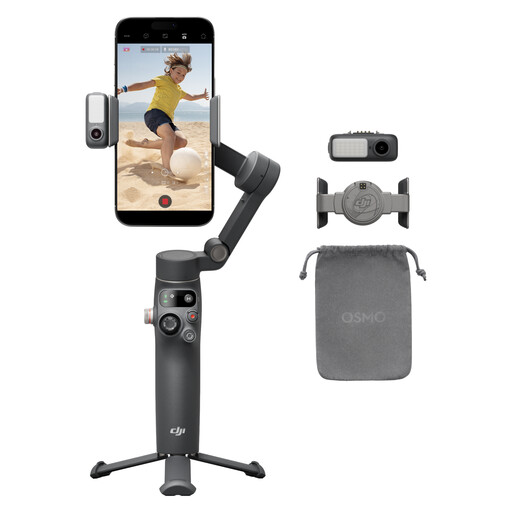
Why it suits this profile: A logical choice for vloggers, influencers and filmmakers who often work alone and want to switch quickly between filming, tracking and presenting.
The built-in extension rod and tripod reduce the need for separate accessories. However, check which tracking and microphone features your smartphone supports.
3-axis stabilisation, ActiveTrack 7.0 according to DJI, a built-in extension rod and tripod, plus a stated operating time of up to 10 hours.
We have put together a complete, up-to-date list of products that fully meet these strict selection criteria and the applicable European safety regulations.
Fully charge the gimbal and attach the phone according to the instructions. Centre the device before activating the motors. Then install the accompanying app if you want to use tracking, gesture control or automatic video editing.
For TikTok and Instagram, portrait mode is usually the best choice. For YouTube, landscapes and travel videos, landscape mode is more practical. Walk with small steps and hold the handle with both hands when filming fast movements.
Do not use a smartphone gimbal in the rain unless the model is explicitly designed for it. Electronic gimbals are generally not waterproof. Also charge the battery in a dry, well-ventilated place and allow the device to cool down after prolonged use.
No. The phone must fall within the specified width and weight limits. In addition, tracking, apps and remote control may depend on the operating system and the specific model. Check this before buying.
Yes, provided the model supports portrait and landscape recording. For TikTok, fast vertical recording and tracking are useful. For YouTube, battery life, a stable tripod and good audio options are often more important.
Operating time per charge varies by model and function. The models mentioned state approximately 10 to 11 hours, but tracking, lighting and charging a phone can affect the actual duration. Store the gimbal in a dry place, avoid dropping it and use a suitable USB-C charger to minimise unnecessary wear.
