
Vandaag of morgen in huis

Kwaliteit gegarandeerd

Welkomstaanbiedingen ontgrendelen: GRATIS bezorging | Tot 80% korting | Gratis 30 dagen JoyPlus-proefperiode
Download de app
A smartphone gimbal can reduce shaky footage when vlogging, travelling, attending events or creating product videos. However, not every model is suitable for every phone or filming style. Marketing terms such as “AI tracking”, “professional stabilisation” and “all-in-one” only mean something when you understand the specifications behind them.
The three most common buying mistakes are:
Only looking at tracking features
Subject tracking often works through an app, camera recognition or an additional module. So check whether your iPhone or Android phone is compatible and which features are only available in a specific app.
Ignoring the phone’s weight and size
A heavy phone with a case can put strain on a phone gimbal’s motors. A large camera bump can also prevent the magnetic clamp or holder from fitting properly.
Confusing battery life with filming time
Manufacturers often quote a maximum operating time under certain conditions. Tracking, lighting, Bluetooth and charging your smartphone can reduce the practical operating time.
A 3-axis gimbal compensates for movement in three directions: tilting, rotation and sideways movement. This is particularly helpful when walking or slowly moving the phone from left to right. A smartphone stabiliser does not automatically make your footage smooth: your walking pace, the surface you are walking on and the camera mode you use still have an impact.
Look out for:
AI tracking and facial recognition are not always available in every camera app. Some features work exclusively through the brand’s app. Also check whether your phone version and operating system are supported.
With models such as the DJI Osmo Mobile and Insta360 Flow 2, tracking, gesture control and automatic editing features may vary between phones. Claims about tracking people, pets or movement come from the manufacturer’s product information. Treat them as features to verify in advance, rather than a guarantee for every filming situation.
For travelling and everyday use, a foldable design, built-in tripod and selfie stick are practical features. A built-in extension pole can also be useful for group photos or wide-angle selfies.
Also consider:
The Insta360 Flow 2 product specifications include a foldable design, integrated tripod and selfie stick. However, the same product information lists different battery life figures depending on the version and how it is used. Always check the latest product specifications and manual before ordering.
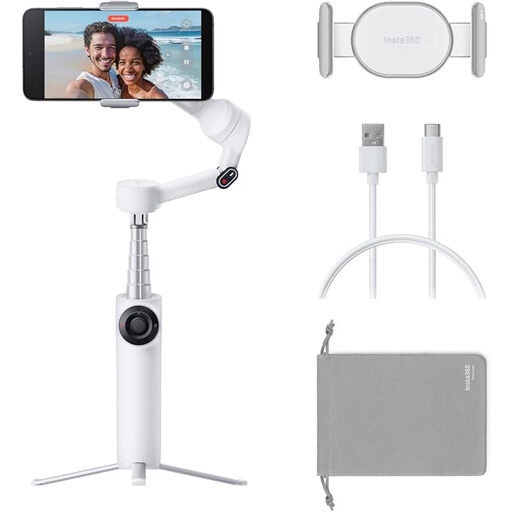
Why it suits this profile: A compact choice for students, beginner vloggers and travellers who want one device for filming, selfies and static shots.
The foldable design and built-in tripod reduce the need for separate vlogging accessories. However, check compatibility with your phone model beforehand.
3-axis stabilisation, built-in tripod and selfie stick, plus gesture control according to Insta360’s product description.
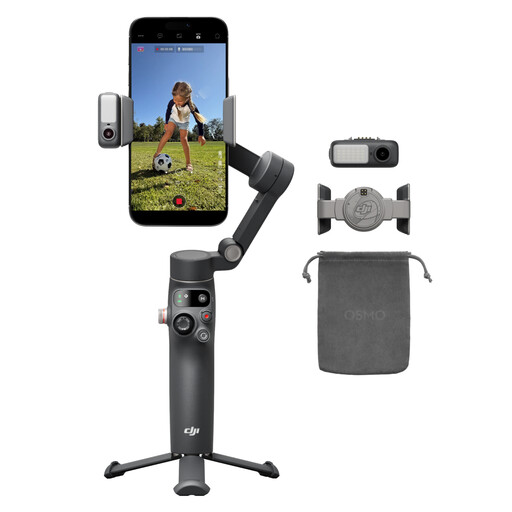
Why it suits this profile: Ideal for creators who film extensively with tracking, want a built-in extension pole and regularly make longer recordings.
The specifications list 3-axis stabilisation, an integrated tripod and an extension pole measuring up to 215 mm. This makes separate accessories less essential.
Up to around 10 hours of stated operating time, 360° panoramic rotation and a multifunctional module with adjustable fill light according to DJI.
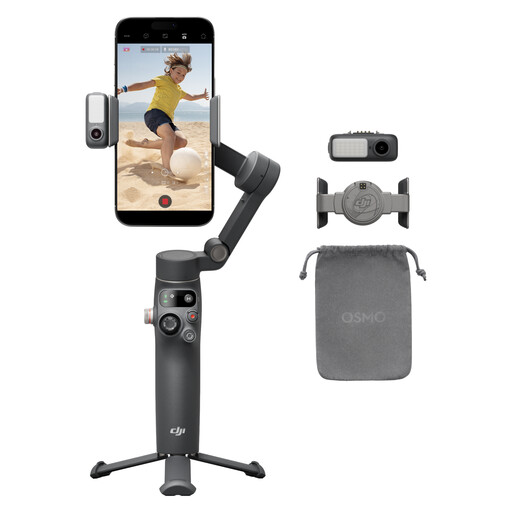
Why it suits this profile: A practical option for vloggers and social media creators who want to combine stabilisation, tracking, lighting and an extension pole in one set.
The built-in tripod and extension pole reduce the number of separate components you need. However, bear the total weight in mind when using the multifunctional module.
3-axis stabilisation, ActiveTrack 7.0 and up to 10 hours of stated operating time according to DJI. The module can also support lighting and microphone reception.
Stabilisation prevents movement, but it cannot fix a dark or unevenly lit image. A compact LED video light can be useful for product photography, indoor conversations and evening filming.
When choosing lighting for vlogs, consider its positioning. A light placed directly above the phone can create harsh shadows. Position the light slightly to the side of the camera and adjust the brightness to suit the room.
We have compiled a complete, up-to-date list of products that fully meet these strict selection criteria and the applicable European safety regulations.
No. Check the maximum weight, the holder’s width and app compatibility. A phone with a heavy case, additional lens or large camera bump may be more difficult to balance. Also check whether features such as tracking and gesture control are available for your operating system.
The operating time per charge depends on tracking, Bluetooth, lighting and any reverse charging. To extend the gimbal’s lifespan, charge it using the recommended cable and adapter, avoid prolonged exposure to heat and store the device in a dry place. Do not use a non-waterproof model in the rain or damp environments.
Not always. A built-in tripod and selfie stick are useful for static shots. For better results, an LED video light, external microphone and additional phone battery may be helpful. Choose accessories based on your filming situation so that your bag does not become unnecessarily heavy.
