
Vandaag of morgen in huis

Kwaliteit gegarandeerd

Welkomstaanbiedingen ontgrendelen: GRATIS bezorging | Tot 80% korting | Gratis 30 dagen JoyPlus-proefperiode
Download de app
Shaky footage can completely ruin a great holiday video or a professional product presentation. You know the feeling: you try your best to hold your phone steady, but the result is still jittery. A smartphone gimbal is a straightforward solution to instantly give your videos a stable, smooth, and cinematic look.
As a Joybuy Product Recommendation Officer, I'm here to help you navigate the specs and marketing jargon. This article provides practical buying tips and a selection of popular models to help you make an informed decision that suits your needs.
Before making a choice, it's helpful to understand a few key features. This will help you determine which type of video stabilizer is the best fit for your use case.
A gimbal's core function is stabilization, which it achieves using axes that correct unwanted movements.
Modern gimbals offer more than just stabilization. Features like a gimbal with AI tracking are particularly useful. This allows the gimbal to automatically follow a person or object, which is ideal for vlogging or filming moving subjects without having to manually pan the camera.
Additionally, a foldable gimbal is practical for creators on the go. These models are compact and fit easily into a bag, making them perfect for travel or a day of shooting.
Always check if the gimbal is compatible with your smartphone. Pay attention to the maximum dimensions and weight the gimbal can support. Most models are suitable for both iPhone and Android, but it's wise to verify. A gimbal for iPhone may sometimes offer specific integrations with iOS software.
The battery life, often ranging from 6 to 12 hours, determines how long you can shoot without recharging. Some gimbals can even charge your phone during use, which is a convenient bonus.
Below is a selection of models that stand out for their specifications and features.
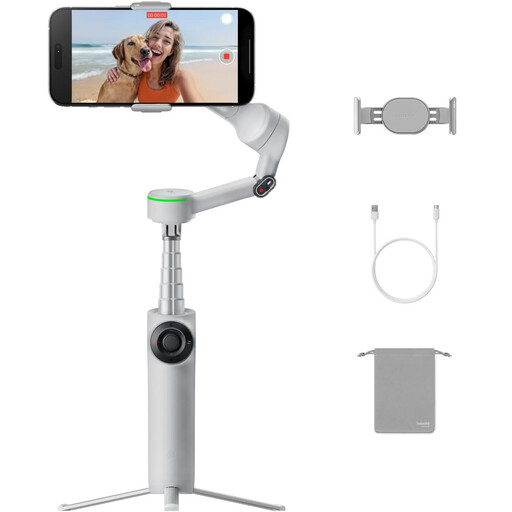
Why it stands out: The Insta360 Flow 2 Pro is designed as an all-in-one tool for content creators. It combines a 3-axis stabilizer with a built-in tripod, selfie stick, and power bank. According to the manufacturer Insta360, its AI tracking offers support in over 200 apps via DockKit, ensuring your subject always stays in sharp focus.
Pros:
Who is it for? For the vlogger or content creator seeking a complete and versatile solution. The integrated features eliminate the need to carry extra accessories.
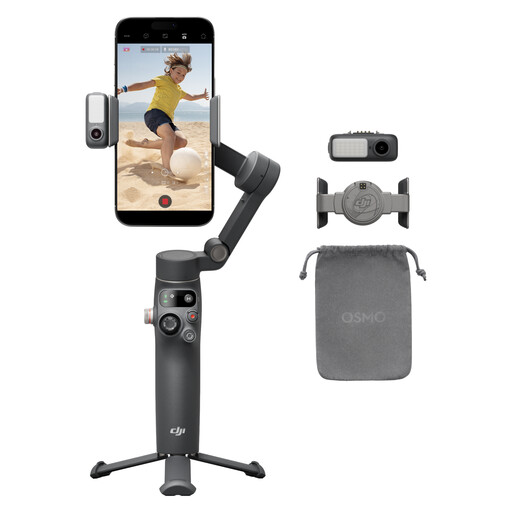
Why it stands out: The DJI Osmo Mobile 7P focuses on a fast, user-friendly experience with robust stabilization. The magnetic mount and automatic startup of the DJI Mimo app let you start filming instantly. DJI's 7th generation stabilization technology ensures exceptionally smooth footage.
Pros:
Who is it for? Ideal for users who prioritize excellent image stability and a fast, intuitive workflow. Suitable for both beginners and advanced users aiming for cinematic results.
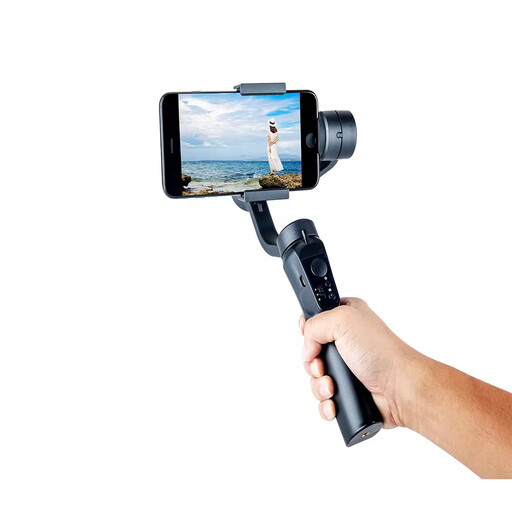
Why it stands out: The Verbex C16 is an accessible option that offers key features in a compact and foldable design. With 2-axis stabilization and face recognition, this is a practical video stabilizer for daily use, such as creating videos for TikTok or YouTube.
Pros:
Who is it for? A great choice for beginners, hobbyists, or users on a tighter budget who need a reliable and portable stabilizer for social media content and family videos.
The right gimbal depends heavily on your personal needs and how you plan to use it. If the models above don't quite match what you're looking for, plenty of other options are available.
Explore more choices in our Camera with Tripod category for a broader overview.
A 2-axis gimbal stabilizes your phone's tilt and roll movements, which is enough to dampen minor vibrations. A 3-axis stabilizer adds the pan axis (left/right), resulting in significantly smoother footage, especially during dynamic movements. For professional-looking videos, a 3-axis model is generally recommended.
Most modern gimbals are designed to work with a wide range of smartphones, including popular models from Apple and Android. However, it's crucial to check the specifications, particularly the maximum weight and dimensions (width) the gimbal supports, to ensure your phone will fit.
While you can often use a gimbal with your phone's native camera app, the manufacturer's companion app (like DJI Mimo or the Insta360 app) unlocks advanced features. These include gimbal with AI tracking, timelapse, panoramas, and special shooting modes. These apps are designed to work seamlessly with the hardware for optimal performance.
