
Vandaag of morgen in huis

Kwaliteit gegarandeerd

Welkomstaanbiedingen ontgrendelen: GRATIS bezorging | Tot 80% korting | Gratis 30 dagen JoyPlus-proefperiode
Download de app
Shaky, unstable videos can significantly degrade the quality of your content. Whether you're capturing an important memory, recording a vlog for YouTube, or making a quick clip for TikTok, jerky footage looks unprofessional. A smartphone gimbal is an effective solution. This device, also known as a phone stabilizer, uses motors to keep your phone steady, even when you're moving.
This article is designed to help you choose a suitable gimbal. We'll discuss the key factors to consider and highlight several popular choices based on their specifications and features.
Joybuy Product Recommendation Officer
Before you make a choice, it's helpful to know which features are important. Here are a few practical tips.
The core function of a gimbal is stabilisation. Most models offer 2-axis or 3-axis stabilisation.
You often take a gimbal with you when travelling or to an event. A compact and lightweight model is therefore more practical. Many modern gimbals feature a foldable gimbal design, allowing them to fit easily into a jacket pocket or small bag. Pay attention to the weight and dimensions to ensure the device fits your lifestyle.
Modern smartphone stabilizers offer more than just steady footage. Features like a gimbal with tracking are ideal for solo creators. The gimbal automatically follows a subject (or yourself), ensuring you always stay in the frame. Other useful features include gesture control, time-lapse modes, and special effects via a companion app. These extras can make creating creative content much easier.
Below is a selection of gimbals that stand out for their specifications and functionalities.
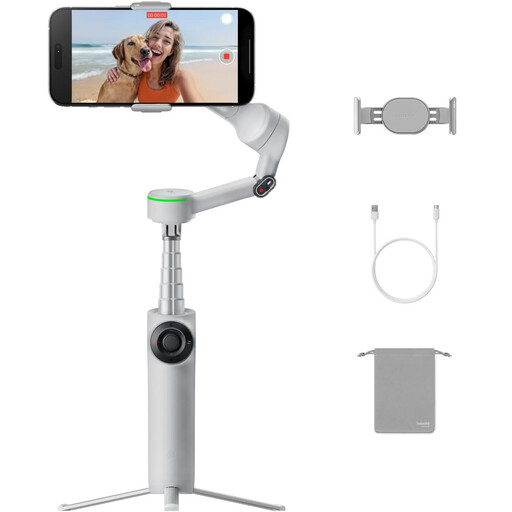
Why this model stands out The Insta360 Flow 2 is designed as an all-in-one tool for content creators. It combines a 3-axis gimbal with a built-in tripod, selfie stick, and even a power bank to charge your phone. According to the manufacturer Insta360, its AI tracker offers advanced features like tracking multiple people and even pets.
Pros
Who is it for? For the serious vlogger, traveller, or content creator looking for a complete and versatile smartphone gimbal. Also useful for families who want to capture group activities without any hassle.
View the Insta360 Flow 2 Pro Bundle Gray
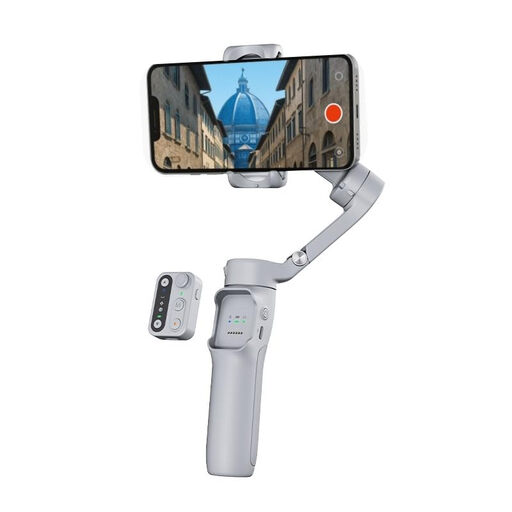
Why this model stands out This anti-shake stabilizer from hohem distinguishes itself with a detachable remote control, allowing you to start and stop recordings from up to 10 meters away. The iSteady 8.0 stabilisation system and long battery life make it a reliable choice for a wide range of situations.
Pros
Who is it for? For travellers and creators who value flexibility and the ability to film hands-free. A solid phone stabilizer for daily use and social media content.
View the hohem Smartphone Gimbal Stabilizer
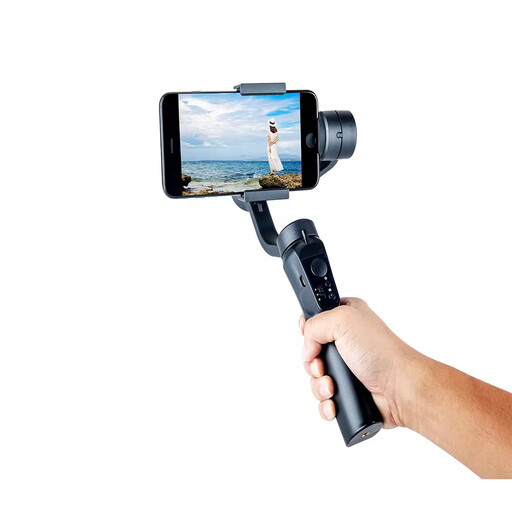
Why this model stands out The Verbex C16 is an accessible anti-shake stabilizer that focuses on the essentials: stable footage and ease of use. With 2-axis stabilisation and AI face tracking, it's a practical tool to instantly improve the quality of your videos. It is compatible with both Android and Apple devices.
Pros
Who is it for? For beginner content creators and social media users on platforms like TikTok and YouTube who are looking for a functional and affordable gimbal for iPhone or Android.
View the Verbex C16 Smart Mobile Phone Stabilizer
These recommendations are a great starting point, but the market for smartphone stabilizers is vast. If you're looking for other models, specific features, or accessories, there's more to discover.
Check out our full range of camera remotes and stabilizers for more options.
1. What is the difference between a 2-axis and a 3-axis gimbal? A 3-axis gimbal corrects movements on three axes: pan (rotation), tilt, and roll. This produces the smoothest footage, especially when you are moving. A 2-axis gimbal only corrects for tilt and roll, making it lighter and more compact, but less effective during dynamic action.
2. Does a gimbal work with any smartphone, like an iPhone? Most gimbals are designed for a wide range of smartphones, including various models from Apple and Android. However, it's important to check the specifications. Pay close attention to the maximum weight and width of the phone that the gimbal can support. This ensures that your gimbal for iPhone or Android device will fit properly.
3. Do I need an app to use a gimbal? For basic stabilisation, an app is often not required. However, to access advanced features like AI tracking, gesture control, panoramas, and creative shooting modes, the manufacturer's companion app is usually necessary. These apps often also provide video editing options.
