Who is this guide for?

Listeners who value stereo positioning

They want to follow where the instruments sit in the stereo image when listening to quartet recordings, and have room for one or two speakers in fixed positions. Sonos and Apple describe options for stereo pairs.

People managing a shared music set-up

They want several people to be able to start music and adjust the volume, without confusion about the linked account. Google says that one account per streaming service can be linked to a shared speaker.

Users who don’t want a voice assistant

They want to play music without built-in voice control in the room, and also pay attention to the security and privacy of connected devices. Sonos describes the Era 100 SL as a model without built-in voice control; the Dutch Data Protection Authority advises people to read the privacy notice for a smart device.

What should you look for?

One fixed speaker

Choose this set-up: if there’s one regular listening spot or little room for placement. Check that the speaker works with the music service you use.

Bear in mind: one enclosure isn’t the same as two separately positioned stereo speakers. Home Wi-Fi speakers generally need mains power and a network connection; the Consumers’ Association describes control via an app.

Two speakers as a stereo pair

Choose this set-up: if you want to place the left and right channels of a quartet recording separately and have room for two compatible speakers. Sonos describes pairing two Era 100 SL speakers; Apple requires two speakers of the same model for a HomePod stereo pair.

Bear in mind: you’ll need two devices and should check which models can form a stereo pair with each system. This doesn’t guarantee a particular sound in the lounge.

What to consider What should you look for? Who should prioritise this?
Playing quartet recordings Check whether two of your chosen model can work as a stereo pair. If possible, compare the set-up from the seats people usually use. If I want to follow the positioning of the instruments, I look for separate left- and right-channel playback and how the recording sounds from the seats; around 33% of consumers give stereo playback top priority.
Playback source and shared control Check support for the music service and devices you use. Agree who will manage the account, and test pausing and adjusting the volume. If several people need to be able to start music without relying on a single phone, I look for accessible controls and account management; around 27% of consumers prioritise shared control.
Microphones and privacy Check whether the exact model has a microphone and how to disable voice control. Read the privacy notice and keep the software and apps up to date. If people don’t want a voice assistant in the lounge, I look at whether voice features are available and how they’re controlled; around 20% of consumers cite privacy as their top priority.
Placement and connections Check mains power, Wi-Fi and the space available in the intended spot. Factor in a second speaker or any required adapter. If the speaker needs to fit in a fixed spot, I want to know in advance what connections and space the set-up requires; around 20% of consumers give a simple set-up top priority.

Common pitfalls

  • Assuming ‘stereo’ from one speaker is the same as two separately positioned speakers

    The JBL Authentics 200 is described as one speaker with stereo sound; Sonos and Apple also describe stereo pairs made up of two speakers. These are different set-ups.

    Consider whether you have room for two speakers and, if possible, listen from several seats before adding another speaker.

  • Assuming everyone can use their own music library

    Google says that one account per streaming service can be linked to a shared speaker. This may affect which library is available.

    Agree in advance who will manage the account, and test the controls with the phones people will actually use.

  • Assuming a connection is a ready-to-use audio input

    Sonos says a separate adapter, sold separately, is needed for the line-in on the Sonos Era 100. According to the manual, the USB-C port isn’t designed for charging other devices.

    If you’re using a wired source, check the complete connection route and the parts required for the exact model.

  • Assuming a shared lounge is automatically a private space

    Whether music use counts as public depends on the specific circumstances. BumaStemra says permission is required to play music in public.

    Before playing recordings for an audience, ask the person managing the lounge to assess whether its use falls under public music use.

Brands to consider

Sonos

The Era 100 and Era 100 SL are worth considering if you’re comparing fixed Wi-Fi speakers with on-device controls and the option to pair them.

  • Sonos says the Era 100 SL supports Wi-Fi and Bluetooth and can be used as part of a pair; the model has no built-in voice control.
  • For a wired line-in connection on the Era 100, Sonos specifies a separate adapter, sold separately. These are model specifications, not an independent listening test.

Apple

The HomePod mini 2 is worth considering if you’re setting up the shared system with compatible Apple devices.

  • Apple describes multi-room playback and stereo pairing for HomePod speakers.
  • Apple lists an iPhone or iPad running current software as a system requirement for set-up. Check that the lounge has a compatible device.

Google

Nest Audio is worth considering if the lounge already uses Google Home and supported music services.

  • Google describes Nest Audio as a speaker with voice control.
  • Google says that one account per streaming service can be linked to a shared speaker. So agree who will manage the music source.

JBL

The Authentics 200 and 300 are models to compare for a fixed or portable lounge set-up respectively.

  • JBL describes the Authentics 200 as a single enclosure with stereo sound, and the Authentics 300 as a model with a battery.
  • One enclosure isn’t the same as two separately positioned speakers; JBL’s descriptions of sound and battery life are manufacturer claims.

Bluesound

The PULSE M is worth considering if app control, preset buttons and the option to add more speakers are important to you.

  • Bluesound describes control via the BluOS app, five preset buttons and AirPlay 2.
  • Check that the controls and system work with the devices lounge users actually use.

Joybuy product picks

These products are suited to wireless music playback and comparing possible stereo placements. Check which playback source and set-up work for the lounge with each model.
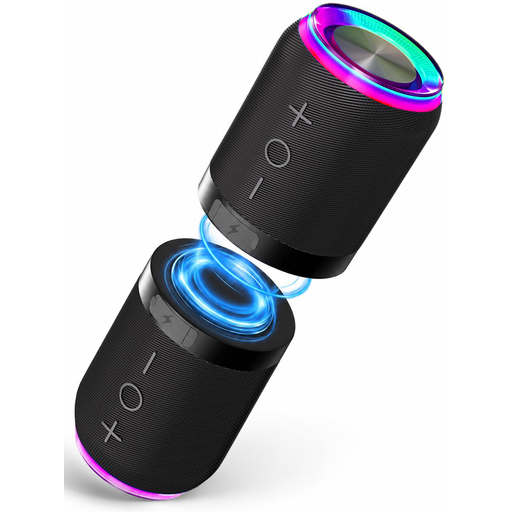
Bluetooth speaker set with magnetic attachment, two speakers

Bluetooth speaker set with magnetic attachment, 2 pieces

A set of two to consider if you want to position the speakers separately; check that the units are suitable for the stereo playback you’re looking for.

The product name specifies Bluetooth and IPX6 water resistance.

Joybuy

Bose Lifestyle Ultra Speaker in black

Bose Lifestyle Ultra Speaker, black

Worth considering if you want to explore a stereo pair or multi-room set-up; check the connections and exact capabilities of this version.

Built-in Alexa voice control is listed. If you don’t want voice control in the lounge, check whether this feature can be disabled or compare a model without it.

Joybuy
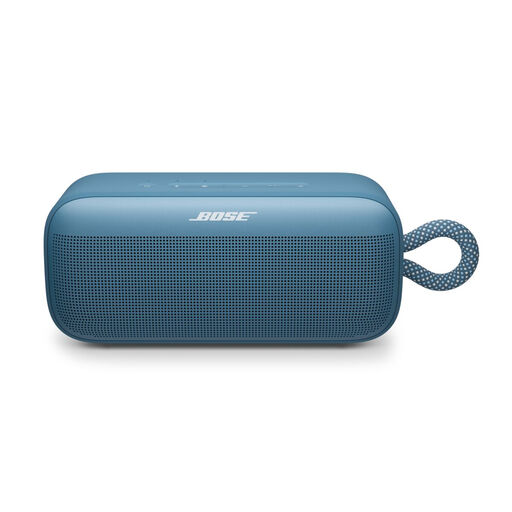
Bose SoundLink Plus in Blue Dusk

Bose SoundLink Plus, Blue Dusk

If you’re considering Bluetooth playback or using two speakers as a stereo pair, check the pairing requirements for this version.

Joybuy
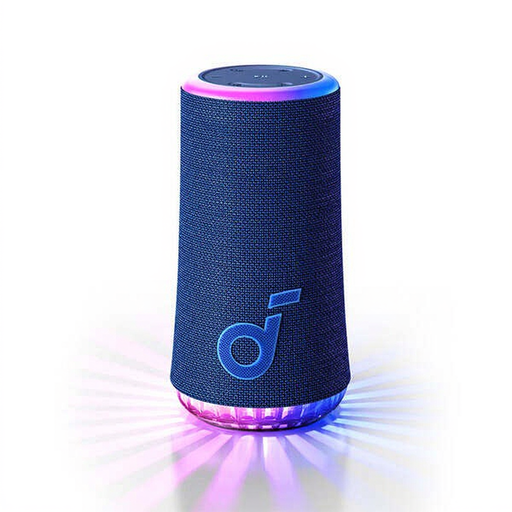
soundcore Glow in blue

soundcore Glow, blue

An option to consider if you want to use Bluetooth and adjust the volume using buttons or the connected device; check how this version is controlled.

The product name specifies Bluetooth.

Joybuy

Edifier ES300 Wi-Fi and Bluetooth speaker

Edifier ES300 Wi-Fi and Bluetooth speaker

Worth considering if you want to compare Wi-Fi, Bluetooth and app control; check that the listed connections and services work with the equipment in the lounge.

The product name specifies AirPlay 2, multi-room, app control, USB and AUX.

Joybuy

Frequently asked questions

Do I need two speakers for string quartet recordings?

Not necessarily. Start by considering the space available and the seats people usually use. Choose a compatible stereo pair if separate left- and right-channel playback matters to you. Apple requires two speakers of the same model for a HomePod stereo pair.

Can everyone in the lounge use their own music account?

It depends on the system and playback method. Google says that one account per streaming service can be linked to a shared speaker. Test in advance who can start a recording and who manages the playlist.

What should you arrange for set-up and maintenance?

Check that there’s mains power and Wi-Fi where you plan to put the speaker, set up the app you’ll use, and keep the device and app up to date. The Dutch government also recommends using a strong password; read the device’s privacy notice as well.

What if the speaker breaks sooner than expected?

Consumer purchases in the Netherlands are covered by a legal guarantee, in addition to any commercial warranty. According to ACM ConsuWijzer, if a product breaks too soon under normal use, the seller must repair or replace it free of charge or, where appropriate, refund the purchase price. There isn’t one fixed Dutch guarantee period that applies to every speaker.

Can you play recordings in a shared lounge without any further checks?

There isn’t a simple yes or no for every shared lounge; among other things, the specific circumstances determine whether the music is being played in public. BumaStemra says permission is required to play music in public. The Dutch government also points out that copyright-protected music can’t be made available to the public without permission. A consumer subscription to a music service doesn’t automatically cover these rights; ask the person managing the lounge to assess the situation and any licences required.
