What should you look for when choosing?
Start with where you usually listen, then check whether you can play your recordings through your preferred service, phone or other source. Also consider whether you want one speaker or have room for two.
| What to consider |
What should you check? |
Who should weigh this up most carefully? |
| Stereo imaging and placement |
Check whether the exact model supports a stereo pair and whether both speakers can be placed in the same listening space. |
If I usually listen from one fixed spot, I want to position the instruments to the left and right; around 36% of consumers prioritise stereo imaging and placement. |
| Playback compatibility |
Check your preferred music service, subscription and controls. If needed, also look at AirPlay, Bluetooth or a physical input. |
When I listen from my phone or music service, I want to know if my recording will play that way; around 29% of consumers give playback compatibility top priority. |
| Privacy and voice control |
Check whether the model has built-in microphones, which controls you need, and what the privacy statement and security settings say. |
I want to play music without microphones for built-in voice control; this is a top priority for around 21% of consumers. |
| Size of the set-up |
Compare one speaker with the two speakers needed for the stereo pair you have in mind. Also check whether you need an adapter for a wired source. |
If I want to keep the set-up simple, I want to know in advance how many devices and components I’ll need; around 14% of consumers prioritise the size of the complete set-up. |
Speakers at Joybuy
These Joybuy products are suited to a one-speaker set-up. Check that the listed playback options and connections work with your recording and source.
 Image unavailable
Bose Lifestyle Ultra Speaker, black
Suits anyone looking for a single speaker with app connectivity; the product information lists Wi-Fi, LAN and multi-room audio.
View at Joybuy
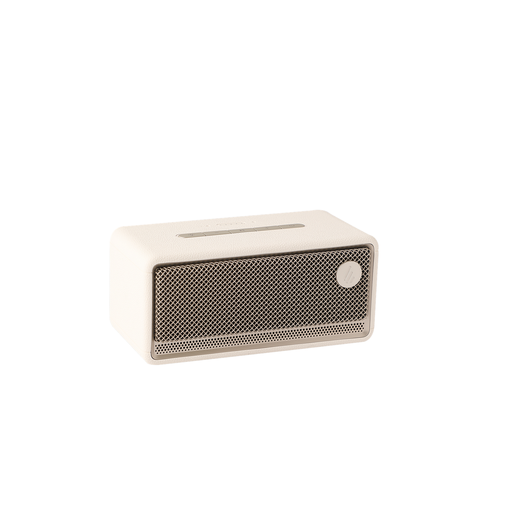 Image unavailable
Edifier ES300 Wi-Fi & Bluetooth speaker, 60W
Suits anyone looking for several wireless or wired playback options; the product information lists Wi-Fi, Bluetooth, AirPlay 2, USB and AUX.
View at Joybuy
Frequently asked questions
Is one speaker with stereo playback the same as a stereo pair?
No. With a supported stereo pair, the manufacturer assigns left and right channels to the speakers. Check the requirements for the exact model and whether you can place two speakers in the same listening space.
Can I connect a CD player directly to the Sonos Era 100 SL?
You’ll need the Sonos Line-In Adapter to use the line-in on the Sonos Era 100 SL. Also check which output your CD player has and which cable is suitable.
What can I check to protect my privacy when using a smart speaker?
Read the privacy statement and review the device’s security and privacy settings, as the Dutch Data Protection Authority advises. A model without built-in microphones doesn’t eliminate all privacy concerns about a connected device.
Am I always entitled to just two years of legal guarantee in the Netherlands?
No, not automatically. ACM ConsuWijzer explains that your statutory rights depend on what you could reasonably expect from the product under normal use. If a product turns out to be faulty, the seller is responsible for resolving the issue.
Can I return a speaker bought online if I’m not happy with the set-up?
For many eligible consumer purchases made online, you have a 14-day cooling-off period. The Dutch government lists exceptions and distinguishes between buying from a business and a private seller; check which terms apply to your purchase.


