
Listener with a large seating area
You want to decide in advance whether one listening spot is enough, or whether your space and listening spots would be better suited to two speakers placed separately.


For party music in a large living room, choose one smart speaker if you mainly want to play music from a single listening spot. Choose two compatible speakers if you want separate left and right channels and have two suitable places to position them. Before buying, check that your phone and music service work with your chosen playback method, and that the Wi-Fi and controls suit your needs. A stereo pair requires two speakers, and claims of room-filling sound don’t guarantee even coverage throughout your living room.
You want to decide in advance whether one listening spot is enough, or whether your space and listening spots would be better suited to two speakers placed separately.
You want to start your existing party playlists using your own phone and music service, and easily control the music while you have guests over.
You want to know whether voice commands would be useful and what data and settings come with a connected speaker.
Start by thinking about where people will listen, then decide how you want playback and controls to work. Remember to factor in privacy and the cost of the complete set-up too.
| What to consider | What should you check? | Who should give this more weight? |
|---|---|---|
| Music where you want it | Decide where you’ll listen, and check whether you mean one speaker, a stereo pair or grouped speakers. Check the pairing rules for the exact models. | I want music to be audible by the seating area and where guests are standing, and I want to know in advance which set-up will work. Around 31% of consumers put speaker placement and sound distribution first. |
| Existing playlists | Check that your music service, subscription, phone and preferred playback method work with the exact model. | I want to play my regular party playlist using the service and phone I already have, without having to find another way to play it during the party. For around 25% of consumers, playback compatibility is the top priority. |
| Controls while entertaining | Compare voice commands, app controls and the controls on the speaker. Check which features are available on the Dutch model variant. | If I don’t want to keep reaching for my phone, being able to start and change tracks using suitable controls matters. Around 19% of consumers put ease of use first. |
| Privacy on a connected device | Read the privacy policy and check the account settings. Also consider whether you need built-in voice control. | I want to understand in advance what data and settings come with a speaker that has voice control. Around 13% of consumers put data protection first. |
| Total set-up costs | Compare the cost of the full number of speakers you need, and check any subscription terms for features or music services. | I want to keep the cost of the complete set-up under control and avoid paying for features I don’t need. Around 12% of consumers put the total cost first. |
A stereo pair plays separate left and right channels; grouping speakers to play the same music at the same time is different. Pairing rules vary by system. Sonos, Google and Apple set out model requirements for the stereo pairs mentioned.
Before choosing a second speaker, check which exact models can be used together as a stereo pair.
You may first need to link your music service to the speaker or app. Google says that speakers and displays support one account per streaming service.
Test in advance that your playlist starts using your preferred service, phone and controls.
A product description can’t tell you how music will sound in every listening spot in your living room. Speaker placement and the layout of the room still matter.
Decide where you want to listen, then compare the placement options for one speaker with those for a compatible pair.
According to the Dutch government, a manufacturer’s, seller’s or additional warranty comes on top of your right to a product that meets the required standards.
Before choosing an additional package, compare its terms with what it actually adds.
The Era 100 is worth considering if you want to compare Wi-Fi, Bluetooth, AirPlay 2 and the option of creating a stereo pair.
The Google Home Speaker is worth comparing if you’re looking for built-in Gemini controls and connectivity with an existing Google Home or Cast set-up.
The second-generation HomePod suits a household with a compatible Apple device that wants to play music within an Apple set-up.
The Home 150 is worth considering if you want to add a connected speaker to an existing HEOS set-up.
This selection includes individual speakers for living-room listening and a speaker set made up of two separate units.
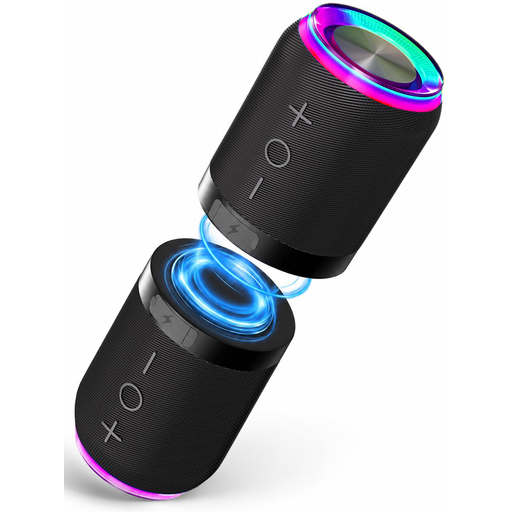 No image available
A set of two separate units to consider if you want to play music in more than one place.
The product name lists stereo sound, 360° sound, lighting effects and IPX6.
 No image available
An option to consider if you’re looking for an individual speaker with Wi-Fi and app control.
According to the product details, an app or service is required for use; check that this suits you.
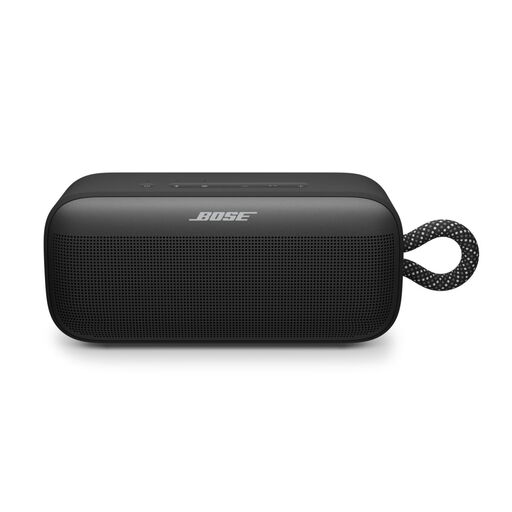 No image available
This could suit you if you’re looking for a speaker to play music from your phone or use at get-togethers.
Before buying, check that Bluetooth playback and the pairing requirements are suitable for the stereo set-up you want to create.
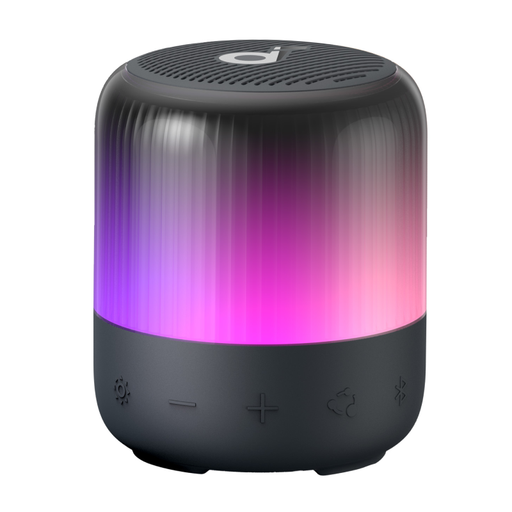 No image available
A portable option to compare if you want Bluetooth music and lighting effects at a get-together.
The product name lists 360° sound, 12-hour battery life, customisable equaliser settings and IP67.
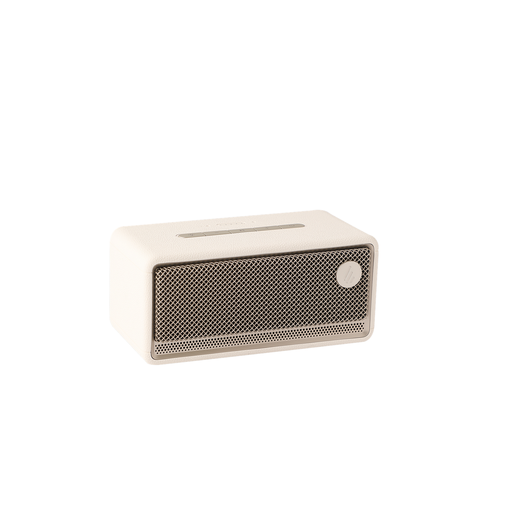 No image available
An option to compare if you want to stream over Wi-Fi at home and control playback via an app.
The product name lists Bluetooth, AirPlay 2, LDAC, 12-hour battery life, multi-room, USB and AUX.
No. A stereo pair splits the left and right channels between two compatible speakers in the same room; grouping is designed for playing music in multiple places. Google and Apple require two speakers of the same model for the stereo pairs mentioned. Check the pairing rules for the exact models.
Set up the speaker using its app on a stable Wi-Fi network, link your music service if needed, and test your playlist and controls in advance. For a stereo pair, you’ll also need to configure the second compatible speaker.
That depends on the music service and the features you want to use. Google describes more advanced Gemini conversation features through Google Home Premium and distinguishes these from features that remain available after the trial period. Check the latest terms for both the speaker features and your own music service.
When you buy remotely from a business, you’re usually entitled to a 14-day cooling-off period, according to the Dutch government. You’re also entitled to a product that meets the required standards; there is no fixed statutory warranty period for this right. If there’s a problem with the product, contact the seller. Check the terms of the specific purchase.