If you want to hear the left-to-right positioning in standard stereo recordings and have room for two speakers, consider a compatible stereo pair. If you’d rather have just one device, compare larger models based on placement, connections and controls. Check that your music source is supported, and don’t pay extra for Dolby Atmos if you mainly listen to standard stereo guitar recordings.
Who is this choice for?
Listener in a large living room
You want to hear music in different parts of the room and are wondering whether one larger speaker will do, or whether you should set up two. The Consumers’ Association recommends considering an extra-large speaker for a very large room.
Stereo listener of guitar recordings
You mainly want to hear the left-to-right positioning in standard stereo recordings and have room for a pair. Sonos, Apple and Google describe stereo pairs made up of two compatible speakers; check the requirements for the model you choose.
User with an existing smart home
You want playback, set-up and controls to work with the devices and services you already use. Apple specifies a compatible iPhone or iPad for setting up HomePod; Google describes linking with Google Home and Cast-compatible devices.
What should you look for when choosing?
| What to consider |
What to look for when buying |
Who is this important for? |
| Sound throughout the room |
Compare the space you have with the speaker’s size, and, if possible, listen in the places where you want to hear music. The Consumers’ Association suggests an extra-large speaker for a very large room. |
If you move around the living room, consider whether one fixed listening position will be enough. Around 36% of consumers put sound throughout the room first. |
| Stereo imaging and detail |
Check whether your recording is stereo or Dolby Atmos, whether two speakers can be positioned apart, and whether the models can be paired. |
If the positioning of guitar parts between the left and right channels matters to you, two separate channels may be a better choice. Around 29% of consumers give stereo placement top priority. |
| Music source and controls |
Check how you can play your files or use your music service, which device is needed for set-up, and whether you need any adapters. Sonos says the Era 100 must first be set up over Wi-Fi before Bluetooth can be used. |
If you want to keep using your existing phone, files and controls, check that they’re compatible before choosing a model. Around 21% of consumers put source compatibility first. |
| Privacy and the complete set-up |
Review the privacy and security information, and factor in the cost of the complete set-up, such as a second speaker or a required adapter. The Dutch Data Protection Authority advises checking how your data is handled and reviewing the security information before you buy. |
If you’re considering data use and the cost of the complete set-up, compare the system as a whole rather than just one speaker. Around 14% of consumers put privacy or system costs first. |
Common buying mistakes
-
Assuming Dolby Atmos benefits every guitar recording
Spatial audio requires suitable content and a supported way to play it. A model’s specifications aren’t a listening comparison using your own recording.
First, check the format of your recordings and how you play them. Compare standard stereo playback too.
-
Comparing the price of one speaker with the cost of a complete set-up
A stereo pair consists of two speakers, so you’ll need space for both. Sonos also specifies a separate adapter for analogue line-in on the Era 100.
Compare complete set-ups and decide in advance where both speakers can go.
If you’re buying a Sonos Era 100 stereo pair, factor in the cost of a second speaker. Analogue input also requires the line-in adapter mentioned above.
-
Assuming every speaker works straight away with every phone or music source
Set-up and playback options vary by model. To use Bluetooth with the Era 100, Sonos requires you to set it up over Wi-Fi first; Apple specifies a compatible iPhone or iPad for setting up HomePod.
Before you buy, check your music source, set-up device and preferred connection separately.
Brands to consider
Sonos
According to Sonos, the Era 100 is a compact option that you can pair with a second speaker of the same model for stereo. The Era 300 is a larger model that supports Dolby Atmos Music.
- Sonos lists Wi-Fi and Bluetooth for both models.
- Analogue input on the Era 100 requires a separate line-in adapter. Spatial audio on the Era 300 is only relevant with suitable content and a supported way to play it.
Denon
Denon describes the Denon Home 400 as a standalone stereo speaker within its expandable HEOS system, for those who would rather have just one speaker.
- Denon lists Wi-Fi, Bluetooth, AirPlay 2 and Dolby Atmos Music.
- Denon’s claims about rich or room-filling sound aren’t an independent comparison with other models for guitar recordings.
Apple
HomePod (2nd generation) could suit you if you use a compatible iPhone or iPad and want to play music from supported Apple sources or via AirPlay.
- Apple describes a stereo pair made up of two HomePods of the same model.
- You need a compatible iPhone or iPad for set-up. Bluetooth in the technical specifications doesn’t automatically mean you can use HomePod as a standard Bluetooth speaker for audio.
Google
The Google Home Speaker is designed for people who want to use Google Home controls and Cast-compatible devices.
- Google describes stereo pairing with two speakers of the same type.
- The manufacturer’s 360° sound specification doesn’t confirm that one speaker will be enough for every large living room.
Products at Joybuy
This selection includes wireless speakers and soundbars for anyone looking to play music wirelessly. Check that the design and playback options suit your living room and recording source.
 No image available
Edifier ES300 Wi-Fi and Bluetooth speaker, 60 W
Worth considering if you want to play music from a wireless source.
The product name lists 60 W, Hi-Res Audio, AirPlay 2, LDAC and battery life of up to 12 hours.
View at Joybuy
 No image available
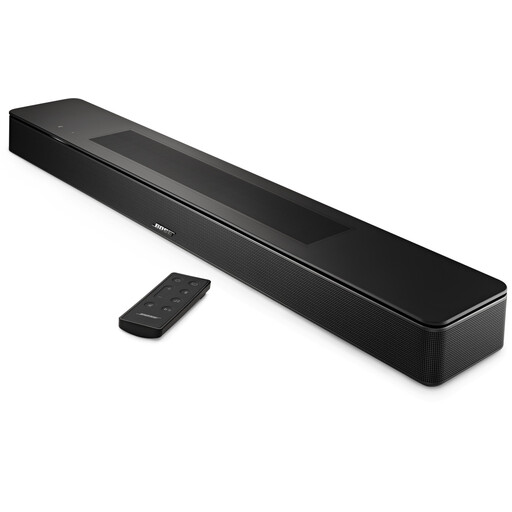
Bose Smart Soundbar, black
A soundbar to consider if you want to compare one with standalone speakers for your living room.
View at Joybuy
 No image available
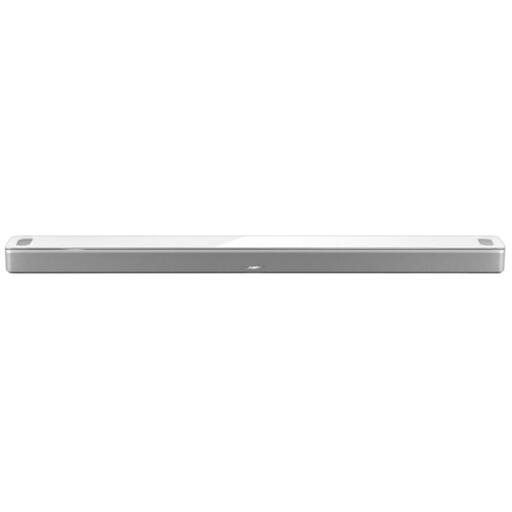
Bose Smart Ultra Soundbar, white
A soundbar to compare if you’re looking for a wireless playback solution and are also considering a soundbar.
The product information describes placement on a TV stand or mounting on a wall; the Bose wall bracket is sold separately.
View at Joybuy
Frequently asked questions
Is one smart speaker enough for a large living room?
It depends on the layout, where you listen and how the speaker sounds in your room. Compare one larger speaker in a fixed position with a compatible stereo pair. The Consumers’ Association recommends considering an extra-large speaker for a very large room.
How do you turn two speakers into a stereo pair?
Follow the instructions for the brand you choose and check the model requirements first. Sonos and Google describe pairing compatible models; according to Apple, a HomePod stereo pair requires two HomePods of the same model.
Do you have to pay extra for basic features of the Google Home Speaker?
According to Google, help with tasks, quick answers and smart home controls remain available after the trial period. Google describes Google Home Premium for additional conversation features; check the current terms if these features are important to your choice.
How do you care for a HomePod?
Apple recommends cleaning HomePod carefully with a dry cloth only. Apple advises against using cleaning sprays or solvents.
What warranty and returns period apply to online purchases in the Netherlands?
According to the Dutch government, you’re entitled to a statutory guarantee; there’s no fixed statutory guarantee period in the Netherlands. For online purchases from a business, you’ll often have 14 days to change your mind, although exceptions apply.


