
Vandaag of morgen in huis

Kwaliteit gegarandeerd

Welkomstaanbiedingen ontgrendelen: GRATIS bezorging | Tot 80% korting | Gratis 30 dagen JoyPlus-proefperiode
Download de app
A smart projector can turn your living room, bedroom or garden into a big screen for films, TV series, sport and gaming. However, buyers often run into the same problems. A product page might mention “4K”, “8000 lumens” or “Netflix”, even though these claims may have limited practical meaning.
So don’t focus only on the number of features. Check the native resolution, the brightness in a reliable unit of measurement, and how streaming services actually work.
A 4K projector can play 4K video, but that doesn’t automatically mean the projector itself displays 3840 × 2160 pixels. Some models support 4K input or 4K decoding, while their native resolution remains 1080p or 720p.
For films and TV series, a Full HD projector with a native resolution of 1920 × 1080 pixels is often a practical starting point. If you mainly want to watch videos or presentations now and then, a mini projector with native 720p may be enough.
Terms such as “9000 lumens” aren’t always used in the same way. Look for ANSI lumens or ISO lumens instead, if that information is available. The image you see also depends on the distance, screen size, picture mode and ambient light.
An outdoor projector therefore works best in the evening or in a sheltered, dark spot. In a bright living room during the day, you’ll need a higher light output, and a television is often the simpler option.
A projector with Wi-Fi and Bluetooth may include an operating system and apps, but the availability of Netflix and other services varies by model and software version. Check whether Netflix is officially supported or whether you’ll need an HDMI streaming stick.
Wireless screen mirroring from a phone isn’t always suitable for copyright-protected video either. An HDMI connection or certified streaming solution may be more reliable.
First, check whether the stated resolution is native. The main practical options are:
Also check the recommended screen size. A 200-inch image sounds appealing, but with a low light output, the picture may look dimmer. For many living rooms, around 60 to 120 inches is easier to manage.
Compare models using the same measurement method. ANSI lumens and ISO lumens aren’t directly interchangeable with general lumen claims. A higher figure can help in ambient light, but it doesn’t tell you everything about contrast, black levels or colour reproduction.
For a home cinema projector, darkening the room is often more important than a big number on the box. Brightness is a key consideration for daytime presentations or watching sport with the lights on.
A projector with autofocus focuses the picture automatically. Automatic keystone correction makes a tilted image more rectangular, but digital correction can affect the effective picture quality. Placing the projector directly opposite the screen remains the most reliable approach.
Also check for:
A portable projector doesn’t always have a built-in battery. Some models are light and compact but only work when plugged into a mains socket.
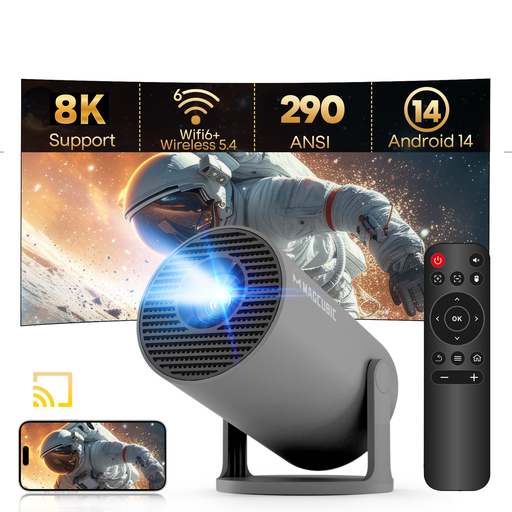
Why it suits this profile: A compact model for the bedroom, occasional film nights and simple outdoor use in the dark.
The specifications clearly state native 720p, 290 ANSI lumens and manual focus. That makes it clear that 8K support doesn’t mean native 8K resolution.
Android 14, Wi-Fi 6, Bluetooth 5.4, automatic vertical keystone correction and a 180° rotating casing.
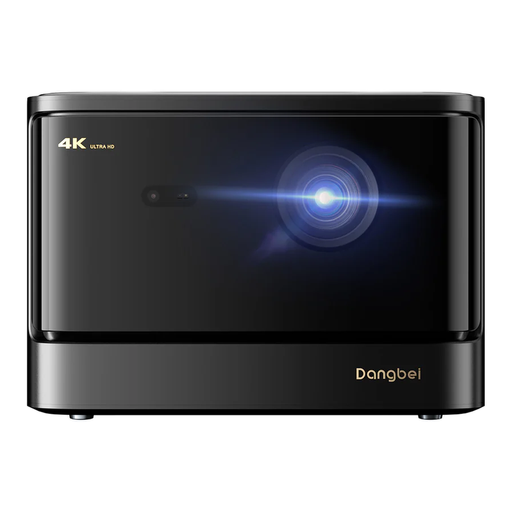
Why it suits this profile: Designed for a dedicated home cinema, with high brightness, a large picture and built-in audio.
The product information states 2450 ISO lumens and lists 4K as the product format. Check the current product specifications for the exact native resolution.
Laser light source, HDR10+ and Blu-ray 3D support, Wi-Fi and Bluetooth, plus two 12W speakers with DTS and Dolby Audio support.
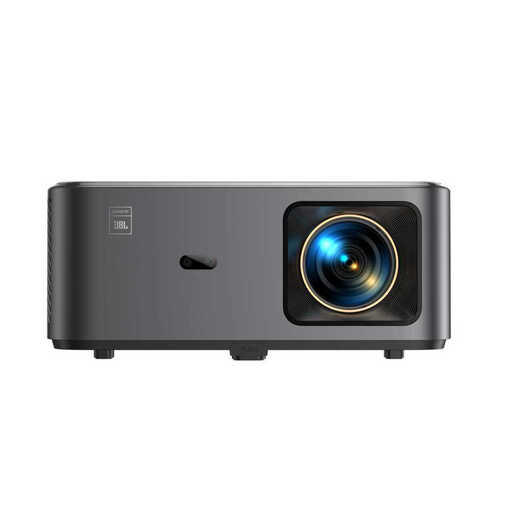
Why it suits this profile: For families and anyone looking to combine streaming, sound and easy positioning in one device.
The listing states native 1080p and 4K support separately. Autofocus and automatic keystone correction are also clearly specified.
Google TV, Wi-Fi 6, Bluetooth, two 10W JBL speakers, Dolby Audio and NFC screen sharing, according to the product description.
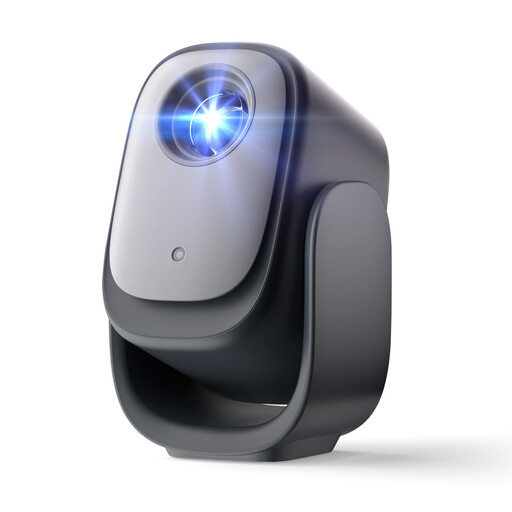
Why it suits this profile: A portable model for anyone who watches in different rooms and wants straightforward streaming with minimal set-up.
The product name describes Netflix as officially licensed. Autofocus, automatic keystone correction and obstacle detection are listed separately.
Native 1080p, Wi-Fi, Bluetooth, Dolby Audio and a compact design for flexible use around the home.
We’ve put together a complete, up-to-date list of products that meet these strict selection criteria and current European safety regulations.
That depends on the operating system and licence. Check whether Netflix is officially integrated. Other models may require an HDMI streaming stick. Wireless screen sharing from a phone doesn’t always work with protected content.
Its lifespan depends on the light source, hours of use, ventilation and maintenance. LED and laser projectors often have a long stated operating life in their specifications, but brightness may decrease over time. Keep the ventilation openings clear, don’t place the device on a soft surface, and let the projector cool down before storing it.
As well as the purchase price, you’ll need to factor in electricity and possibly the cost of a screen, HDMI cable, streaming stick or external speaker. A small mini projector generally uses less power than a high-output model designed for a large picture. So compare power consumption, your preferred screen size and any accessories before buying a projector.
