
Vandaag of morgen in huis

Kwaliteit gegarandeerd

Welkomstaanbiedingen ontgrendelen: GRATIS bezorging | Tot 80% korting | Gratis 30 dagen JoyPlus-proefperiode
Download de app
A smart plug seems like a simple purchase—until you notice your energy bill isn't dropping or the plug is blocking the adjacent outlet. Many models promise convenience but deliver mostly frustration. The goal is clear: get a handle on your energy consumption and control devices remotely. But the market is flooded with smart plugs that look the same yet lack crucial features.
Before you invest in a Wi-Fi socket, it's important to know the common pitfalls that can cost you unnecessary money.
energy monitoring. They look identical but don't provide the insights you need to actually save money.compact smart plug isn't a luxury, but a practical necessity.Google Home socket or smart plug for Alexa renders the product virtually useless.To avoid these pitfalls, focus on a few concrete specifications. These determine whether a smart plug is worth its price.
The core of your search is the smart plug with consumption monitor. This feature is what separates a simple switch from a truly smart savings tool. A good energy monitor offers:
Without these three elements, the energy consumption measurement feature is incomplete, and you'll miss the data needed to save effectively.
The convenience of a smart plug hinges entirely on its software. Check the following points:
socket with a timer app is standard, but check if you can set complex schedules. For example: running the water heater only at night during off-peak hours, or an "away mode" that randomly turns lights on and off.Two practical matters that are often overlooked:
compact smart plug is typically no wider than a standard plug.Below are some popular choices, matched to different user profiles.
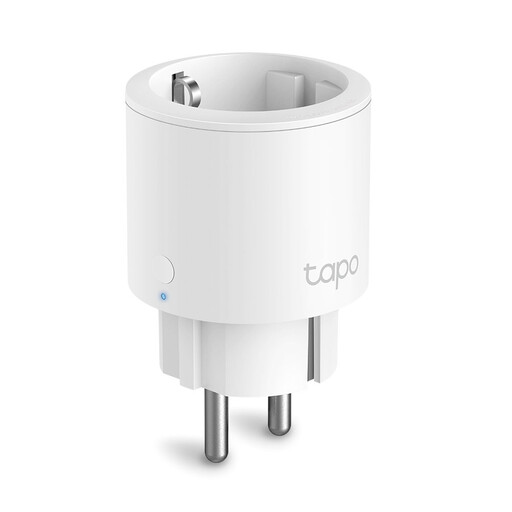
Why This Fits Their Persona: Ideal for those who want to start monitoring energy without the hassle. The Tapo P115 is from a well-known brand, is easy to set up via the user-friendly Tapo app, and provides reliable insights into your power consumption.
This plug has an explicit and detailed energy monitoring function. Its compact, square design ensures that adjacent outlets remain accessible.
Highly stable and intuitive Tapo app. Can handle a high load of 3680W (16A), making it suitable for most household appliances.
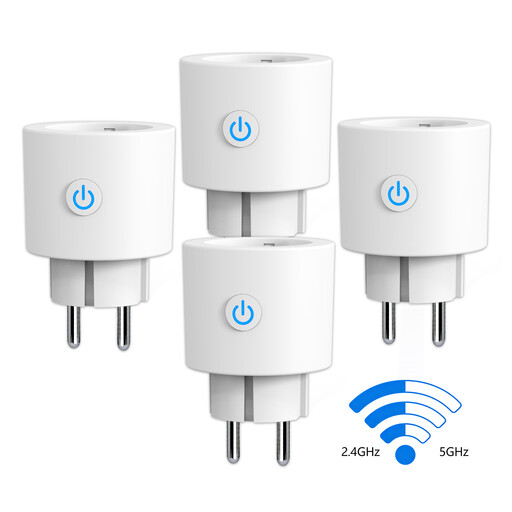
Why This Fits Their Persona: For the user who has a congested home network and wants the most stable connection. This plug works on both 2.4 GHz and 5 GHz Wi-Fi bands, a rare feature that helps prevent connection issues.
Bypasses the pitfall of poor connectivity by offering dual-band support. The energy monitoring is detailed and accessible via the versatile Smart Life app.
Unique dual-band (2.4/5 GHz) Wi-Fi support for a more stable connection. Comes in a cost-effective 4-pack.
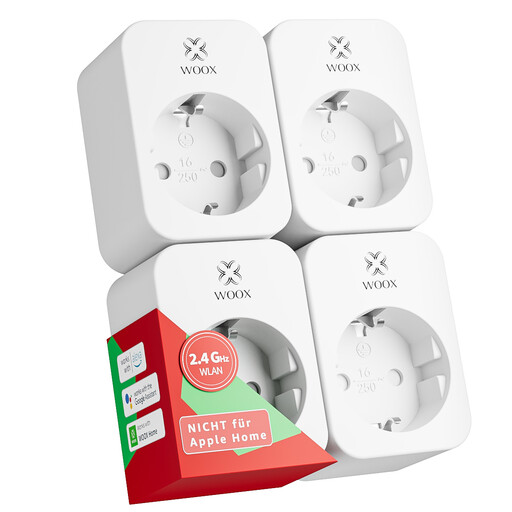
Why This Fits Their Persona: Perfect for those who want to make multiple devices or an entire room smart in one go. This value pack offers a cost-effective solution without compromising on key features like energy monitoring and voice control.
Each plug in this 4-pack includes a full-fledged power meter. The design is compact enough for use in power strips, ensuring no unpleasant surprises.
Works with the universal Tuya and Smart Life apps, allowing you to combine them with smart products from other brands. T?V-certified and rated for 16A.
We have compiled a complete, up-to-date list of products that fully meet these strict selection criteria and safety standards.
Installation is typically straightforward. Plug the smart plug into an outlet, download the manufacturer's corresponding app (like Tapo or Smart Life), and follow the in-app steps to connect the plug to your 2.4 GHz Wi-Fi network. Once connected, you can control the attached device via the app and view its energy consumption.
Yes, but it requires action from the user. The plug itself doesn't save energy; it gives you the data to identify standby power consumption. Devices like televisions, game consoles, and computers in standby mode continuously draw power. By using a smart plug to completely turn these devices off on a schedule (for example, at night), you can eliminate this phantom load and save on your annual energy bill.
No, not automatically. Although most new models are compatible, it's crucial to always verify this. Look for the Amazon Alexa or Google Assistant logos on the product page or packaging. If they are present, you can link the plug in the Google Home or Alexa app after installation to set up voice control and routines.
