
Vandaag of morgen in huis

Kwaliteit gegarandeerd

Welkomstaanbiedingen ontgrendelen: GRATIS bezorging | Tot 80% korting | Gratis 30 dagen JoyPlus-proefperiode
Download de app
A smart plug seems like a simple purchase. You plug it into the wall, connect a lamp or coffee maker, and control everything with your phone. Yet, in practice, many models lead to frustration after just a few months. They constantly lose their connection, block the adjacent outlet, or lack the very features you wanted in the first place.
As a Joybuy Product Recommendation Officer, I see where things go wrong every day. Before you invest in making your home smarter, it's wise to be aware of the most common pitfalls.
By paying attention to a few key specifications, you can easily avoid these problems and choose a model that truly fits your needs.
The market for smart plugs is diverse. The right choice depends on what you want to achieve. Here are the three most important points to check before making a purchase.
How you control the plug is the most critical choice.
Not every smart plug is suitable for every appliance. Always check the maximum power, expressed in Watts (W) and Amperes (A). Most plugs in the Netherlands support up to 3680W (16A), which is sufficient for lamps, fans, and most kitchen appliances. For heavy-duty appliances like clothes dryers or electric heaters, it is crucial to verify that the appliance's power draw does not exceed the plug's limit. Always opt for models made of flame-retardant material (often designated as UL94-V0 PC) and with child safety protection.
Want to do more than just turn things on and off? Then look for these features:
To help you choose, we've matched several popular models to different user profiles.
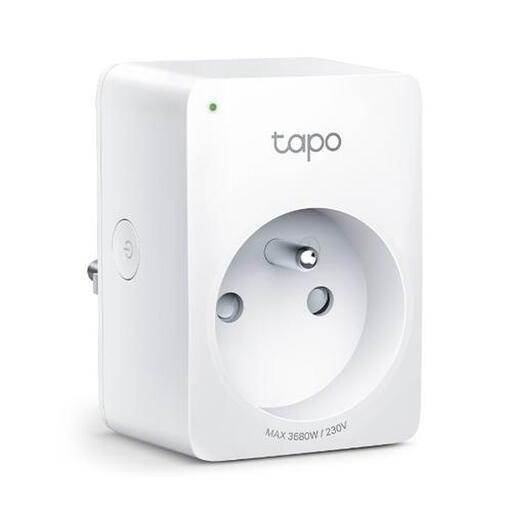
Why This Fits Their Persona: Ideal for those starting with a smarthome who want immediate insight into their energy consumption. The Tapo app is user-friendly, and the integration with Google Home and Alexa works seamlessly for voice control.
This model has a built-in energy meter, helping you avoid the 'no monitoring' pitfall. Its compact design ensures the adjacent socket remains free.
Real-time energy monitoring via the Tapo app. The 'Away Mode' turns devices on and off at random times to simulate presence.
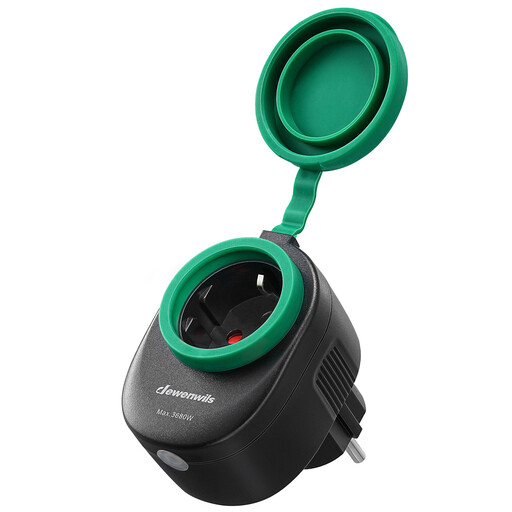
Why This Fits Their Persona: Perfect for automating garden lights, a pond pump, or Christmas decorations. This plug is specially designed for outdoor use and can withstand bumps and rain showers.
The IP44 waterproof housing with protective rubber covers prevents the dangerous situation of using an indoor plug in a damp environment.
Works directly with the Smart Life app and voice assistants without needing a separate hub. Setup is simple via a 2.4 GHz Wi-Fi network.
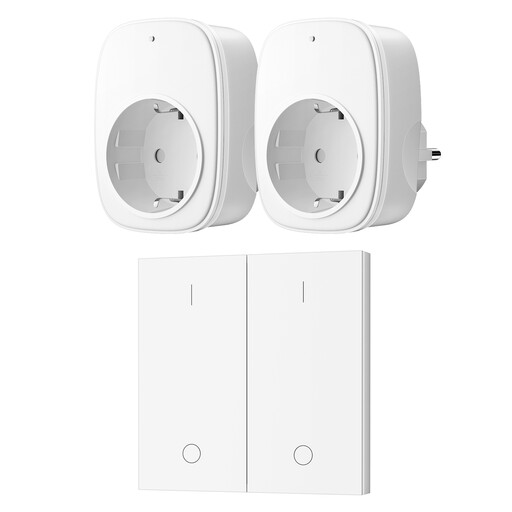
Why This Fits Their Persona: For anyone who wants to control a lamp behind the sofa or another device in an awkward spot without Wi-Fi, apps, or setup. Also very suitable for the elderly or people with limited mobility.
This model completely bypasses the 'unstable Wi-Fi' trap. It works via a reliable RF signal and is pre-paired, so it's truly plug-and-play.
No setup or Wi-Fi needed. The wall switch can be mounted anywhere or used as a portable remote. The signal has a range of 30 meters and penetrates through walls.
We have compiled a complete, up-to-date list of products that fully meet these strict selection criteria and Dutch safety regulations.
That depends on the type. A Wi-Fi plug can no longer be controlled remotely via the app if the internet connection is lost. However, some models, like those from TP-Link Tapo, have a memory where set schedules are stored locally. These will therefore continue to work. A socket with a remote control (RF) is completely independent of Wi-Fi and will always function.
A smart plug itself consumes a small amount of power in standby mode. However, this is minimal. Most modern plugs consume less than 1 Watt. For example, Dewenwils models specify a standby consumption of just 0.6W, which amounts to a negligible cost annually.
Be cautious with this. Always check the maximum power rating of the smart plug (usually 16A / 3680W) and compare it with the power rating on your appliance's specification plate. Although this capacity is sufficient for many devices, some manufacturers advise against using them for appliances with high peak loads or powerful motors (like washing machines or air conditioners). Safety comes first, so always check this carefully.
