
Vandaag of morgen in huis

Kwaliteit gegarandeerd

Welkomstaanbiedingen ontgrendelen: GRATIS bezorging | Tot 80% korting | Gratis 30 dagen JoyPlus-proefperiode
Download de app
A smart plug seems like a simple purchase, until you get one home. Suddenly, it's constantly losing its Wi-Fi connection, the app is unnecessarily complicated, or its bulky design blocks the adjacent outlet. Many of these products promise convenience but deliver mostly frustration in practice.
Before you invest in a solution that doesn't work, it's important to recognise the common pitfalls. Many models are not designed for the local market, leading to unstable performance or an awkward size. Another common mistake is ignoring the maximum power rating, which can make a plug unsafe when used with heavy-duty appliances. This guide will help you avoid these problems and choose a model that fits your situation.
You don't need to read a technical manual to make a good choice. Pay attention to the following three points, and you can be sure you're choosing a product that does its job.
The way you control a plug determines its ease of use. There are broadly two types:
Not every plug is suitable for every appliance. The maximum power rating, expressed in Amperes (A) and Watts (W), is a crucial safety specification.
Some smart plugs offer more than just switching on and off.
Based on these criteria, we have selected a few popular choices that suit different needs.
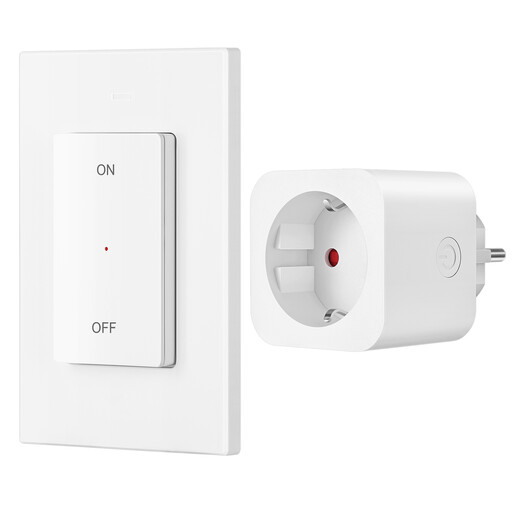
Why This Fits Their Persona: No Wi-Fi, no app, no fuss. Just plug it in, and the remote works instantly. Ideal for controlling a lamp behind the sofa, Christmas lights, or for people who want a simple, reliable solution without a smartphone.
This model bypasses the pitfall of an unstable Wi-Fi connection and a complicated setup. Because it operates on an RF signal, it isn't dependent on your internet connection.
Ready to use out of the box (pre-programmed) and a high maximum power rating of 16A (3680W), making it safe for heavy-duty appliances.
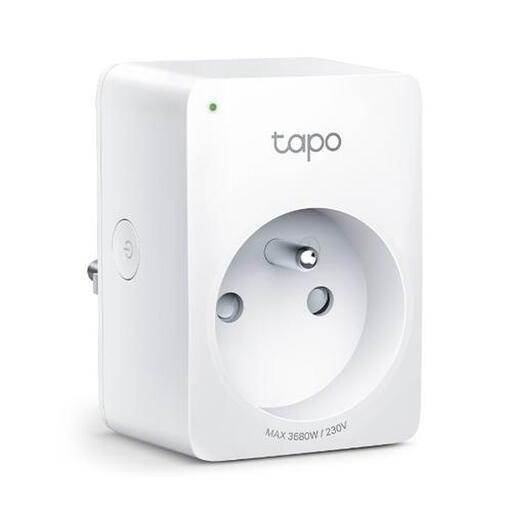
Why This Fits Their Persona: For those who want complete control and insight. The Tapo app lets you monitor power consumption, set schedules, and control devices with your voice. Perfect for automating your home and saving on energy costs.
Its compact design ensures that adjacent sockets remain accessible, a common annoyance with larger smart plugs. Furthermore, the app-guided setup is very user-friendly.
Offers real-time energy monitoring and extensive automation capabilities. According to TP-Link, set schedules continue to work even if the internet connection temporarily drops.
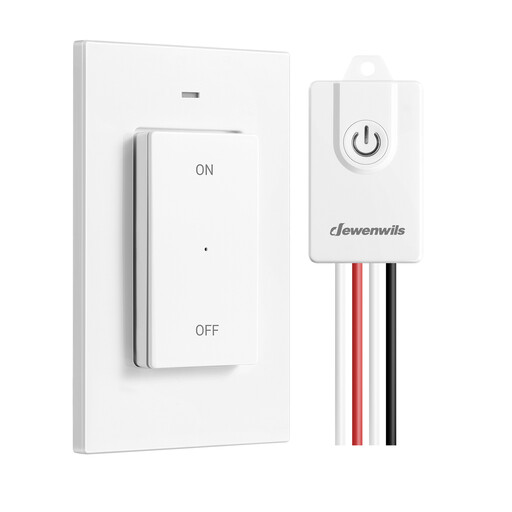
Why This Fits Their Persona: The perfect solution if a light switch is in an awkward spot, or if you want to create an extra switch point without breaking open walls. You can place the wireless switch wherever you want.
This product solves a practical problem without the need for an expensive electrician or complex installation. It's a flexible solution that can move with you to your next home.
Flexible placement with no wiring. The magnetic, detachable switch can be attached to a metal surface or used as a portable remote control.
We've compiled a complete, up-to-date list of products that meet these selection criteria and local safety standards.
No. Models that work as a remote-controlled socket use an RF signal and do not require an internet connection. These are often simpler to use and just as effective for basic tasks like turning devices on and off.
The standby power consumption of a smart plug is very low, usually less than 1 Watt. The energy you save by completely turning off devices instead of leaving them on standby is typically significantly higher than the consumption of the plug itself.
Yes, that's a practical application. You can plug an entire power strip with a switch into a high-capacity smart plug (note the maximum power rating of 16A). This allows you to completely turn off all connected devices, such as your computer, monitor, and printer, with a single action to prevent phantom load. However, always check that the total power draw of the connected devices does not exceed the smart plug's capacity.
