
Vandaag of morgen in huis

Kwaliteit gegarandeerd

Welkomstaanbiedingen ontgrendelen: GRATIS bezorging | Tot 80% korting | Gratis 30 dagen JoyPlus-proefperiode
Download de app
Written by: Joybuy Product Recommendation Officer
A hard-to-reach lamp behind the sofa, Christmas lights you have to manually turn on and off every evening, or devices that needlessly consume power in standby mode. Sound familiar? A smart plug offers a simple and affordable solution for these kinds of everyday inconveniences.
But not all smart plugs are created equal. Some work with an app, others with a simple remote control. Some are for indoor use only, while others are specially made for the garden. This article will help you make the right choice by outlining the different types and functions, so you can find a model that fits your needs.
Before you make a choice, it's useful to consider how and where you want to use the plug. Here are a few key points to consider.
The method of control is the biggest difference between smart plugs.
Not every plug can withstand a rain shower. If you plan to use garden lighting, a fountain, or power tools outside, you'll need an outdoor smart plug. Pay attention to the IP rating. A plug with an IP44 classification is splash-proof and therefore suitable for outdoor use, provided it's not placed directly in puddles of water.
Some smart plugs offer more than just switching on and off.
Based on functionality and use cases, we've listed some popular options for you.
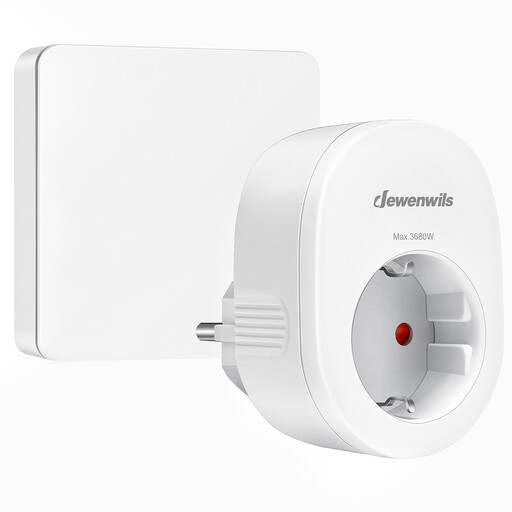
Why this product stands out: Its simplicity. No apps, no Wi-Fi, no setup. Plug it into the socket and control your device instantly with the included wall switch, which also functions as a separate remote control.
Pros:
Who is this product for? Ideal for anyone looking for a simple on/off solution for hard-to-reach devices, such as floor lamps or ambient lighting. Also very suitable for seniors or people who don't want a technical setup.
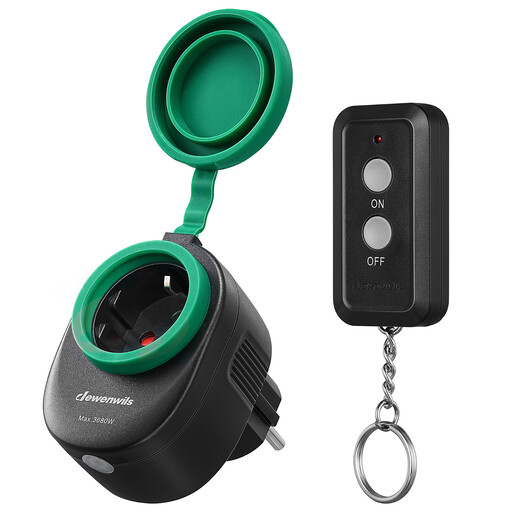
Why this product stands out: Its robust and weather-resistant design. With an IP44 rating, this plug is specially made to withstand the elements, making it perfect for use in the garden or on the balcony.
Pros:
Who is this product for? For anyone who wants to remotely control seasonal lighting, a pond pump, or other electric garden tools without worrying about the weather.
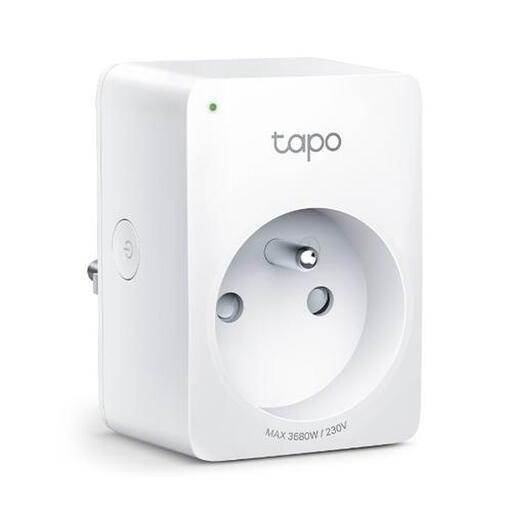
Why this product stands out: The combination of smart features and energy monitoring. This is a full-featured Wi-Fi plug that not only gives you complete control but also helps you reduce your energy consumption.
Pros:
Who is this product for? Perfect for the tech enthusiast and anyone who wants to make their home smarter, have control over their devices, and actively save on energy costs.
The world of smart plugs is broad and diverse. The products mentioned above are popular choices for common situations, but there are many more possibilities. Are you looking for a set with multiple plugs, a different design, or specific technical features?
Check out our full range of electrical plug & socket connectors for more options.
With a smart plug, you can make any traditional appliance 'smart'. The main functions are: turning devices on and off remotely, setting schedules (for example, for lighting or a coffee maker), monitoring energy consumption, and controlling devices with your voice via a smart speaker.
The smart plug's own power consumption, also known as phantom load, is very low. It is usually under 1 watt. According to the manufacturer, the TP-Link Tapo P110, for example, consumes only 0.7 W in standby. The energy you save by completely turning off devices instead of leaving them on standby is almost always significantly higher.
That depends on the type. A socket with a remote control (RF model) works completely independently of the internet. A Wi-Fi plug needs an active internet connection to be controlled remotely via the app. However, many Wi-Fi models, including the TP-Link Tapo, save set schedules locally. According to TP-Link, these schedules will continue to work even if the internet connection temporarily drops.
