
Vandaag of morgen in huis

Kwaliteit gegarandeerd

Welkomstaanbiedingen ontgrendelen: GRATIS bezorging | Tot 80% korting | Gratis 30 dagen JoyPlus-proefperiode
Download de app
That lamp behind the cabinet that’s always left on? Or the hard-to-reach switch for the holiday lights? We've all been there. Sometimes you want to control your devices without getting up or crawling into awkward spaces. A smart plug, also known as a Wi-Fi plug, is a simple and affordable solution for this.
My name is Joybuy, and as a Product Recommendation Officer at Joybuy, my job is to help you make an informed choice. In this article, we'll explore different types of smart plugs so you can find the right one for your needs, whether you want to save energy, control devices remotely, or automate your home.
Before we dive into the products, here are a few practical points to consider. This will help you determine which type of smart outlet is the best fit for you.
Most smart plugs connect to your Wi-Fi network. This allows you to control devices via an app on your smartphone, wherever you are. It's ideal for setting schedules or checking if you've turned everything off after leaving home. However, there are also models that work with a plug with a remote control via a radio frequency (RF) signal. These are a great choice if you don't have a stable Wi-Fi connection in a particular spot or if you just want a simple on/off button without relying on an app.
Some plugs offer more than just switching on and off. A smart plug with an energy meter is particularly useful for gaining insight into your devices' power consumption. This helps you identify power-hungry appliances and lower your energy bill. Have lights or a fountain in the garden? Then opt for an outdoor smart plug. These models are specially designed to withstand moisture and changing weather conditions, indicated by their IP44 rating or higher.
Want to control your devices with your voice? Check if the smart plug is compatible with voice assistants. Most Wi-Fi plugs today work well with popular platforms. A Google Home plug or Alexa plug integrates seamlessly into your existing smart home system, allowing you to turn on the lights or switch off the fan with a simple voice command.
Based on functionality and application, we have selected a few popular choices for you.
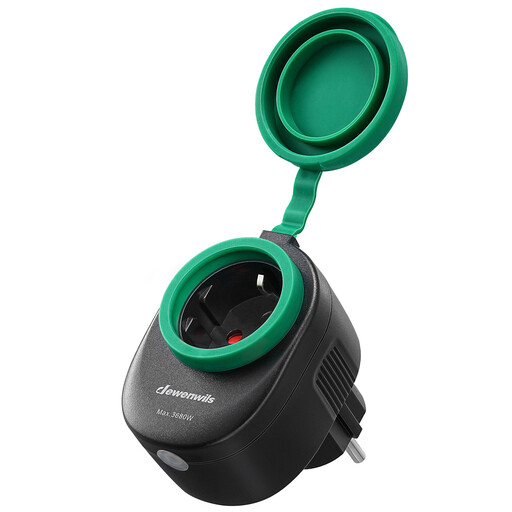
Why this product stands out This plug is specifically designed for outdoor use. Its IP44 waterproof housing and protective rubber covers make it a reliable choice for the garden, patio, or porch.
Advantages
Who is this for? For anyone looking to automate and control garden lights, a pond pump, or seasonal outdoor decorations via an app or voice assistant.
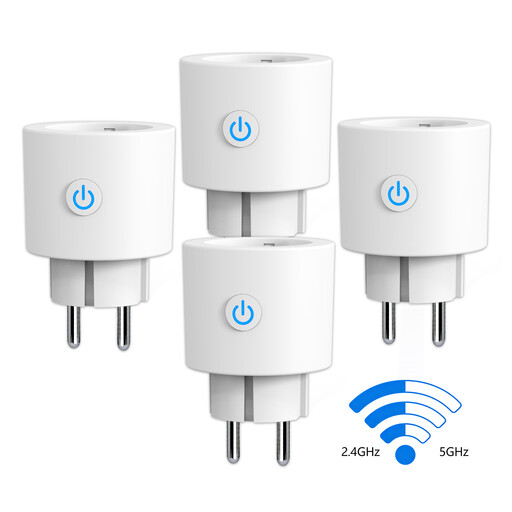
Why this product stands out This set of four plugs is one of the few that supports both 2.4 GHz and 5 GHz Wi-Fi, which significantly simplifies setup on modern routers. Additionally, each plug features an energy meter.
Advantages
Who is this for? For users who want to automate multiple devices while also monitoring their energy consumption. The dual-band support makes it a practical choice for households with a modern router.
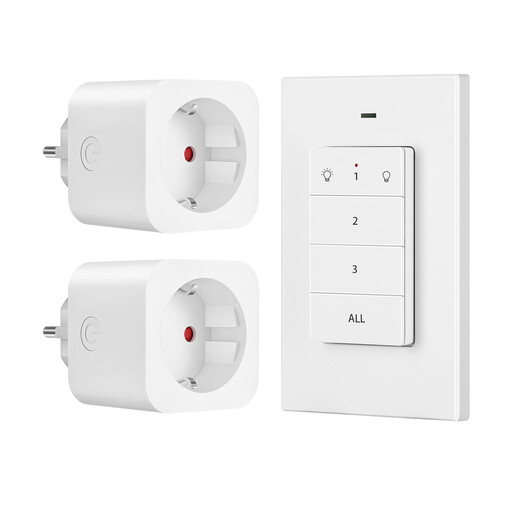
Why this product stands out This is the ideal solution for those who don't want to or can't use Wi-Fi. The set works with a simple, wireless wall switch that you can place anywhere. No app, no setup, just ready to use out of the box.
Advantages
Who is this for? Perfect for controlling hard-to-reach lamps or appliances in areas with poor Wi-Fi coverage. Also ideal for people who prefer a simple, physical button over an app.
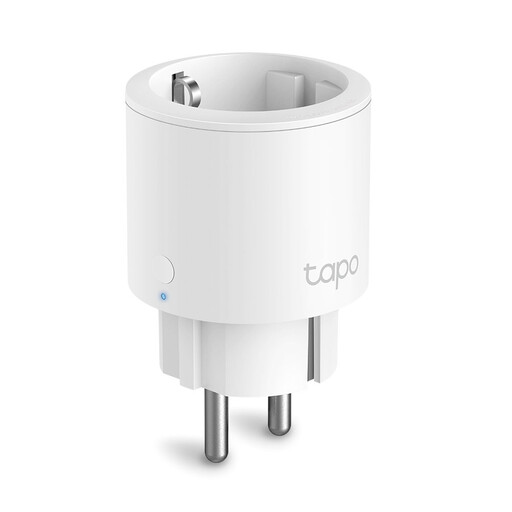
Why this product stands out The TP-Link Tapo P115 is a compact and reliable all-rounder from a well-known brand. Its mini-design ensures that adjacent outlets remain free, while the Tapo app is known for its user-friendliness and extensive features, including energy monitoring.
Advantages
Who is this for? An excellent choice for both beginners and experienced smart home users looking for a reliable, compact plug with energy monitoring from an established brand.
Didn't find the perfect smart plug for your situation? No worries. There are many more models with different specifications and features.
? View our full range of AC Power Plugs & Sockets
Installation is typically very simple. You plug the smart plug into a standard outlet and then plug the device you want to control into the smart plug. After that, follow the instructions in the companion app to connect the plug to your Wi-Fi network. For models with a remote control, it's often just a matter of plugging it in and using the remote.
No, the power consumption of a smart plug itself is very low. In standby mode, most models use less than 1 watt. The energy you save by not leaving devices on unnecessarily far outweighs the minimal consumption of the plug itself.
This depends on the type and its set functions. Most Wi-Fi plugs can still be manually turned on and off via a button on the plug itself. Schedules stored locally on the plug (like with the TP-Link Tapo P115) often continue to work without an internet connection. However, remote control via the app is not possible without Wi-Fi. Plugs with an RF remote are completely independent of Wi-Fi and will always work.
