
Vandaag of morgen in huis

Kwaliteit gegarandeerd

Welkomstaanbiedingen ontgrendelen: GRATIS bezorging | Tot 80% korting | Gratis 30 dagen JoyPlus-proefperiode
Download de app
Tired of walking through the entire house to turn off lights? Or do you wonder how much power that old appliance in the corner is actually consuming? A smart plug, also known as a Wi-Fi outlet, is a simple and affordable first step toward a smarter home. You plug it into an existing socket, connect your 'dumb' appliance, and control it from then on via your smartphone or with your voice.
As a Joybuy Product Recommendation Officer, I'm here to help you make the right choices. In this article, we'll explain what to look for when buying a smart plug and highlight some popular choices for 2026.
The market for smart plugs is vast. To make the right choice, it's helpful to pay attention to a few technical specifications.
Almost every smart plug operates on the 2.4 GHz Wi-Fi network. This frequency has a longer range and penetrates walls and floors more effectively, which is ideal for smart home devices. However, some newer routers broadcast a combined network by default, which can sometimes complicate the installation process. A smart plug with 5ghz support can provide a more stable connection in a busy household with many wireless devices and is often easier to pair.
Want to do more than just turn things on and off? Then opt for a smart plug with energy monitoring. An app on your phone will show you exactly how much power a connected device is using, both live and historically. This is ideal for identifying energy hogs and lowering your energy bill. Additionally, almost all smart plugs function as an advanced outlet timer. You can easily set schedules, for example, to have the lights turn on automatically at sunset or to pre-heat the coffee machine in the morning.
Not every smart plug is suitable for outdoor use. For garden lighting, a pond pump, or Christmas lights, you'll need an outdoor smart plug. These models have a specific IP rating, such as IP44, which indicates they are splash-proof and protected against the elements. Never use an indoor plug for outdoor applications; this is unsafe.
Based on functionality, specifications, and ease of use, we have compiled a list of interesting options for you.
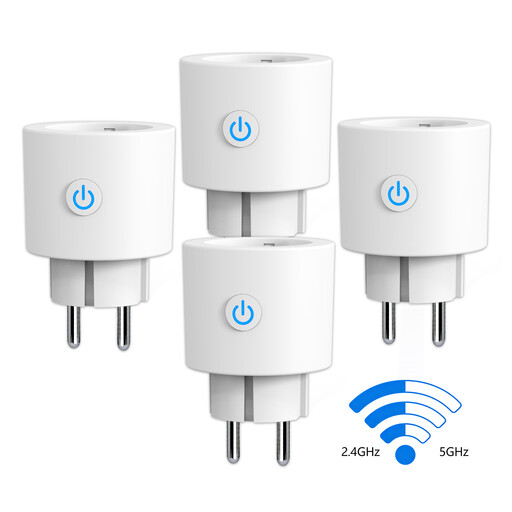
Why it stands out: The key advantage of this Antela plug is its dual-band Wi-Fi support. It works with both 2.4 GHz and 5 GHz networks, which simplifies installation and ensures a stable connection, even in an environment with many wireless signals.
Pros:
Who is it for?: For users seeking a future-proof solution that works effortlessly with modern Wi-Fi networks. It's also a great starter kit for those who want to automate multiple devices at once and monitor their energy consumption.
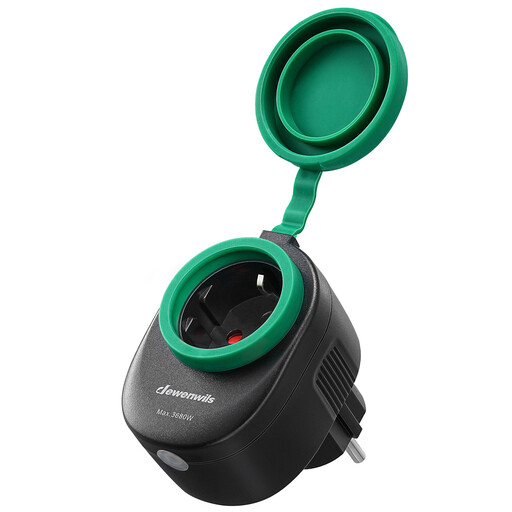
Why it stands out: This plug from Dewenwils is specifically designed for outdoor use. The IP44 rating and rubber protective covers ensure it can withstand rain and moisture.
Pros:
Who is it for?: Ideal for anyone who wants to remotely control and automate garden lights, fountains, or seasonal decorations, regardless of the weather.
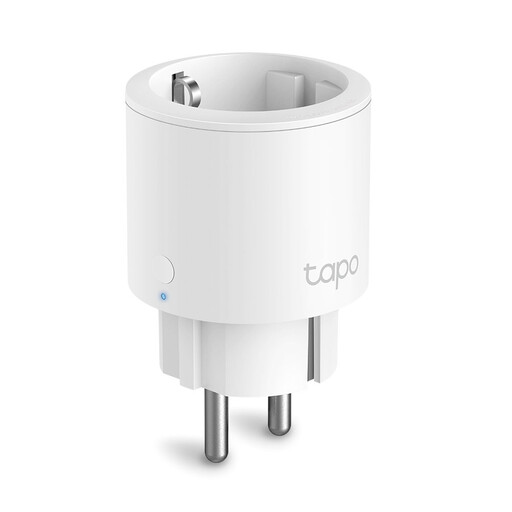
Why it stands out: The Tapo P115 from TP-Link combines a compact size with powerful features. Its mini-design doesn't block adjacent sockets, making it very practical for use in power strips.
Pros:
Who is it for?: For those looking for a reliable and compact smart plug from a well-known brand. Perfect for use in crowded power strips or in places with limited space.
A smart plug is a versatile product, but the right choice depends on your specific needs. If the options above don't quite fit the bill, or if you're curious about other smart home solutions, take a look at our broader selection.
? Explore all smart Outlets on Joybuy.nl here
1. Does a smart plug work with Google Home or Alexa? Yes, most modern smart plugs, including the models mentioned above, are compatible with voice assistants like Google Home and Amazon Alexa. After a one-time pairing in the app, you can control devices with your voice, for example, by saying, "Hey Google, turn on the living room lamp."
2. How much power does a smart plug consume itself? A common question. The power consumption of a smart plug itself is very low, typically less than 1 watt in standby mode. The energy you save by not leaving appliances on unnecessarily far outweighs the consumption of the plug itself.
3. Can I use a smart plug for heavy-duty appliances like a washing machine? This is an important safety consideration. Always check the maximum power rating of the smart plug. Most models, like the options discussed here, support a load up to 16A (approximately 3680W). This is sufficient for most household appliances, including many washing machines, dryers, and dishwashers. However, always check the power rating (in Watts) on your appliance's specification label before connecting it to prevent overloading.
