Choosing the right smart lighting can be overwhelming. You're faced with terms like Wi-Fi, Bluetooth, Zigbee, and a multitude of brands. The wrong purchase often means you're stuck with a system that doesn't fit your needs or fails to integrate with other devices. This guide helps you make an informed choice by focusing on the specifications that truly matter, ensuring you find the right E27 smart bulb for your setup.
What to Look for When Buying
Before making a choice, it's helpful to understand a few technical aspects. These determine how the bulb functions and whether it's suitable for your home.
1. Connectivity: How Your Bulb Connects
The way the bulb connects is the most critical factor. There are three common methods:
- Wi-Fi Bulb: These bulbs connect directly to your Wi-Fi network without needing an additional device (a 'bridge' or 'hub'). You install the bulb, connect it via an app, and can control it immediately. This is ideal for anyone looking to easily start with smart lighting in one or a few rooms.
- Bluetooth: Bulbs with Bluetooth connect directly to your smartphone. The range is more limited than Wi-Fi, making it best suited for control within a single room. Some systems use 'Bluetooth Mesh,' where the bulbs form a network with each other to extend the range.
- Zigbee (with a Bridge): This protocol is widely used by systems like Philips Hue. The bulbs don't communicate directly with your router, but with a central bridge that is connected to it. This creates a highly stable and fast dedicated network for your lighting, which is a major advantage if you have many bulbs throughout your home. It also enables more advanced automation and out-of-home control.
2. Functionality: Colour and Brightness
Beyond connectivity, the light options are key:
- Dimmable: Virtually every dimmable LED bulb is smart, but the dimming method differs. This is always done via the app or a smart assistant, not with a traditional wall dimmer.
- White Tones (CCT - Correlated Colour Temperature): This allows you to adjust the colour temperature of the white light, from warm white (approx. 2700K) for a relaxing atmosphere to cool daylight (approx. 6500K) for concentration.
- Colour (RGB): An RGB bulb can display millions of colours in addition to all shades of white. This is ideal for creating ambiance.
3. Integration: Does It Work with Your System?
Check if the bulb is compatible with voice assistants like Google Assistant (Google Home bulb), Amazon Alexa, or Apple Siri. The emergence of the Matter standard ensures that more and more devices from different brands can work together seamlessly.
Our Top Picks for 2026
Based on the criteria above, we've selected products that cover different needs and scenarios.
1. Philips Wiz - 2 LED Smart Bulbs and Remote Control
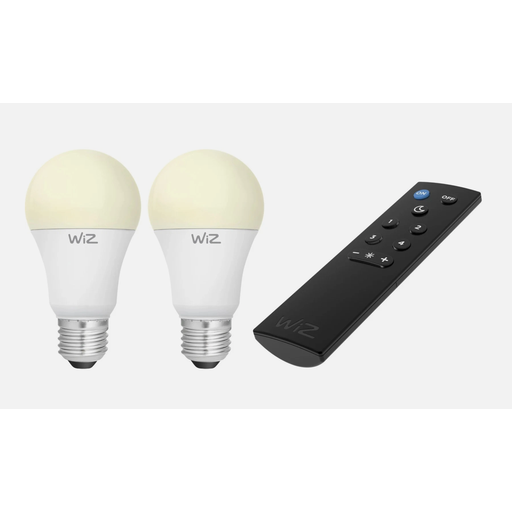
- Why This Product: This set is an excellent starting point. The bulbs work directly on your Wi-Fi network, so you don't need a separate bridge. Installation is simple: screw in the bulb, connect to the WiZ app, and you're all set. The included remote control offers an additional, user-friendly control option besides the app.
- Pros:
- Direct Wi-Fi connection, no bridge required.
- Set of 2 bulbs with a physical remote control included.
- Adjustable white tones (from warm to cool white).
- Supports motion detection via SpaceSense technology, according to the manufacturer.
- Who It's For: For beginners who want an easy and affordable introduction to smart lighting, without the complexity of a bridge-based system.
2. Aigostar Bluetooth Mesh A60 E27 15W RGB+CCT
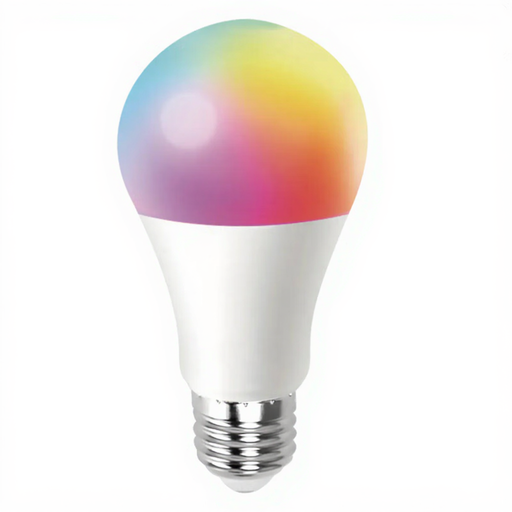
- Why This Product: This bulb stands out for its high light output and connectivity. At 1520 lumens, it's significantly brighter than many standard smart bulbs, making it suitable for spaces that require functional, bright light. The Bluetooth Mesh technology creates a stable local network, independent of your Wi-Fi signal.
- Pros:
- High light output of 1520 lm (comparable to a traditional 100W bulb).
- Full colour spectrum (RGB) and adjustable white tones (2700K-6500K).
- Bluetooth Mesh for a stable network of multiple bulbs.
- Works without Wi-Fi, controlled via the app.
- Who It's For: For users seeking a very bright, colourful bulb for a specific room and who prefer a local Bluetooth network over a Wi-Fi-dependent solution.
3. Philips Hue Essential A60 Smart Bulb, White and Colored Light, 3-Pack
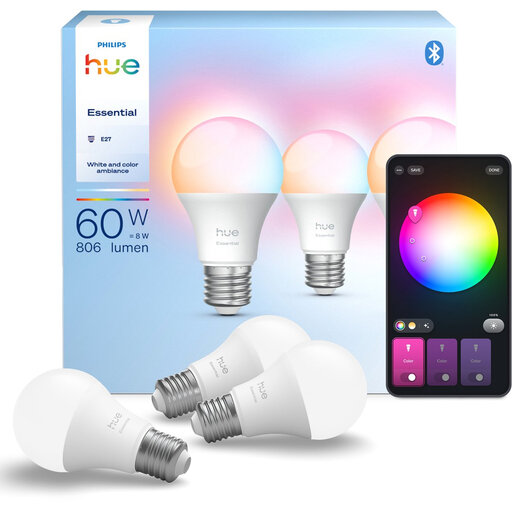
- Why This Product: Philips Hue is the benchmark for a comprehensive and reliable smart home ecosystem. While these bulbs can be used via Bluetooth for basic, single-room control, they truly shine when paired with a Hue Bridge. This unlocks features like out-of-home control, advanced automations, and media synchronisation.
- Pros:
- Part of the extensive and stable Philips Hue ecosystem.
- Choice of 16 million colours and all shades of white.
- Dual connectivity: Bluetooth for a quick start, Zigbee (with a Bridge) for full functionality.
- Excellent integration with voice assistants and other smart home platforms.
- Who It's For: For the user who plans to build a complete and scalable smart lighting system and values maximum functionality, reliability, and integration options.
Haven't Found What You're Looking For?
This selection covers the most common scenarios, from a simple start to an advanced system. However, the world of smart lighting is much larger. Are you looking for a different fitting, a specific brand, or an outdoor bulb? Explore our full range.
️ Explore all options in our Smart Lighting category
Frequently Asked Questions
1. Do I need a bridge or hub for a smart bulb? Not always. A Wi-Fi bulb or a bulb that works via Bluetooth does not need a bridge. You control them directly via an app on your phone. A bridge (like the Philips Hue Bridge) is required for bulbs that use protocols like Zigbee. A bridge creates a separate, stable network for your bulbs and often provides more advanced features.
2. Does a smart bulb work with a regular wall switch? Yes, but with an important caveat. A smart bulb needs constant power to remain 'smart' and accessible to the app or your voice. If you turn off the bulb with the physical wall switch, the power supply is cut, and it can no longer be controlled smartly. You can then only turn it back on by flipping the switch. For the best experience, always leave the wall switch on and control the bulb via the app, a smart remote, or your voice.
3. What is the difference between Philips Hue and Philips Wiz? Both are brands by Signify, but they target different users. Wiz is designed for simplicity and works via Wi-Fi, without a bridge. It's an accessible system that's ideal for getting started. Philips Hue is a more comprehensive ecosystem that operates via a Zigbee bridge (although basic control via Bluetooth is also possible). Hue offers more advanced automation capabilities, accessories, and integrations, and is considered a more premium and scalable solution for a complete smart home.
Written by: Joybuy Product Recommendation Officer


