
Vandaag of morgen in huis

Kwaliteit gegarandeerd

Welkomstaanbiedingen ontgrendelen: GRATIS bezorging | Tot 80% korting | Gratis 30 dagen JoyPlus-proefperiode
Download de app
A smart baby monitor with camera and app lets you view live footage, hear sounds and receive alerts on your smartphone from wherever you are. That’s handy when you’re downstairs, at work or out and about. But a long list of features doesn’t automatically mean a model is right for your family. With Wi-Fi baby monitors in particular, small differences in connectivity, subscriptions and positioning can have a big impact on everyday use.
Some features, such as cloud storage, sleep tracking or smart alerts, are only available with a paid subscription. Before you buy, check:
According to the product description, a trial of the Sleep Plan is included with the Nanit Pro. A Nanit Insights subscription is required for certain alerts. Check the latest terms before you order.
High resolution won’t help much if the camera is behind a piece of furniture, mounted too far from the cot or likely to topple over. A wireless baby monitor doesn’t necessarily mean the camera runs on a battery, either. Many models still need a power adapter.
Position the camera out of your child’s reach, keep cables away from the cot and use a stable surface or suitable mount. A flexible stand can be useful in a rented home or if you regularly move the baby monitor between rooms.
Motion and crying detection can be useful, but how they work varies by model and setting. A camera may pick up movement from pets, curtains or changes in light. Check whether you can adjust activity zones, sensitivity or person detection.
Features such as breathing monitoring and sleep tracking should be treated as aids. They don’t replace supervision by a parent and they aren’t medical devices. Nanit’s own research says 71% of users feel less anxious; this is a brand claim, not independent evidence of effectiveness.
With a baby monitor with night vision, the number of pixels isn’t the only thing that matters. Also look at:
According to the product information, the Nanit Pro offers 1080p video and night vision. The Momcozy Smart WiFi Baby Monitor also has a 1080p camera, as well as a separate 5-inch screen.
A Wi-Fi baby monitor connects through your home network and usually a smartphone app. Check whether the model supports 2.4 GHz only or 5 GHz as well. A 2.4 GHz connection often has a longer range through walls, while 5 GHz can offer faster transfer speeds when the signal is strong enough.
Choose a unique Wi-Fi password, enable two-step verification if it’s available and install firmware updates. Check the security method, too. The Nanit Pro lists 256-bit AES encryption. This is a product specification, but it doesn’t guarantee that every situation is completely risk-free.
The most common storage options are local microSD cards and cloud storage. Check the maximum card capacity, whether you can review footage in the app and whether there are any monthly costs.
A baby monitor with motion detection can send a push notification to your phone. Other models offer crying detection, two-way communication, temperature monitoring or audio features such as lullabies and white noise.
A temperature or humidity sensor measures the room, not your baby’s body temperature. Treat these readings as a guide, and follow advice from reliable Dutch health authorities on sleep and room temperature.
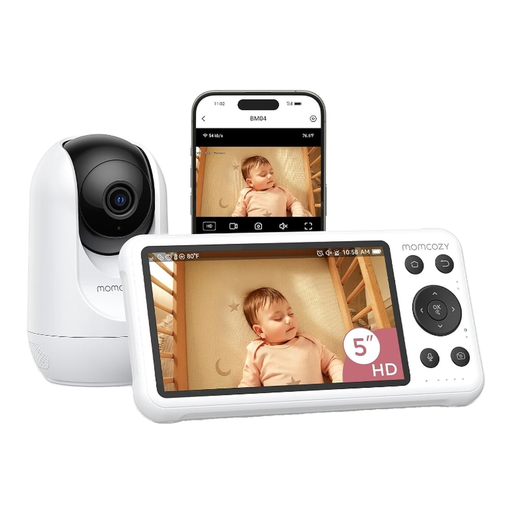
Why it suits this profile: You get a 5-inch parent unit as well as access via a smartphone app. It’s practical if you want to keep an eye on your baby both at home and when you’re out.
Having a separate screen as well as an app means you’re not reliant on just one way of viewing. Check in advance which features are available locally and over Wi-Fi.
1080p camera, night vision, motion and crying detection, two-way communication and local recording, according to the product description.
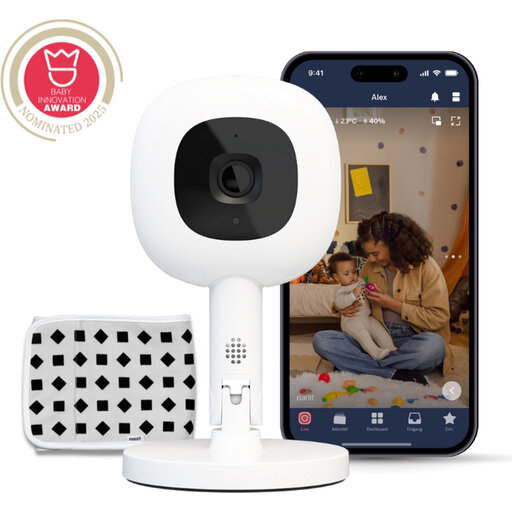
Why it suits this profile: This model is designed for parents who want to combine app control, flexible positioning and a wide range of alerts in one system.
The Flex Stand gives you different viewing angles. Bear in mind that some smart alerts require a subscription, and check the terms.
1080p video, 256-bit AES encryption according to the product specifications, two-way communication, temperature and humidity monitoring, and a breathing band included.
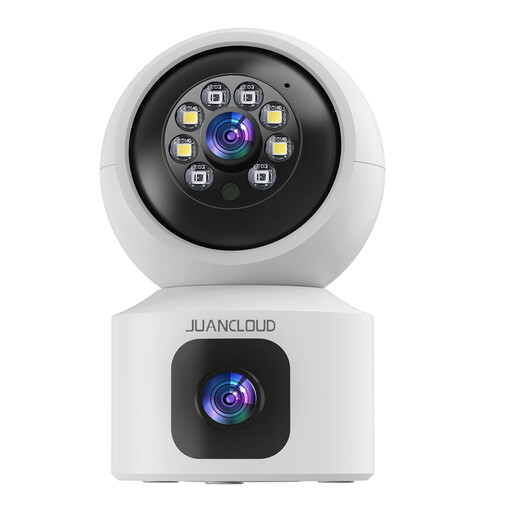
Why it suits this profile: The dual lens is suited to a larger room, letting you keep an eye on your baby, pets or several areas from one position.
The fixed and rotating lenses offer different perspectives. Check in advance that the camera is for indoor use only and that your Wi-Fi coverage is strong enough.
3MP video, infrared night vision, 8x digital zoom, two-way communication, dual-band Wi-Fi and microSD card or cloud storage, according to the product information.
We’ve put together a full, up-to-date list of products that meet these strict selection criteria and current European safety requirements.
It depends on the model. You’ll usually need an internet connection to view footage remotely through an app. Some models continue to work on your home network if your internet connection goes down. Check the manual and product specifications for details.
The purchase price isn’t the only cost. Cloud storage, sleep tracking and advanced alerts may require a subscription. A model with local microSD storage can help keep ongoing costs down, but check whether the card needs to be bought separately.
Some products come with a band or another method for breathing monitoring. According to Nanit’s product description, the Breathing Band works without electrodes or sensors. Use it only as instructed by the manufacturer. The system is not a medical device and doesn’t replace supervision or professional advice.
