What should you look for when choosing?
First, measure the viewing distance and the space available on your unit. Then compare the picture from different seats and check that your existing media equipment and audio will work with the setup.
| What to consider |
What should you check? |
Who is this important for? |
| Size and placement |
Measure the distance from your eyes to the screen, as well as the available width, height and depth. Include the stand when measuring your unit. |
If I want a screen that’s comfortable to watch from the seats and fits on my unit, I start with those two measurements. Around 36% of consumers make choosing the right size their top priority. |
| Picture from different seats |
For the exact model, compare the viewing angle, contrast and reflections in your room’s lighting. |
If you want to follow dark scenes from a seat at an angle to the screen, consider the picture from that position too. Around 29% of consumers prioritise picture quality from different seats. |
| Clear speech |
Check speech clarity from the seats you plan to use. If you’re considering external audio, check the connections on both devices. |
If I want to follow spoken explanations clearly without setting up extra equipment unnecessarily, I start by checking the TV’s own sound. Around 21% of consumers make clear speech their top priority. |
| Connections and content |
Count the devices that need to be connected at the same time and check which HDMI and audio connections you’ll need. Also check whether the app you want is available on the specific TV. |
For consumers who want to connect their existing video source or audio equipment straight away, the right connections and access to content matter most. This applies to around 14% of consumers. |
TVs for a compact setup
This Joybuy selection includes TVs from 24 to 43 inches for a compact documentary setup, from models for use with an external source to smart OLED and QLED TVs.
 Image unavailable
LG OLED42C68LA 42-inch 4K OLED Smart TV
The 42-inch OLED size may suit a compact setup where you also want to compare dark scenes.
The product information lists Dolby Vision, HDR10, a 20W audio system, four HDMI 2.1 inputs, eARC and webOS.
View at Joybuy
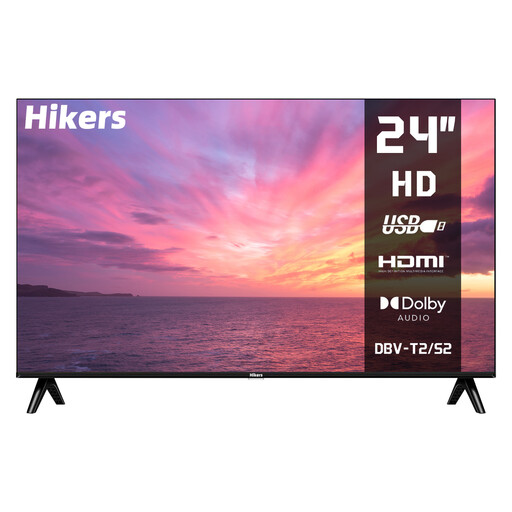 Image unavailable
Hikers HD 24-inch LED TV (60 cm), non-smart
The smaller size may suit a very limited space; you’ll need an external source to stream through apps on the TV itself.
The product information lists an HD panel, two HDMI connections, USB, DVB-S2/T2/C and two built-in 5 W speakers.
View at Joybuy
 Image unavailable
Hisense 43A6S 43-inch 4K UHD Smart TV
This 43-inch model may suit you if you’re looking for a larger screen and want to compare built-in smart TV features.
The product information lists Dolby Vision, VIDAA, three HDMI connections including eARC, a 178° viewing angle and built-in 2 × 10 W audio.
View at Joybuy
 Image unavailable
Hisense E7 PRO Series QLED Gaming TV 43E7S PRO
The product information describes this as a 43-inch QLED TV to compare with other compact screens.
Features listed include Dolby Vision, VIDAA Smart OS, voice control and FILMMAKER MODE.
View at Joybuy
 Image unavailable
METZ Lifestyle Portable TV 32MQE7100Z, 32-inch
The portable 32-inch size and carry handle may be handy if you want to move your setup around.
The product information lists QLED, HD, Google TV, HDR10, USB-C power and forward-facing speakers. A 60W power bank or suitable adapter is recommended for use with a power bank.
View at Joybuy
Frequently asked questions
Is 43 inches always the right size for a small documentary night?
No. The right size depends on your viewing distance and the space available on your unit. The Consumentenbond uses around 2.4 times the screen diagonal as a starting point for a comfortable viewing distance, not as a fixed requirement.
How should you adjust the picture for an evening screening?
Start with the home viewing settings rather than assuming the usually brighter shop setting will be right for you. The Consumentenbond recommends assessing the picture in your usual lighting. Compare a familiar scene with both dark and light areas.
Do you need a soundbar straight away for clear dialogue in documentaries?
Not necessarily. First, check the TV’s sound from the seats where your guests will be sitting. According to the Consumentenbond, a soundbar can improve TV sound, but make sure you have space for one and that the connections on both devices are compatible.
How do you compare the energy consumption of TVs?
Compare the same picture mode on the EU energy label. The European Commission states that the label for electronic displays shows, among other things, energy consumption for SDR and HDR.
What cooling-off period and guarantee apply when buying a TV online in the Netherlands?
For online consumer purchases, you generally have a statutory cooling-off period of up to 14 days after delivery, according to ACM ConsuWijzer. The statutory guarantee means the product must meet what you can reasonably expect from it; it does not mean every TV has a fixed guarantee period.


