
Writer with a crowded desk
You keep a book and notes next to your keyboard and want to know how much room will be left to control the cursor.


If there’s barely enough room on your small desk to move a mouse, consider a stationary trackball. If you’d rather stick with familiar controls, choose a compact model as long as you have space to move it around. For longer writing sessions, hand fit and positioning matter too. A vertical mouse could be an alternative, but it still needs room to move and is no substitute for a well-arranged workstation or taking regular breaks.
You keep a book and notes next to your keyboard and want to know how much room will be left to control the cursor.
You switch between source material and your own writing as you work, so you’ll want to consider scrolling, selecting text and the right connection.
You work for longer stretches and want to weigh up the shape, handedness and positioning. Arboportaal recommends positioning the mouse so that your elbow stays close to your body.
Choose this option if: books and notes leave you with hardly any room to move a standard mouse.
Bear in mind: you’ll control the cursor with a ball, which may take some getting used to. You’ll also need room for the body and cable.
Choose this option if: you still have a little space to move it around and want familiar pointing, selecting and scrolling.
Bear in mind: even a compact model needs room to move. Also check that the connection is compatible with your computer.
Choose this option if: hand fit and a different hand position matter more to you than having the smallest possible mouse.
Bear in mind: it still needs room to move, and the right handedness varies from user to user.
| Consideration | What should you check? | Who is this most relevant for? |
|---|---|---|
| Room to move the cursor | Measure the clear space beside your keyboard and compare it with both the mouse body and the space it needs to move. | If your book and notes leave very little room, you’ll want to know whether the mouse needs to slide around or can stay in one place. Around 40% of consumers prioritise room to move. |
| Scrolling and quiet operation | Check whether the scroll controls suit long documents and whether quiet buttons matter for your workspace. | If you often switch between source material and your review, you’ll want to navigate text comfortably and click quietly when needed. Around 30% of consumers prioritise document navigation and quiet operation. |
| Hand fit and posture | Check the size of your hand, whether the mouse is designed for left- or right-handed use, and whether you can position it close to your body. | If you write for long periods, you’ll want a comfortable shape and a position that lets you keep your elbow close to your body. Around 20% of consumers prioritise hand fit and posture. |
| Connectivity and power | Check which USB ports are available, whether your computer supports Bluetooth, whether a receiver is included, and whether you’d rather replace a battery or recharge a battery. | If your laptop has few ports, you’ll want to know in advance how the mouse connects and what daily use involves. Around 10% of consumers choose connectivity and power as their main consideration. |
A compact standard mouse still needs room to move. A stationary trackball, on the other hand, needs space for its body and, if it’s wired, its cable.
Before choosing a model, make room beside your keyboard for your book, notes and the way you plan to control the cursor.
The Trust Yvi+ uses a USB receiver. Logitech says the compatible Logi Bolt receiver is not included with the standard MX Anywhere 3S.
Compare your computer’s ports and Bluetooth capabilities with the connection offered by the exact version you’re considering.
Depending on the connection, you may need a suitable adapter or a separate receiver.
A vertical shape won’t automatically suit every hand, and it doesn’t remove the need for a suitable workstation setup and regular breaks. Logitech’s statements about fit are not an independent guarantee against discomfort.
Check that you’re choosing the right handed version, and consider where the mouse will sit in relation to your body.
According to ACM ConsuWijzer, statutory warranty in the Netherlands does not have a fixed term of exactly two years. What you can reasonably expect from a product also matters.
Keep any manufacturer’s or retailer’s warranty separate from your statutory rights against the seller.
The Orbit with scroll ring is a stationary option for a desk with little room to move a mouse. Kensington also offers a separate wireless version.
The MX Anywhere 3S is a compact option for navigating documents. The Lift is a separate vertical option where choosing the right handed version matters.
The compact Yvi+ Silent Wireless Mouse is designed for quiet clicking and uses a wireless receiver.
The compact MW 9100 is an option if you want to choose between Bluetooth and a 2.4 GHz receiver.
This selection includes compact standard mice and vertical mice for writing at a small desk. Even compact models need room to move.
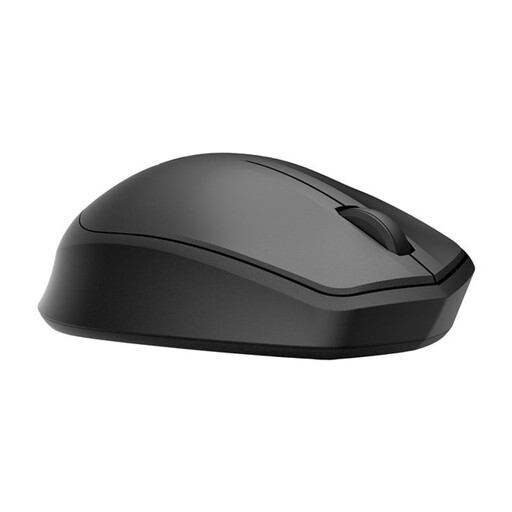 No image available
A standard wireless mouse for quiet working, if you still have room to move it around.
The product information lists a 2.4 GHz USB receiver and a battery life of up to 18 months.
Check that you have a spare USB port. This model needs room to move.
 No image available
A compact standard mouse for familiar pointing, if you still have a small area in which to move it.
The product information lists RF and Bluetooth connectivity, with adjustable DPI up to 4020.
This compact mouse also needs room to move across your desk.
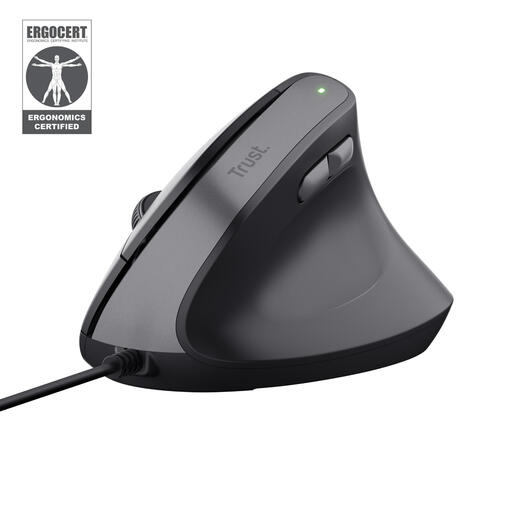 No image available
A vertical option if you’d like to try a different hand position and have enough room to move the mouse.
This is a wired USB model for right-handed use. The product information lists adjustable DPI from 800 to 2400.
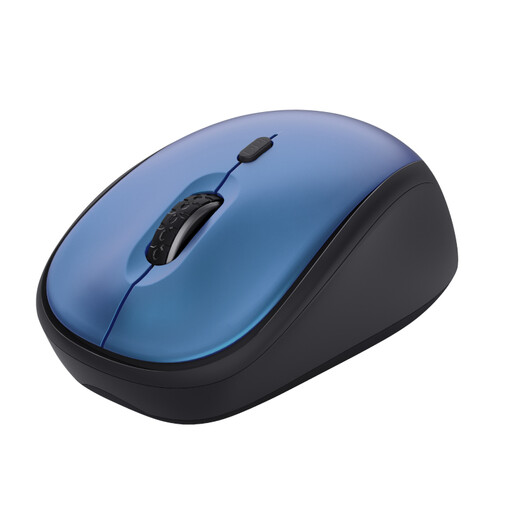 No image available
A compact standard mouse with quiet buttons for quieter working, if you still have room to move it around.
The product information lists adjustable DPI from 800–1600 and a USB micro receiver. The mouse runs on one replaceable AA battery.
Check that you have a spare USB port.
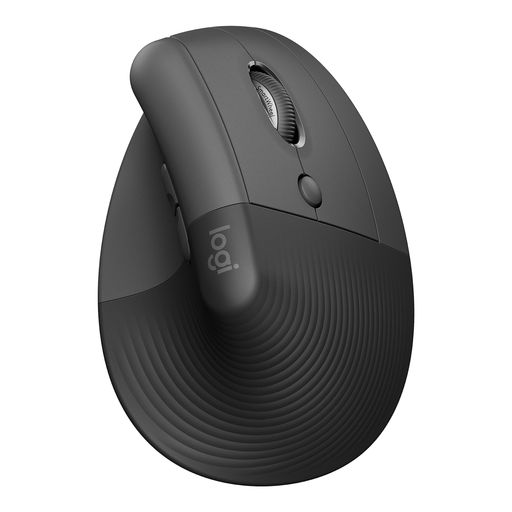 No image available
A vertical option if handedness and fit matter to you and you have room to move the mouse.
This version is designed for small to medium right hands. The product information lists Bluetooth or a USB receiver.
Check that the handed version and connection are right for you and your computer.
Not necessarily in terms of its body. The Kensington Orbit stays in place, while a standard mouse needs room to slide around. Compare the space you have with both the mouse body and the area it needs to move.
First, check the connection on the exact version. Logitech says the standard MX Anywhere 3S can connect via Bluetooth; the compatible Logi Bolt receiver is not included. The Trust Yvi+ uses a USB receiver.
Arboportaal recommends positioning the mouse so your elbow stays close to your body, and alternating screen work with other tasks or a break. This is workstation guidance, not proof that a particular mouse model will prevent discomfort.
According to ACM ConsuWijzer, statutory warranty in the Netherlands applies for as long as the product should last, based on what you can reasonably expect. There is no fixed term of exactly two years. If a product does not meet those expectations, the seller must offer a solution under the statutory conditions, such as a repair or replacement.
The statutory obligations described by Arboportaal apply to employers and employees. Whether they apply to you depends on your working relationship. You can also use its workstation tips for other writing tasks, but a personal project does not automatically mean that an employer’s legal duty applies.