
Planner with a busy desk
If you work between a laptop and teaching materials, controlling the cursor without moving the mouse can be useful. Logitech describes the ERGO M575 as a trackball that stays in place.


If your desk is crowded with a laptop and teaching materials, consider a trackball: it stays in place while you control the cursor with the ball. If you have room to move a mouse and often scroll through scripts, compare compact models for their scroll controls, connectivity and fit. A small body isn’t automatically more comfortable for extended use.
If you work between a laptop and teaching materials, controlling the cursor without moving the mouse can be useful. Logitech describes the ERGO M575 as a trackball that stays in place.
If you often switch between documents and timetables, consider the scroll controls and choose a fit that suits your hand. Scroll wheels and scroll rings vary from model to model.
If you work alongside others or switch between devices, check how noisy the buttons are and which connectivity options the exact version offers. Manufacturers list these features for each model.
| What to consider | What should you check? | Who is this important for? |
|---|---|---|
| Room to move | Compare the space taken up by the mouse itself with the room you need to move a standard mouse beside your keyboard. | If teaching materials leave little room to move a mouse, being able to use one without moving it could be the deciding factor. Around 28% of consumers in this choice breakdown prioritise room to move. |
| Hand and arm position | Consider the shape, how it fits your hand and whether you control it with your thumb or fingers. The label ‘ergonomic’ alone doesn’t tell you how a mouse will feel in your hand. | During longer planning sessions, the way your hand and arm operate the mouse may matter more than a compact shape. Around 22% of consumers in this choice breakdown prioritise hand and arm position. |
| Document navigation | Compare a scroll wheel with a scroll ring and check which type of control works best for browsing scripts and schedules. | If you often browse long documents, the scroll controls may matter more than a small body. Around 22% of consumers in this choice breakdown prioritise document navigation. |
| Device connectivity | Check Bluetooth support, the available USB ports and whether a receiver is included with the exact version. | If you switch between devices while preparing, the connection method needs to work with those devices. Around 17% of consumers in this choice breakdown prioritise device compatibility. |
| Button noise | Check whether the manufacturer specifies quiet or quieter-clicking buttons for the exact version you’re considering. | If you plan alongside others, audible clicks may be a factor, as well as fit and operation. Around 11% of consumers in this choice breakdown prioritise click noise. |
A compact mouse that you move still needs room to slide around. A trackball can save on movement space, but its body still needs to fit on your desk.
Measure both the space beside your keyboard and the room your hand needs to move a standard mouse.
Logitech says the MX Anywhere 3S can work with a Logi Bolt receiver, but the receiver isn’t included. If Bluetooth isn’t an option, you may need a compatible receiver.
Before buying, check what’s in the box, Bluetooth support and the available USB port.
Connectivity and included accessories can vary within a product family. Trust says the Yvi+ Multi-Device has Bluetooth and a 2.4 GHz connection; a separately listed Yvi+ Silent version is described at Joybuy as coming with a USB receiver.
Compare the full product name, manufacturer part number, connection and included accessories.
For this scenario, Logitech offers both a stationary trackball and a compact mouse that you move around.
The Yvi+ Compact Multi-Device is a compact mouse for moving around, designed for anyone short on desk space who wants to switch between devices.
The Orbit Wireless Trackball with Scroll Ring is a stationary option with a centrally positioned ball and a scroll ring.
The MW 3000 is a conventional wireless mouse for anyone who prefers a right-handed model to a trackball.
This selection includes stationary trackballs and mice that you move around to control the cursor while planning. For a model you move, check that you have enough room to slide it beside your keyboard.
 No image available
Suited to a workspace where you’d rather not move the mouse across the desk.
Trackball controlled with your thumb; the product information lists Bluetooth and wireless connectivity. Keep the ball clean for smooth operation.
 No image available
Suited to anyone with room to move a mouse who wants a choice of connection methods.
The product information lists 2.4 GHz, Bluetooth and USB-C, a PAW3395 sensor, 26K DPI, a 400 mAh battery and a weight of 56 g. The magnetic charging dock contains magnets; keep it away from pacemakers, medical implants and credit cards.
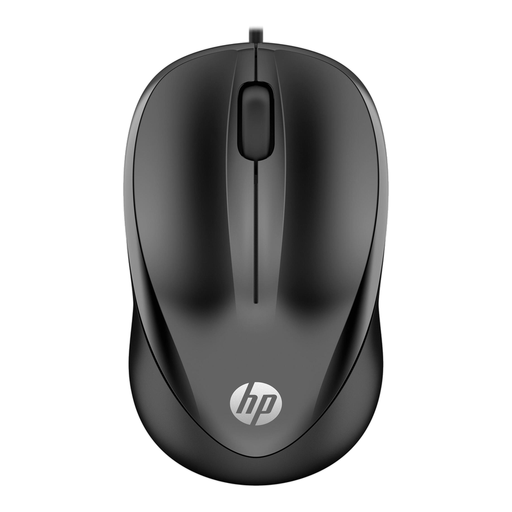 No image available
Suited to straightforward cursor control if a wired mouse and an available USB port work for you.
USB Type-A, 1200 DPI optical sensor and three buttons. It’s wired, so it needs a free port.
 No image available
Suited to browsing documents if a wired connection works for your workspace.
Scroll wheel, three buttons, USB Type-A and a 1.8 m cable. It’s wired and needs an available USB port.
 No image available
Suited to a shared workspace if you’re looking for a mouse you can move around with quiet buttons.
The product information lists 2.4 GHz and Bluetooth, connection to up to three devices and adjustable DPI. The product name specifies one AA battery.
No. A trackball stays in place during use, saving room for movement, but its body still needs to fit beside your keyboard. Compare both types of space before choosing.
Not if you pair it with a supported device via Bluetooth. If you want to use Logi Bolt, check the connection and bear in mind that Logitech doesn’t include the receiver with this model.
For its trackballs, Logitech explains that you can push the ball out of its socket from the back using a finger or the soft end of a pen, then clean it. For other models, follow the instructions in the relevant manual.
According to ACM ConsuWijzer, online consumer purchases generally come with a statutory cooling-off period of up to 14 days after delivery; exceptions apply. Before buying, check the seller’s returns information and any return costs.
No. ACM ConsuWijzer distinguishes between commercial guarantees and statutory guarantees. If a product breaks earlier than you could reasonably expect under normal use, the seller must resolve the issue under the applicable terms. There is no single fixed statutory guarantee period in the Netherlands for every mouse.