
For anyone with a cluttered, small desk
Your inventory list is surrounded by other things, and you have hardly any room to move a mouse. Compare the space a conventional mouse needs with the stationary control of a trackball.


If you have hardly any room to move a mouse, consider a trackball: it stays in place while you control the pointer. If you have a little more room, a compact conventional mouse could work, but check the connection, shape and power supply too. A small casing isn’t automatically more comfortable for long sessions.
Your inventory list is surrounded by other things, and you have hardly any room to move a mouse. Compare the space a conventional mouse needs with the stationary control of a trackball.
You want to review your inventory on a laptop without using up a USB port for a receiver. Check that both your laptop and the mouse you choose support Bluetooth.
You look through many rows at a time and want a shape and controls that suit your hand. Don’t judge comfort by the size of the casing alone: your posture and how long you use the mouse matter too. The Arboportaal of the Ministry of Social Affairs and Employment notes that frequent or prolonged work in an unhealthy posture can be associated with complaints.
A good fit if: you have little room to move a conventional mouse. Logitech describes the ERGO M575 as thumb-operated; the Kensington Orbit uses a finger-operated ball and scroll ring.
Bear in mind: it works differently from a conventional mouse. Also check that the connection you need is compatible with your computer.
A good fit if: you still have room to move a mouse and want familiar pointer control. Logitech, Trust and HP describe examples with Bluetooth; according to Trust, the Trust Puck also comes with a USB micro receiver.
Bear in mind: even a compact or flat mouse needs to move across the desk. Check the connection and whether you’d rather replace a battery or recharge a rechargeable battery.
| What to consider | What should you check? | Who should give this more weight? |
|---|---|---|
| Room to move | Check both the space for the device and the room you have to move the pointer. | If my desk is cluttered, I want to know whether I can still move the mouse. Room to move is the main concern for around 31% of consumers. |
| Connection | Check Bluetooth support, operating system, port type and whether a required receiver is included. | I want to connect the mouse without losing a port or finding out that my computer doesn’t support the connection. Around 25% of consumers put connectivity first. |
| Hand comfort | Consider your preferred hand, the shape and the space for your arm; try the controls if possible. | During a long inventory session, I want the controls to suit my hand. Around 19% of consumers put hand comfort first. |
| Clicking noise | Check that claims about quieter buttons apply to the exact version; don’t expect a completely silent mouse. | In a quiet or shared space, I don’t want my clicking to stand out unnecessarily. Around 12% of consumers consider quiet clicking the most important factor. |
| Power | Check whether the model uses a replaceable battery or a rechargeable battery, and what’s included. | I want to know in advance whether I’ll need to replace a battery or recharge the mouse. Around 12% of consumers prioritise power and maintenance. |
Even a small conventional mouse needs to be moved; with a trackball, the casing stays in place while you control the pointer.
Measure the free space next to your keyboard, and consider separately the space for the device and the room it needs to move.
Trust’s product information refers to item 24059, while another Puck version has item number 24126. A similar name alone doesn’t prove that the versions are identical.
Compare the full item number and connections before assuming that features of one version also apply to another.
The Dutch HP 240 uses one AA battery; the Trust Puck reviewed here is rechargeable. That difference alone doesn’t determine which mouse is better suited to your hand or desk.
Consider the type of power supply alongside the shape, connection and room to move that you need.
The models mentioned show two different ways to control the pointer: a conventional Bluetooth mouse and the thumb-operated ERGO M575 trackball.
According to Trust, the Puck 24059 is a flat, rechargeable conventional mouse with Bluetooth and a USB micro receiver.
The Orbit Trackball with Scroll Ring reviewed here offers finger-operated trackball control as an alternative to a mouse you need to move.
According to HP, the Dutch HP 240 is a straightforward, symmetrical Bluetooth mouse with a scroll wheel.
This selection includes a thumb-operated trackball for desks with little room to move a mouse, and conventional wireless mice for anyone who can still move the device. Check that each model’s connection and shape suit your computer and how you plan to use it.
 No image available
A thumb-operated trackball suits a desk with little room to move a conventional mouse. Using your thumb feels different from using a conventional mouse.
 No image available
A conventional mouse to consider if you have enough room to move it while controlling the pointer. Check the connection options for the exact version before you order.
 No image available
A conventional mouse to consider if you have room to move the casing and quieter buttons are important to you.
The product name lists 2.4G+BT, adjustable DPI levels and one AA battery. Check which connection is compatible with your computer.
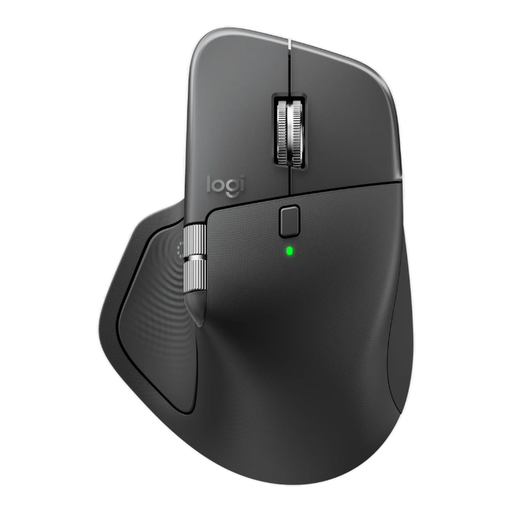 No image available
A conventional mouse to consider if you have room to move it and need the listed connection and scrolling options.
The product name lists Bluetooth, a Logi Bolt receiver, USB-C charging and 8K DPI. Its described ergonomic shape is designed for right-handed use.
 No image available
A compact conventional mouse for anyone with room to move it who values quieter buttons.
The product information lists a USB micro receiver; check that your computer has a free, compatible USB port.
No, it depends on the connection used by the mouse and your laptop. Logitech says the M240 connects via Bluetooth without a dongle; Trust lists Bluetooth and an included USB micro receiver for the Puck 24059. Check the connection on the exact version and the ports available on your laptop.
For the Puck 24059, Trust recommends trying a different surface or a mouse mat, and cleaning the sensor on the underside with a dry cloth. This is the manufacturer’s troubleshooting advice, not a guarantee that it will fix every problem.
For an online purchase, you generally have a 14-day cooling-off period from delivery, according to ACM ConsuWijzer. A faulty product is a different matter: the seller must supply a product that does what you can reasonably expect it to do under normal use. Your statutory rights if a product is faulty are not the same as the cooling-off period for a purchase you don’t want to keep.
The Dutch government says you can, among other options, return an old electrical appliance when buying a similar new one. Used batteries shouldn’t go in the bin; you can take them to shops that sell batteries, among other collection points.
The Radio Equipment Directive applies to radio equipment sold on the EU market. According to Your Europe, the CE marking indicates that the manufacturer declares the product meets the applicable EU requirements; it is not an independent quality mark for comfort or suitability for your desk.