
Writers with little room for a mouse
If your keyboard and script materials take up almost all the space, compare a stationary trackball with a compact mouse. Kensington describes the Orbit as stationary; you still need room to move a compact mouse.


If you have almost no room to move a mouse, consider a stationary trackball; a compact mouse still needs room to move. Quiet buttons or a different hand position may be more important if you want quieter clicks or a different way of holding the mouse. Also check whether Bluetooth, a USB receiver or a cable will work with your computer and desk. Manufacturer specifications cannot prove that one shape will be more comfortable for every writer.
If your keyboard and script materials take up almost all the space, compare a stationary trackball with a compact mouse. Kensington describes the Orbit as stationary; you still need room to move a compact mouse.
If you work in a quiet or shared space, look for quiet buttons and check that the model’s connection and fit are right for you.
If you often switch between passages of text or devices, or pay attention to your hand position during longer sessions, decide which need matters most to you. Logitech lists different shapes and features across its models.
Start with the space available beside your keyboard. Then compare noise, fit and navigation with the way you write and connect your computer.
| What to consider | What to look for | Who might find this important? |
|---|---|---|
| Available desk space | Measure the free space and allow room for your hand, mouse movement and any cable. | If there’s hardly any space left beside my keyboard, I want to know whether I can still move the mouse. Around 36% of consumers give top priority to a mouse that needs as little movement as possible. |
| Quiet clicks | Check which buttons the quiet-click claim applies to and whether the connection will work with your computer. | In a quiet workspace, I want to minimise clicking noise while I write. Around 29% of consumers prioritise quiet operation. |
| Fit and hand position | Check your hand size and whether the model is designed for left- or right-handed use; take breaks from prolonged screen work. | During longer sessions, I want to choose a mouse that fits my hand without assuming that a particular shape will prevent discomfort. Around 21% of consumers prioritise hand fit. |
| Navigation and connection | Check for Bluetooth support or an available USB port, and see whether a receiver is included. | If I often need to find scenes again or switch between devices, I want suitable navigation and a connection that works with my computer. Around 14% of consumers choose mainly for navigation and connection. |
A compact mouse still needs to move across the desk. Kensington describes the Orbit Optical Trackball 64327EU as stationary.
Assess the available space, including room for your hand, not just the dimensions of the mouse itself.
The Yvi+ Silent reviewed here uses a USB receiver; Trust also describes a version of the Yvi+ with different connection options.
Check the exact model and connection type before buying. If your chosen version uses a receiver, make sure you have a suitable free USB port.
A different mouse shape does not prove that it will prevent discomfort for you. Logitech lists a recommended hand size for the Lift, but fit and hand preference are personal.
Check your hand size and choose the right version, and vary your work and posture. Arboportaal recommends changing posture regularly and taking micro-breaks when working at a screen.
A manufacturer’s warranty does not replace your statutory right to a product that, under normal use, meets what you can reasonably expect. ACM ConsuWijzer explains the distinction when discussing warranties.
Keep your proof of purchase and contact the seller if the product develops a fault prematurely.
Logitech offers different mouse shapes for a range of needs, from compact models to a vertical mouse. The features mentioned are based on information from Logitech and apply to the specific models listed.
Trust describes the Yvi+ Silent as a compact mouse with quiet buttons and a wireless connection via a receiver.
Kensington describes the Orbit Optical Trackball 64327EU as a stationary pointing device for anyone who does not want to move a mouse across the desk.
This selection includes wireless and quiet mice for a peaceful workspace, compact models and a vertical version for anyone looking for that shape.
 No image available
Worth considering if you’re looking for quiet operation and wireless use in a peaceful writing space.
The product information lists a USB receiver; check that your computer has a suitable free USB port.
 No image available
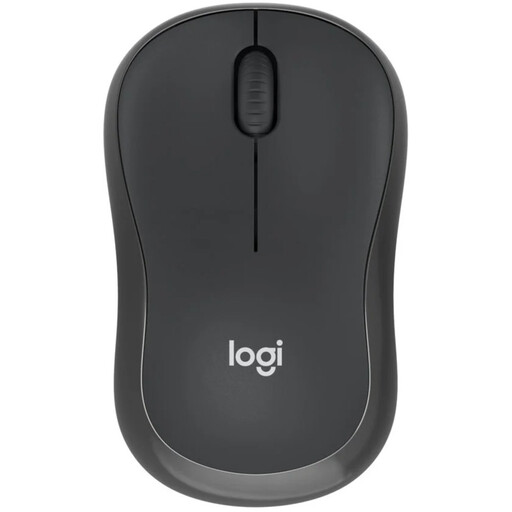
A good fit if you’re looking for a compact, quiet mouse for a small workspace and would rather not use a USB receiver.
The product information lists Bluetooth; check that your computer supports Bluetooth.
 No image available
An option to consider if you’re looking for a compact mouse with quiet operation for a peaceful workspace.
The product name lists 2.4G+BT and an AA battery. Check which connection option is right for your computer.
 No image available
A good fit if you’re looking for a compact mouse with quiet operation for a peaceful workspace.
The product information lists an RF or Bluetooth connection. Check which option is right for your computer.
 No image available
An option if you’re looking for vertical operation and the version suits your hand.
This version is designed for right-handed use. The product information describes a shape for small to medium-sized right hands.
No. Kensington describes the Orbit 64327EU as stationary, but this version has a USB cable and is designed for medium to large hands. Consider the available space, connection and fit.
It depends on the version: Logitech describes the M240 Silent as a Bluetooth mouse that does not need a receiver, while the Trust Yvi+ Silent reviewed here uses a USB receiver. Check the exact model and your computer’s connections before choosing.
No. Arboportaal recommends changing your posture, looking away from the screen regularly and taking micro-breaks when working at a screen. A mouse shape alone does not show that it will prevent or relieve discomfort for you.
If a product does not meet what you can reasonably expect under normal use, you can rely on your statutory rights; ACM ConsuWijzer explains how these rights work. For an ordinary online purchase, you will generally also have a statutory 14-day cooling-off period from delivery, with some exceptions. The cooling-off period and remedies for a faulty product are separate rights.
Dispose of a discarded electric mouse separately, for example at a collection point or when buying a similar device under the old-for-new scheme. The Dutch government says flat batteries must not go in the bin; they can be taken to shops that sell batteries, among other places.