
Editor with limited desk space
Wants to read recipes and reference material clearly without the monitor stand and keyboard taking over the desk.


Start by measuring the available width and depth of your desk. Check the monitor stand’s footprint, leaving enough room for your keyboard and a comfortable viewing distance. Then choose between QHD for extra pixels, 16:10 for more vertical space for documents, or Full HD with USB-C if a simple laptop connection is your priority. If you work with photos a lot, also check the stated colour gamut and what that information does and doesn’t tell you about colour reproduction.
Wants to read recipes and reference material clearly without the monitor stand and keyboard taking over the desk.
Also reviews and edits images, and wants to consider resolution, stated colour coverage and any calibration options.
Wants to connect a laptop easily and, if the equipment supports it, power it through the same USB-C cable.
First, measure the space taken up by the stand, then decide how much room you need to work with text and page layouts. Only then check whether colour features or a USB-C connection are important for the way you work.
| What to consider | What should you check? | Who is this important for? |
|---|---|---|
| Desk space | Measure the available width and depth, then compare them with the monitor’s dimensions including the stand. LG lists the 24QP750P-B as 540.1 mm wide, with a stand depth of 240 mm; BenQ lists the PD2506Q as 570.0 mm wide and 256.9 mm deep. | If I want to leave enough room for my keyboard, I look beyond the screen size and check the stand too. Around 30% of consumers say keeping desk space free is their top priority. |
| Reading and page layout space | Compare the resolution and aspect ratio with your documents, and try out the text scaling. LG lists a resolution of 2560 × 1440 pixels for the 24QP750P-B; ASUS lists 1920 × 1200 pixels and a 16:10 aspect ratio for the PA248QFV. | If you want to edit long recipes and ingredient lists clearly, consider how much content fits on screen at once. Around 30% of consumers prioritise space for reading and page layout. |
| Colour for recipe photos | Check the stated colour gamut and whether your workflow requires calibration. BenQ lists 100% sRGB and a factory calibration report for the PD2506Q; LG lists typical 99% sRGB for the 24QP750P-B. These are manufacturer claims, not independent measurements. | When I review recipe photos, I want to know which colour information suits my workflow and what stated coverage means. Around 20% of consumers say assessing photo colour is their top priority. |
| Connectivity and adjustability | Check whether your laptop can output video over USB-C and whether the power delivery is sufficient. Also consider the height and tilt adjustments you need. Philips lists USB-C with power delivery for the 24E1N1300AE/01; LG specifies 65 W USB-C Power Delivery for the 24QP750P-B. | If you want a laptop workspace with fewer cables and an adjustable screen position, compare the connections on both devices. Around 20% of consumers prioritise practical connectivity and an adjustable setup. |
The stand can take up a significant amount of desk space. LG lists a stand depth of 240 mm for the 24QP750P-B; BenQ lists 256.9 mm for the PD2506Q.
Measure the full space available and compare it with the monitor’s dimensions including the stand. If you’re using a monitor arm, also check separately that the mount and weight capacity are suitable.
If you misjudge the setup, you may later need to rearrange your desk or buy a separate monitor arm.
Colour coverage and colour accuracy are different properties. The stated colour percentages are manufacturer claims, not independent measurements.
Consider whether you’re just selecting photos or making colour-critical corrections too. If it’s the latter, check which colour gamut and calibration options suit your workflow.
A USB-C connection on the monitor does not, by itself, prove that a particular laptop can output video or receive enough power.
Compare your laptop’s video output and power requirements with the specifications of the exact monitor model.
If the connection doesn’t meet your requirements, you may need a separate video or power cable.
According to the Dutch government, a manufacturer’s warranty is in addition to your statutory rights; there is no fixed statutory warranty period in the Netherlands.
Check what any paid-for warranty actually adds, and report any product problem to the retailer.
An extra paid-for warranty may offer little if it doesn’t provide clear additional cover.
The 24QP750P-B is a compact QHD model for text and digital images.
The PD2506Q is a 25-inch QHD model for anyone who also edits photos.
The ProArt PA248QFV is a 24.1-inch 16:10 model for documents and page layout work.
The 24E1N1300AE/01 is designed for Full HD work with USB-C.
The UltraSharp U2424HE is a 23.8-inch Full HD model with USB-C hub features.
This selection includes 16:10 and QHD monitors for documents and page layout work, alongside Full HD models for general recipe editing at a desk.
 No image available
An option for editing longer recipes and ingredient lists in a document-friendly aspect ratio.
24.1 inches; 1920 × 1200 pixels; WUXGA.
 No image available
An option for recipe text and page layout when you want to compare QHD resolution with document-friendly screen layouts.
24 inches; 2560 × 1440 pixels; Quad HD.
 No image available
An option for viewing recipes and page layouts in QHD resolution.
24 inches; 2560 × 1440 pixels; Quad HD.
 No image available
A Full HD option for everyday work on recipes and text; compare the available workspace with your page layout needs.
24 inches; Full HD; 100 Hz; VA panel. Full HD provides fewer pixels of workspace than QHD.
 No image available
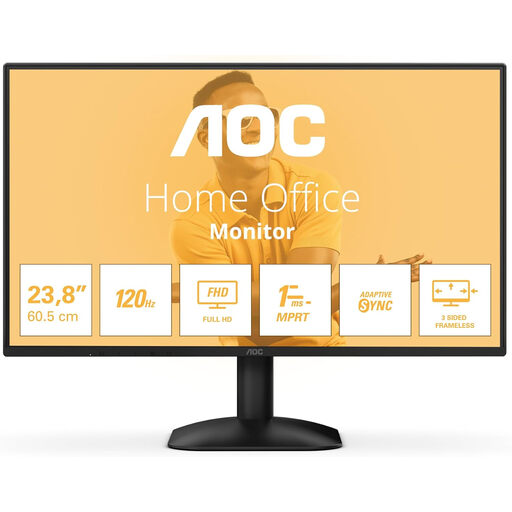
A Full HD option for editing recipes, with a computer connection via HDMI or DisplayPort.
24 inches; 1920 × 1080 pixels; 16:9; 300 cd/m²; 1 ms; HDMI, DisplayPort and headphone output. Full HD provides fewer pixels of workspace than QHD.
Choose based on the workspace you need: QHD gives you more pixels, while 16:10 offers a layout suited to documents. LG lists a resolution of 2560 × 1440 pixels for the 24QP750P-B; ASUS lists 1920 × 1200 pixels and a 16:10 aspect ratio for the PA248QFV. Also try the text scaling and measure the desk space available.
No. Check whether your laptop’s USB-C port supports video output and whether the monitor supplies enough power for that laptop. LG lists 65 W Power Delivery for the 24QP750P-B, but that alone doesn’t tell you whether it’s compatible with a specific laptop.
Position the screen so the text is easy to read, and make sure the monitor stand leaves room for your keyboard and other materials. Arboportaal lists small symbols, reflections and light sources in your field of vision as factors that can affect screen readability.
When you buy as a consumer, you’re entitled to a product that is fit for purpose. According to the Dutch government, there is no fixed statutory warranty period in the Netherlands, and the retailer must provide a solution if something goes wrong. The manufacturer’s warranty is in addition to your statutory rights.
EU energy labelling rules cover standard computer monitors, with exceptions for certain types of display. If you buy online from a business as a consumer, the Dutch government says you’ll often have a 14-day cooling-off period. Check the terms and information for the specific purchase.