
Player with a narrow desk
Wants to position the monitor without the screen and stand dominating the workspace. So, compare the actual dimensions first, then consider speed.


First, measure the available width and depth, including the monitor stand: a screen may fit diagonally but still take up too much space at the front of your desk. A compact Full HD monitor is a sensible choice when space is limited; a 27-inch QHD screen is a better fit if you want more pixels for the map and interface and have enough room. Dell Netherlands lists the G2422HS as 53.78 cm wide and 18.944 cm deep with its stand; LG Netherlands gives the 27GS75Q-B dimensions of 61.35 cm wide and 25.37 cm deep with its stand. For turn-based tactics games, a higher refresh rate needn’t come before size, readability and positioning.
Wants to position the monitor without the screen and stand dominating the workspace. So, compare the actual dimensions first, then consider speed.
Prioritises visibility of the game board and interface, and weighs up whether a larger QHD screen will physically fit on the desk.
Uses the same space for other screen-based tasks too, so pays attention to adjustability, positioning and suitable connections.
Choose this when: the available desk space and stand depth are your main considerations. Compare the dimensions of the exact version.
Trade-off: Full HD has fewer pixels than QHD; a high stated refresh rate doesn’t automatically make it more important than readability or positioning.
Choose this when: you want more pixels for the game board and interface, and the larger screen and stand will fit on your desk.
Trade-off: the larger size takes up more space. Also check that your PC and connection support your preferred resolution and refresh rate.
| Consideration | What should you check? | Who is this important for? |
|---|---|---|
| Desk space | Measure the available width and depth, then compare them with the dimensions of the screen with its stand. | If I have little free space, I want to know how much room the screen and stand take up together. Around 36% of consumers put this space consideration first. |
| Readability and detail | Compare the resolution and screen size; view the game at the intended resolution and check the options for scaling the interface or text. | If I need map information and the interface to be clearly visible, I weigh the extra pixels against the space required. Around 29% of consumers give map and text detail top priority. |
| Positioning and adjustability | Check the height adjustment, tilt, VESA size and the space needed for the stand or a possible monitor arm. | If I use the same space for different screen-based tasks, I want to be able to position the monitor to suit my needs. Around 21% of consumers prioritise positioning and adjustability. |
| Connections and energy information | Check the ports and supported display modes on your PC and monitor, which cables are included, and the energy label for the exact model. | If connections or running costs are decisive for me, I want to check in advance what my setup supports and which energy information applies. Around 14% of consumers make this their main buying concern. |
The stand can be a deciding factor on a shallow desk. Dell Netherlands lists the G2422HS as 18.944 cm deep with its stand; for the LG 27GS75Q-B, LG Netherlands gives a depth of 25.37 cm.
Measure the available depth and compare it with the dimensions of the exact model, including its stand.
You may need to reposition the monitor or use a suitable monitor arm. Check the available space and mounting requirements before choosing a setup.
Stated response times apply under the manufacturer’s specified conditions. LG lists HDR10 for the 27GS75Q-B; that designation alone doesn’t prove any particular level of HDR picture quality.
Weigh up the size, readability and connectivity for your needs, and interpret the manufacturer’s specifications in light of their stated conditions.
For the VG249Q3A version consulted, ASUS lists no height adjustment, but does list VESA 100 × 100 mm. The specifications are from the ASUS India page and may not describe every version.
Check the stand supplied with the exact version and its mounting requirements before planning where to put it.
If the supplied stand doesn’t suit your setup, you may need a suitable monitor arm. Check that it is compatible with the model and your workspace.
The G2422HS is an example of a compact Full HD gaming monitor with an adjustable stand.
The UltraGear 27GS75Q-B is an example of a 27-inch QHD screen with an adjustable stand.
The 24G4X is a compact Full HD monitor documented by the manufacturer.
The TUF Gaming VG249Q3A is a compact Full HD option if you don’t need height adjustment on the supplied stand.
The MOBIUZ EX2510S is a 24.5-inch Full HD example with height adjustment and built-in speakers.
These Joybuy products include compact monitors around 24 inches and a 27-inch QHD option. Compare the dimensions of the exact model with the space available on your desk.
 No image available
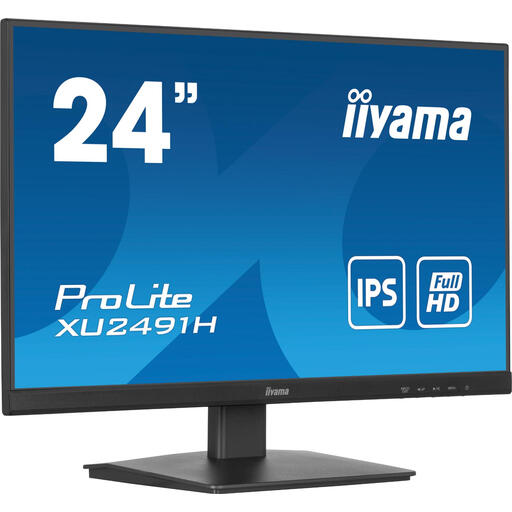
An option to consider if you’re looking for a monitor around 24 inches for a compact setup; remember to measure the space needed for the stand too.
The product name lists 200Hz.
 No image available
The 24-inch version is worth considering if you’re looking for a compact size; check the connections and mounting options for your setup.
The product name lists Full HD, IPS, 100Hz and speakers.
 No image available
A 24-inch option to include in your comparison when desk space is an important factor; check the connections and positioning of the exact model.
The product name lists IPS and 100Hz.
 No image available
The size suits a compact setup; check beforehand that the stand and any mounting option will fit your desk.
The product name lists 23.6 inches, Full HD, VA, 240Hz and EU Version.
 No image available
A larger QHD option if you want more pixels and have enough desk space; check the stand dimensions and the display mode supported by your PC.
The product name lists 2560 × 1440, IPS, 144Hz, 0.5ms Smart MBR, HDR10, Adaptive Sync, DisplayPort 1.4 and HDMI 2.0.
Not if space and readability are your main considerations. First compare the dimensions, resolution and positioning, then check which refresh rate your PC can use through the connection you’ve chosen. A stated Hz rating on its own doesn’t tell you how relevant that setting is for your game.
Only if you use a mount that suits the exact model and workspace. Dell lists VESA 100 × 100 mm for the G2422HS, and LG lists the same size for the 27GS75Q-B; also check the other mounting requirements for any monitor arm you’re considering.
For online purchases from a business, the Dutch government says you generally have 14 days to change your mind. You’re also entitled to a product that conforms to the contract; if there’s a fault, contact the seller. The Dutch government states that the Netherlands has no fixed statutory two-year guarantee period.
Yes. The European Commission classifies computer monitors as electronic displays covered by energy labelling rules; the scale runs from A to G. Compare the label for the exact model.
The rules described by Arboportaal are aimed at employers and employees who work with screens, and aren’t automatically a legal requirement for a private gaming setup. Adjustability and avoiding distracting reflections can still be practical considerations.