What should you look for when choosing?
First, measure the space needed for the complete setup. Then choose the resolution and connections to suit your dashboard layout and computer’s capabilities.
| What to consider |
What to look for |
Who is this important for? |
| Desk space |
Measure the available width and depth, then compare them with the screen’s dimensions, including the stand. |
If space is limited, I want to know whether the screen, stand and keyboard will all fit together. Around 29% of consumers say physical fit is their main priority when making this choice. |
| Dashboard overview |
Compare the resolution and screen size with the scaling setting and the tables and windows you use. |
If I want to view charts and source data side by side, I consider both the number of pixels and how easy the text is to read. Around 29% of consumers prioritise viewing their dashboard all at once. |
| Adjustability |
Check which adjustments the stand offers and whether the entire stand will fit in the available space. |
If the screen isn’t in the right position, I want to be able to adjust it to suit my setup. Around 24% of consumers give adjustability top priority. |
| Connections and power |
Check the video connections on the monitor and computer. If charging via USB-C, also compare the power required with the power delivered. |
If I want to connect or charge my laptop easily, I check that the laptop, monitor and cable all support the same features. Around 18% of consumers prioritise the connection and laptop power supply. |
Monitors at Joybuy
This selection of Joybuy products includes compact monitors for a sales dashboard, with QHD, WUXGA and Full HD options.
 Image unavailable
Dell Pro Plus P2425DE
A comparison option if you’re looking for a compact QHD screen with a laptop-focused USB-C connection. Check that your laptop and cable support the features you need.
23.8-inch IPS; 2560 × 1440 pixels; 100 Hz; up to 90 W USB-C power delivery according to Dell.
View at Joybuy
 Image unavailable
Dell Pro Plus P2425D
An option for comparing QHD at around 24 inches. Check that this version’s connections are compatible with your computer.
24 inches; 2560 × 1440 pixels; Quad HD LCD.
View at Joybuy
 Image unavailable
ASUS BE248CFN
A WUXGA option to compare if you’re looking for a screen around 24 inches. Check how the layout works with your dashboard and scaling setting.
24.1 inches; 1920 × 1200 pixels; WUXGA LCD.
View at Joybuy
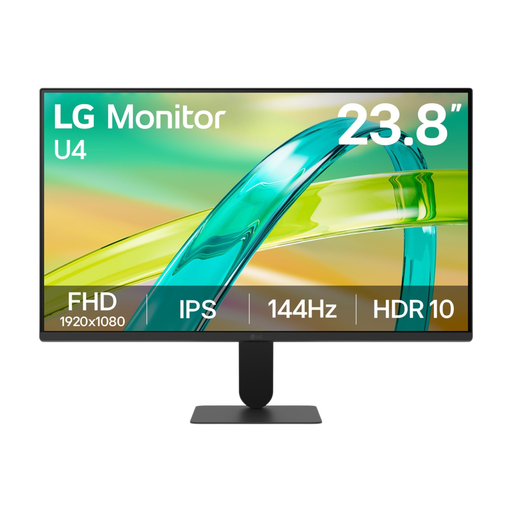 Image unavailable
LG 24U411B-B
A compact screen option for a main window. Compare its resolution and connections with what you need for your dashboard.
23.8 inches.
View at Joybuy
 Image unavailable
iiyama ProLite XB2497HSN-B1
A compact Full HD option to compare with the QHD models. Consider whether the resolution suits the tables and windows you want to use at the same time.
24 inches; Full HD; 100 Hz; IPS.
View at Joybuy
Frequently asked questions
How should I position my screen if I work on a dashboard for long periods?
Position the screen directly in front of you, with the top just below eye level, advises Arboportaal. Vary your working posture too; an adjustable monitor stand won’t, by itself, make an unsuitable workstation suitable.
Does a Dutch employee have to use a separate monitor?
It depends on the working situation. According to Arboportaal, for employees who use a screen for more than two hours a day, the screen and keyboard must not be fixed together. When using a laptop, a separate screen or keyboard must therefore be available.
Does USB-C on a monitor automatically mean you can get video and charging through one cable?
No, you’ll need to check the monitor, laptop and cable. Compare your laptop’s video support and power requirements with the monitor’s specifications. Dell lists up to 90 W for the P2425DE, but that doesn’t mean every laptop will work with it through a single cable.
What warranty rights do I have when buying as a consumer in the Netherlands?
You’re entitled to a product that works properly and can contact the retailer if there’s a problem, according to the Dutch government. The Netherlands has no fixed statutory warranty period, according to this source; a manufacturer’s warranty doesn’t replace your statutory rights.
How can I compare monitors’ energy consumption?
Compare the energy label for the exact model. The European Commission states that computer monitors have an energy label ranging from A to G; screen size alone doesn’t tell you a model’s energy rating or annual consumption.


