
Managing bills on a small desk
You want to read bills easily while leaving enough room for the stand, keyboard and paperwork. Samsung Netherlands points out that screen size depends on the desk space available and the type of work you do.


For household bills and statements on a small desk, a screen of around 24 inches is a useful size to compare, but remember to measure the space needed for the stand, keyboard and paperwork too. Full HD is a straightforward option for viewing one document at a time. Dell lists a resolution of 1920 × 1200 for the P2425, while AOC lists 2560 × 1440 for the Q24P2Q. That gives you more pixels, but doesn’t automatically mean larger or more comfortable text. Also check whether the stand is adjustable and whether the connections are compatible with your computer.
You want to read bills easily while leaving enough room for the stand, keyboard and paperwork. Samsung Netherlands points out that screen size depends on the desk space available and the type of work you do.
You regularly look at documents or spreadsheets and want to consider text size and vertical screen space. Dell and AOC list different resolutions and aspect ratios for the models reviewed.
You connect a laptop at the same desk and want to know in advance which video connections and any docking features you’ll need. AOC and Dell describe different connection options for each model.
| What to consider | What should you check? | Who is this important for? |
|---|---|---|
| Desk space | Measure the available width and depth, then compare them with the dimensions of the screen and stand for the exact model. | If your screen, keyboard and paperwork all need to fit on a small work surface, assess the whole set-up first; around 36% of consumers put desk space first. |
| Reading figures and text | Compare the model’s resolution and see how your usual documents look with your computer’s text scaling. | If figures, labels and document text need to remain easy to read, consider the screen size alongside how text is displayed; around 29% of consumers make readability their top priority. |
| Viewing bills and spreadsheets | Decide whether you mainly view one long document or use windows side by side, then compare the aspect ratio and resolution. | If you regularly want to view several statements at once, extra screen space may be useful; around 21% of consumers make this their top priority. |
| Connections and laptop set-up | Check that your computer’s video output matches the monitor’s input. For USB-C, also check video support and the power output required. | If you want to connect a compatible laptop at the same workstation, make sure the connection will work with that laptop; around 14% of consumers make ease of connection their top priority. |
The diagonal measurement doesn’t tell you how much space the stand takes up. A screen might look suitable on paper, but leave too little room on your desk for a keyboard or paperwork.
Measure your desk space and compare it with the overall dimensions and stand depth of the exact model. Consider a monitor arm only if both the screen and desk are suitable for one.
A different stand or a suitable monitor arm may require a separate adjustment to your set-up.
USB-C features vary between monitors. For the P2425 reviewed, Dell lists a USB-C downstream data port with a maximum output of 15 W. For the 24P3CV, AOC lists USB-C video and power delivery of up to 65 W.
Check the port’s direction and video function on both the monitor and laptop, and compare its power output with your laptop’s requirements.
Depending on the connections on your devices, you may need a separate video cable, adapter or charger.
ACM ConsuWijzer explains that your statutory rights apply alongside any manufacturer’s or retailer’s warranty. What you can expect from a product depends, among other things, on normal use.
Keep your proof of purchase and contact the retailer if you have a valid fault claim.
The P2425 and P2425H reviewed are office-focused models with adjustable stands. The P2425 has a 16:10 screen, while the P2425H is Full HD.
The 24E1N1100A/00 is a 23.8-inch Full HD IPS model to compare with other screens of roughly the same size.
The Q24P2Q is an adjustable 23.8-inch QHD option, while the 24P3CV is a Full HD model with USB-C docking features.
The ThinkVision T24i-30 is a 23.8-inch Full HD office monitor with adjustment options and separate video connections.
This selection includes monitors of around 24 inches for household bills and statements, with Full HD and QHD resolutions, a range of connections and different adjustment options.
 No image available
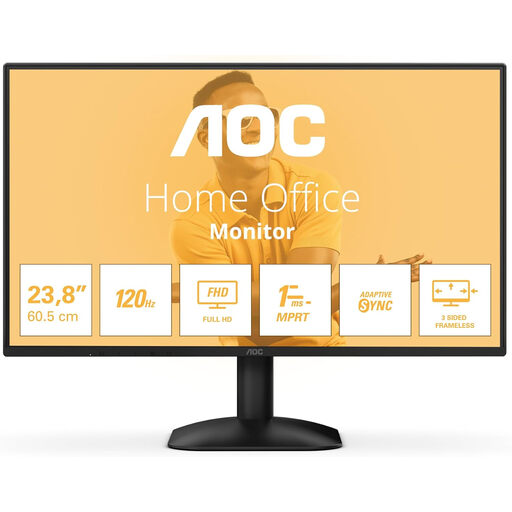
A Full HD option to compare with the space available on a small desk and how your usual documents appear on screen.
The product name lists 100 Hz and 1 ms. The description lists HDMI and VGA.
The description says that a charger isn’t included as standard, so check what comes with this model.
 No image available
A Full HD screen to consider if you mainly view one bill or statement at a time.
The description lists an IPS panel with a resolution of 1920 × 1080, HDMI and DisplayPort, and a stand with height and tilt adjustment.
 No image available
A Full HD option for household statements. Compare the screen size with the space available on your desk.
The product name lists 1920 × 1080, a 16:9 aspect ratio, 300 cd/m², 1 ms, HDMI and DisplayPort.
 No image available
A Full HD option for viewing bills and statements on a desktop monitor.
The product specifications list 1920 × 1080, an IPS panel, HDMI, VGA and built-in speakers. The product name lists 100 Hz.
 No image available
A QHD option to compare with Full HD if you want more pixels on a screen of around 24 inches.
The title lists 2560 × 1440. The description mentions USB-C video, data transfer and power delivery of up to 90 W, as well as height, tilt, swivel and pivot adjustment.
Check that the USB-C video mode and power output are suitable for your laptop.
Measure the space for the stand, keyboard and paperwork as well as the screen. Compare the available space with the overall dimensions and stand depth of the exact model. A monitor arm is only an option if both the screen and desk are suitable for one.
No. It depends on the connections and capabilities of both the laptop and monitor. Check whether the laptop can output video over USB-C using DisplayPort Alt Mode, and whether the power output is sufficient. AOC lists this video mode and power delivery of up to 65 W for the 24P3CV, but that doesn’t mean it will work with every laptop.
Arboportaal recommends varying your tasks, looking away regularly, changing your posture and taking short microbreaks. A product claim about eye comfort doesn’t replace this usage advice.
For online consumer purchases, you generally have up to 14 days from delivery to change your mind, subject to legal exceptions. This is separate from your statutory rights: if the product doesn’t perform as you could reasonably expect under normal use, the retailer may have to resolve the problem. ACM ConsuWijzer explains both rights.