
Editor with limited desk space
You want an external screen without squeezing out your keyboard, audio equipment or clear workspace. That makes the stand dimensions and adjustment options particularly important.


Start by measuring the available width and depth of your desk, then decide how many waveforms, tracks and spectrograms you want to see at once. A monitor around 24 inches usually takes up less room than a 27-inch model; a 27-inch QHD or 4K screen offers more pixels, but needs enough space. Check the full stand dimensions too, and make sure the video connection and power delivery are compatible with your computer.
You want an external screen without squeezing out your keyboard, audio equipment or clear workspace. That makes the stand dimensions and adjustment options particularly important.
You want to compare waveforms and spectrograms, and need to balance usable screen space against the monitor’s physical size. The Audacity Manual explains that you can switch between these views or display them at the same time.
You want to connect your display and peripherals neatly, and perhaps charge your laptop through the monitor too. The available features depend on the monitor, computer and cable.
Choose this if: desk space is your main constraint and you can switch between views or zoom in while editing. Dell lists the P2425 as having a 24.07-inch diagonal and 1920 × 1200 pixels; the BenQ GW2490T is 23.8 inches with 1920 × 1080 pixels.
Bear in mind: a smaller screen may show fewer tracks at once. Measure the stand too; according to Dell, USB-C on the Dell P2425 is a downstream data port, not a video input.
Choose this if: your desk and viewing distance allow for it, and you want to keep more of the timeline in view. Dell lists the P2725D as having a resolution of 2560 × 1440 pixels and height adjustment.
Bear in mind: the larger screen needs more space than the 24-inch models reviewed; check that the stand, cables and screen position will fit your setup.
Choose this if: you also want a 4K display and a USB-C connection for a compatible laptop. LG lists the 27UP850K-W as having 3840 × 2160 pixels and USB-C charging up to 96 W.
Bear in mind: 4K won’t improve the audio itself. Check your laptop’s compatibility, the power delivery you need and the cable LG specifies for the stated USB-C functionality.
| Concern | What to check before buying | Who is this most important to? |
|---|---|---|
| Will the monitor fit on the desk? | Measure the available width and depth, then compare them with the full dimensions, including the stand. Check the VESA size if needed. | If I share my desk with a keyboard and audio equipment, I want to know whether the stand will really fit; the screen diagonal won’t tell me that. Around 36% of consumers prioritise physical fit when making this choice. |
| How much of the timeline can you see at once? | Compare the screen size and resolution with the number of tracks you want to display. The Audacity Manual explains how waveforms and spectrograms can be shown together or alternated. | When I want to view waveforms, spectrograms or multiple tracks side by side, I focus on usable screen space. Around 29% of consumers prioritise having a clear view of the timeline and audio tracks. |
| Can you position the screen comfortably? | Check the height and tilt adjustments, and assess readability and reflections at your own workstation. | If I’m editing for long periods, I want to be able to adjust the screen position to suit my workstation. Around 21% of consumers prioritise adjustability and readability. |
| Is the connection compatible with your computer? | Compare your laptop’s video output with the monitor’s exact input; check power delivery and cable requirements too. | As a laptop editor, I want to know in advance whether USB-C carries video and provides enough power, so the connection will work with my setup. Around 14% of consumers prioritise laptop connectivity. |
USB-C ports don’t all offer the same features. Dell describes the port on the P2425 as a downstream data port up to 15 W; LG describes the USB-C port on the 27UP850K-W as supporting video, data and power delivery.
Check the direction and features of the port on the exact monitor model, then compare them with your laptop’s capabilities.
An unsuitable port may mean you still need a separate video cable or a different monitor.
The stand can take up a large part of your available desk depth. BenQ lists separate dimensions for the GW2490T with and without its stand.
Measure the space on your desk and compare it with the full dimensions. Check VESA compatibility if you’re considering a different mounting option.
If the stand gets in the way of your keyboard or audio equipment, you may need to use a different compatible mount.
Display specifications don’t determine audio quality. In Audacity, waveforms and spectrograms help you visualise different aspects of sound.
Choose a monitor based on its screen layout and connections; assess your audio monitoring setup separately.
The Pro Plus models discussed include an option around 24 inches and a 27-inch QHD option.
The GW2490T discussed is a 23.8-inch Full HD option where dimensions and adjustability are worth considering.
The 27UP850K-W discussed is a 27-inch 4K option with USB-C for a compatible laptop setup.
The Business Monitor 24B2U4301/00 discussed is a Full HD option with USB-C.
These Joybuy products include compact and portable screens for a small editing space. Compare their physical size with the number of audio tracks and views you want to see at once.
 No image available
A 24-inch screen may suit a compact workstation; compare the stand dimensions with the space available.
24 inches; 2560 × 1440 pixels; Quad HD; LCD.
 No image available
A portable model may suit a flexible workspace; weigh the smaller screen area against the space you need to view multiple things at once.
2.5K; 144 Hz; IPS; 16:10; USB-C and Mini HDMI; built-in stand.
 No image available
The 23.8-inch screen may suit a compact setup. Check that its USB-C features are compatible with your laptop.
23.8 inches; Full HD; USB-C.
According to the product information, the power adapter or charger is not included as standard.
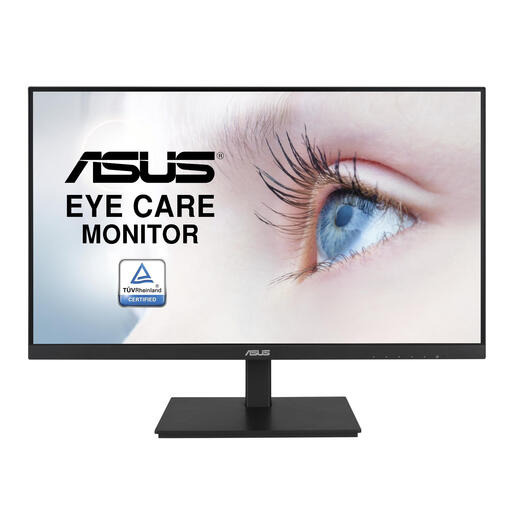 No image available
A 23.8-inch monitor may be a good option when desk space is limited.
23.8 inches; 1920 × 1080 pixels; Full HD; LCD.
 No image available
This portable screen may suit a very compact or mobile setup; bear in mind its limited screen size if you want to view multiple things at once.
15.6 inches; Full HD; USB-C; built-in speakers.
No. The Audacity Manual explains that you can switch between the views or display them together; choose your screen size based on how often you need to see them side by side.
Measure the available width and depth, then compare them with the monitor’s dimensions including the stand, not just the screen diagonal. Next, check whether the stand adjusts in the way your workspace requires.
No. Dell describes the P2425’s USB-C port as a downstream data port up to 15 W, while LG lists the 27UP850K-W as having USB-C for video, data and charging up to 96 W. Also check your laptop’s video and charging capabilities, along with the cable you’ll need.
No. A higher display resolution won’t improve the audio itself. Choose a monitor based on its screen layout and the views you need; assess the sound using your audio monitoring setup.
For online purchases from a business, the Dutch government says you’ll usually have 14 days to change your mind. If the monitor is faulty, contact the seller, who must deal with the problem; the exact rules depend on the circumstances.