
City builder with limited desk space
Wants the screen and stand to fit, with enough room left for a keyboard and mouse.


First, measure the available width and depth, including the monitor stand. Then choose between compact Full HD and QHD: QHD gives you more pixels for map details, but puts more demands on your PC. For long gaming sessions, readable text and an adjustable setup matter more than a high refresh rate alone. Check the stand, connections and display settings for each model.
Wants the screen and stand to fit, with enough room left for a keyboard and mouse.
Compares compact QHD with Full HD and wants small interface elements to remain readable.
Wants to set the text and screen position comfortably without taking up unnecessary desk space.
First measure the available width and depth, including the stand. Then choose a resolution and check the adjustability and connections.
| What to consider | What should you check? | Who is this important for? |
|---|---|---|
| Will the whole screen fit? | Compare the stated dimensions, including the stand, with your available desk space. Leave room for your keyboard and mouse. | If my desk is shallow, I want to know in advance whether the screen and input devices will all fit. Around 31% of consumers put fit first. |
| Are map details easy to read? | Compare both the resolution and screen size, and check how readable the text is from your viewing distance. | If I want to see details across the city while keeping menus readable, I compare QHD with Full HD at a similar size. Around 25% of consumers prioritise detail and interface readability. |
| Can you adjust the viewing position? | Check the exact model for height adjustment, tilt and the option to mount it on an arm. | For long sessions, I want to set the screen at a comfortable height without sacrificing desk space. Around 19% of consumers make adjustability their top priority. |
| Is the refresh rate right for you? | Check which refresh rate your connection supports and what your PC can deliver in the game. | If smooth movement matters most to me, I check whether my PC and connection can handle the setting I want. Around 13% of consumers prioritise refresh rate. |
| Does your whole setup work together? | Check the cables included, the energy label and whether an optional monitor arm will fit your screen and desk. | If I want to avoid unexpected purchases, I check in advance what my connections and setup require. Around 12% of consumers put their complete setup first. |
The stand takes up space too. GIGABYTE lists the GS24F14A as having a total depth of 152 mm, including the stand.
Measure the available width and depth, then compare them with the dimensions including the stand. If you’re using a monitor arm, also check the exact VESA size and whether the desk clamp will fit.
A suitable monitor arm may be an extra purchase.
GIGABYTE lists 144 Hz for the GS24F14A, rising to 175 Hz with overclocking. Philips says that Smart MBR can affect brightness and cause flickering.
Check the conditions for using your preferred setting and compare the settings you actually want to use.
The Dell S2425H and S2425HSM are different models. The VESA size in the Joybuy product information for the GS24F14A also differs from the size listed by GIGABYTE.
Before ordering, compare the full model code and key specifications on the product page with the manufacturer’s information.
These examples can help you compare models and options. A brand mention does not, in itself, indicate availability.
The Q24G4RE is a compact QHD option for anyone looking for extra pixels to bring out map details.
The S2425HSM combines a compact Full HD screen with an adjustable stand.
The GS24F14A is a compact Full HD model for which the manufacturer also gives dimensions including the stand.
The Evnia 24M2N3200S/00 is a compact Full HD option with a focus on motion performance.
This selection includes 24-inch QHD monitors and compact Full HD monitors. Check the dimensions and stand for each model to see whether it will fit your desk.
 No image available
A QHD option if map details matter to you and you want to adjust the screen position during longer sessions.
24 inches, 2560 × 1440 pixels and 100 Hz. The product description lists HDMI, DisplayPort and a stand with height, tilt, swivel and pivot adjustment.
 No image available
A 24-inch QHD option if you want more pixels for maps and interface elements. Check that the connections are compatible with your computer.
2560 × 1440 pixels and 100 Hz. The product information lists HDMI, DisplayPort, a stand with height and tilt adjustment, and USB-C with 90 W Power Delivery and RJ45.
 No image available
A compact Full HD option if that resolution suits the way you play and you want to compare supported refresh rates.
The product information lists Full HD, an IPS panel and FreeSync Premium. For 200 Hz, the description specifies DisplayPort 1.2; the supported refresh rate may be lower over HDMI, depending on the source device.
 No image available
A 24-inch Full HD model to compare if you’re looking for a compact gaming monitor.
The product name specifies 1080p Full HD, an IPS panel and 144 Hz. The product description gives a tilt range of -5° to 15°.
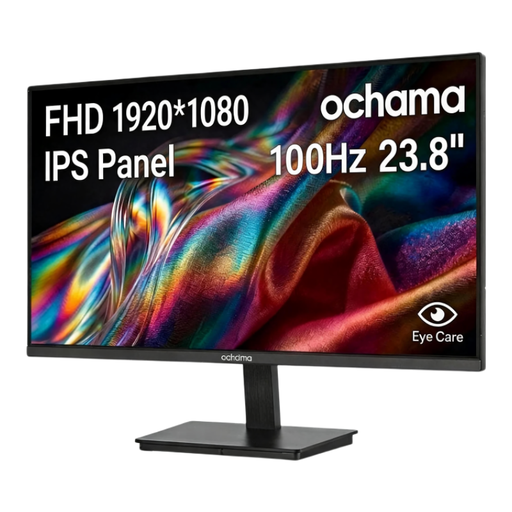 No image available
A compact Full HD model to consider if you’re looking for a monitor for gaming and office work.
The product information lists a 23,8-inch screen, 1920 × 1080 pixels and 100 Hz.
No. The stated system requirements for Cities: Skylines II do not specify a particular monitor refresh rate. First, choose a screen that fits and makes maps and interface elements easy to read. Then check what your PC can deliver in the game and which connection supports your preferred setting.
Make sure symbols are easy to read, reduce reflections and light sources in your field of view, and adjust your workstation to suit you. Arboportaal provides this advice for screen use; it does not guarantee that a particular monitor model will prevent discomfort.
Compare the EU energy labels for the exact models and check the stated energy use on the same basis. The European Commission uses a scale from A to G for electronic displays; your own energy use will also depend on how you use the monitor.
For a qualifying distance purchase from a trader, you generally have a 14-day cooling-off period. According to the Dutch government, you are also entitled to a product that meets reasonable expectations; an additional manufacturer’s or retailer’s guarantee does not replace this statutory right. Check the terms of the specific purchase.
Not simply because you play a game at home. The obligations described by Arboportaal are aimed at employers and applicable workplaces where screen work is carried out. If you also use the same desk for work, assess that situation separately.