
Player with limited desk space
Wants to keep room for a screen, keyboard or other items while playing, so compares how much desk space each controller takes up.


If you have a small desk, start by choosing between a handheld gamepad, an arcade stick with a joystick, and a button-only controller. Each offers a different way to play and takes up a different amount of desk space. If you want a joystick or dedicated arcade controls, compare the dimensions with the space available and check compatibility with your device and game. A slim controller doesn’t necessarily take up little room.
Wants to keep room for a screen, keyboard or other items while playing, so compares how much desk space each controller takes up.
Wants to use a joystick with separate buttons and takes into account how much desk space that kind of controller needs.
Wants to use a controller with, for example, a PC and Switch, so checks the connection and input mode for each version.
| What to consider | What should you check? | Who is this important for? |
|---|---|---|
| Desk space | Compare the width and depth with the available space. If you’re considering a stick, allow room for your hands and the cable too. MAYFLASH lists the F101 as measuring 27,8 × 19,8 cm. | If I want to keep room for other things while playing, I look at the full footprint, not just the height. Around 29% of consumers say the space it takes up is their main concern. |
| Compatibility | Check the exact version, supported platform and input mode. MAYFLASH lists XInput and DInput for PC on the F101. | If you want to use the controller with a particular device and specific games, you’ll want to know in advance whether they work together. Around 29% of consumers say compatibility is their main concern. |
| Controls | Choose between a directional pad, a joystick with separate buttons, or a button-only layout. According to 8BitDo, the M30 has six action buttons; HORI says its Fighting Stick Mini for Switch has a joystick and eight buttons. | If I’m looking for a specific arcade layout, the controls matter more than size alone. Around 24% of consumers say getting the arcade controls they want is their main concern. |
| Cables and storage | Check whether the version is wired or wireless and how it connects to your platform. 8BitDo lists Bluetooth and wired USB for the M30. | If you want to keep cables to a minimum on your desk while playing, consider the connection and how the controller can be stored. Around 18% of consumers say cables and tidying away are their main concern. |
A low profile doesn’t tell you how much desk space a controller takes up. According to 8BitDo, the Arcade Controller measures 301 × 201 × 22 mm.
Measure the available width and depth on your desk, then compare them with the dimensions listed.
According to Retro-Bit, the Saturn pad is available with a USB connection and as a version with a connector for an original Saturn console. The wrong connection could prevent you from using it with your system.
Before buying, check the full version name, connection and listed platforms.
According to 8BitDo, the Micro only works in keyboard mode on Windows. That doesn’t mean every PC game will recognise it as a gamepad.
Check whether the game supports keyboard mapping, or choose a controller with support suited to how you plan to use it.
Offers handheld gamepads, arcade sticks and a button-only controller. The controls and footprint vary by model.
The Fighting Stick Mini for Nintendo Switch is a wired option with a joystick and eight buttons.
The F101 is an arcade stick with a joystick and eight buttons, with input modes for PC and other systems described by MAYFLASH.
Offers a wired SEGA Saturn 8-Button Arcade Pad with a USB connection for anyone looking for a classic button layout.
These product picks are wireless gamepads with a directional pad, for anyone looking for a handheld controller. Check which Nintendo Switch versions are supported for each model.
 No image available
A wireless gamepad with a directional pad for anyone who doesn’t want a controller cable on their desk while playing.
The product name lists a TMR joystick, two programmable buttons and a 40-hour battery life. Listed platforms: Nintendo Switch 2 and Switch OLED.
 No image available
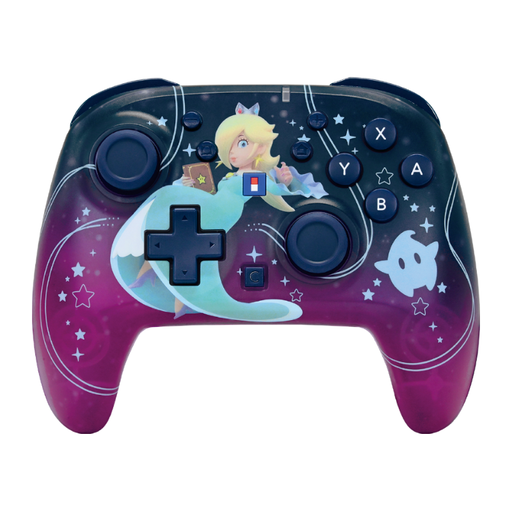
A wireless controller with a directional pad and analogue sticks for anyone looking for those controls in a Switch gamepad.
The product name lists button mapping, a C button and a 10-hour battery life. Listed platforms: Nintendo Switch and Switch 2.
No, it depends on the version and connection method. Check the supported platform and system version. According to 8BitDo, the Micro only works in keyboard mode on Windows, which doesn’t confirm that every PC game will recognise it as a gamepad.
Check the position of the mode switch and your game’s settings. MAYFLASH describes XInput and DInput for PC, as well as a separate mode for Switch. Follow the instructions for the version you’re using.
According to ACM ConsuWijzer, you’re entitled to a product that works properly. If the product doesn’t meet what you could reasonably expect during normal use, the seller must put this right under the terms of the statutory guarantee. Any manufacturer’s warranty does not replace this right.
For an online purchase from a business, there is generally a statutory 14-day cooling-off period after delivery. ACM ConsuWijzer explains the exceptions; check the seller’s returns information in advance too.
Radio equipment placed on the EU market is subject to the European Radio Equipment Directive. The Dutch government also notes that electronic devices requiring a CE mark must meet the applicable requirements. These rules don’t confirm that an individual product complies, so check the product information and marking.