If you already have an amplifier, DAC or active speakers, look for a separate streamer with a suitable connection. If you don’t have an existing setup, an all-in-one network speaker is easier to set up. WiiM describes a sleep timer in the Home app, while Sonos documents a sleep timer and an adjustable maximum volume limit. A timer or volume limit alone won’t tell you how quietly the complete setup will sound beside your bed.
Who is this suitable for?
Listener with existing speakers
You want to play gentle sounds to help you sleep through the amplifier or speakers you already own. Check the connections and volume controls across your entire audio setup. WiiM says the Mini can be connected to external audio equipment.
Listener without an audio setup
You’re looking for one device to put beside your bed, so you can start playing audio, adjust the volume and, if you wish, set it to stop. Sonos documents app and touch controls and a sleep timer for the Era 100; Google describes built-in ambient sounds on compatible speakers and displays.
Light- or microphone-sensitive sleeper
You want to choose how you control the device and what’s visible or built into it in your bedroom. Sonos notes that the status light may still illuminate in certain situations; Denon describes the Home 150 NV as a version without built-in microphones.
What should you look for when buying?
Separate streamer for existing equipment
Choose this option: if you have a compatible amplifier, DAC or active speakers and want to keep using them. WiiM describes the Mini as a streamer for external audio equipment.
Bear in mind: you’ll need to check the connections and volume controls across the entire audio chain. A separate streamer isn’t a speaker in its own right.
All-in-one network speaker
Choose this option: if you don’t want to connect an existing setup. Sonos describes the Era 100 as a speaker with app and touch controls, and documents a sleep timer.
Bear in mind: an adjustable volume limit caps the maximum volume, but doesn’t show how quietly the device can play at its lowest setting.
Speaker or display with built-in sounds
Choose this option: if you want to start ambient sounds without choosing a separate playlist. Google describes built-in sleep and ambient sounds on compatible speakers and displays.
Bear in mind: Google says ambient sounds can continue for up to 24 hours without a stop command. A display also brings light into the bedroom.
| Buying concern |
What to look for |
Which consumers it matters to |
| Gentle, controllable playback |
Check the volume controls on the source, player and any amplifier; assess the lowest usable setting on your own setup. |
If I want to hear sleep sounds very quietly, I want to know how my complete setup sounds at its lowest usable setting. Around 31% of consumers say quiet playback is their main buying concern. |
| Sound source and stop time |
Try out your preferred sound source, how to start playback and the sleep timer together. |
I want to start my chosen sleep sound easily and have it stop when I want. Around 31% of consumers give the sound source and stop time their top priority. |
| Connecting to existing equipment |
Decide whether you use active speakers, a DAC or an amplifier, and check the connections on the exact models. |
If I want to keep using my existing speakers or amplifier, I want to know whether they’ll connect properly to the player. Around 19% of consumers prioritise reusing their audio equipment. |
| Controls, lights and microphones |
Check the exact version, how it’s controlled and whether the status lights can be switched off completely or only dimmed. |
I want to choose how I control the device in my bedroom, and whether it has lights or microphones. Around 19% of consumers say this is their main buying concern. |
Common pitfalls
-
Assuming a volume limit proves the speaker can play quietly
Sonos describes an adjustable upper volume limit. This feature doesn’t tell you how quiet the minimum volume is or whether there’s any background noise beside the bed.
Assess quiet playback using your own sound source and complete setup. Treat the volume limit as a separate setting.
-
Buying a separate streamer as if it had a speaker built in
WiiM describes the Mini as a device that connects to external audio equipment. Without a compatible speaker or amplifier, the streamer won’t produce sound in the room on its own.
Before buying, check which amplifier, DAC or active speakers you use and whether the connections are compatible. If not, look for an all-in-one speaker.
-
Assuming built-in ambient sounds will stop quickly on their own
Google says ambient sounds can continue for up to 24 hours if you don’t turn them off.
Set a playback duration and check that the stop command works as you expect.
-
Expecting a switched-off status light to always stay dark
Sonos notes that the status light may still illuminate in certain situations, such as during updates or when the volume is muted.
Check how the light behaves on the exact version you’re considering, in the spot where you plan to put it beside your bed.
Relevant brands to consider
WiiM
The Mini is a separate streamer for anyone who already has external audio equipment.
- WiiM describes connections to equipment such as an amplifier or DAC, as well as a sleep timer in the Home app.
- You’ll need an external audio setup. The documented features don’t tell you how quietly that setup will sound beside your bed.
Sonos
The Era 100 is an all-in-one network speaker with app and touch controls.
- For supported products, Sonos documents a sleep timer and an adjustable maximum volume limit.
- The volume limit doesn’t tell you how low the listening level can go. Sonos says a separate adapter is needed for a wired line-in connection.
Google Nest
Google describes built-in ambient sounds on compatible smart speakers and displays.
- Google says you can choose a sound and playback duration with a voice command; the Dutch product page for the Nest Hub (2nd generation) lists relaxing sounds.
- Ambient sounds can continue for up to 24 hours without a stop command. Digital Wellbeing settings may restrict the feature.
Denon
The Home 150 is an all-in-one HEOS speaker; according to Denon, the Home 150 NV is the version without built-in microphones.
- Denon Netherlands lists Wi-Fi, Bluetooth and preset buttons for the Home 150; the NV page also mentions preset buttons.
- The lowest listening level hasn’t been specifically tested for these exact versions.
Products on Joybuy
The Joybuy products below are all-in-one speakers and soundbars. Check that the form, controls and available sound source suit the way you want to use them for sleep sounds.
 No image available
Bose Lifestyle Ultra Speaker - Black
The description mentions standalone use and control via the Bose Music app, making it suitable for anyone looking for a separate speaker.
Features listed include Wi-Fi, Bluetooth, AirPlay 2, Spotify Connect and Google Cast.
Joybuy
 No image available
Bose Lifestyle Ultra Soundbar - White Smoke
The product name identifies this model as a soundbar. Check that its design and controls suit the space and sound source you want to use for sleep sounds.
Joybuy
 No image available
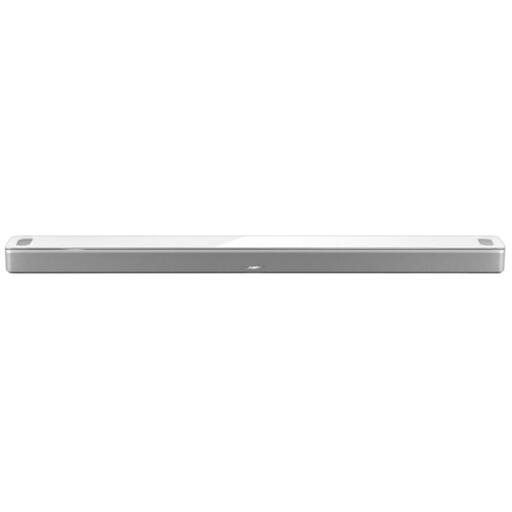
Bose Smart Ultra Soundbar - White
This soundbar may be worth considering if you’re looking for a standalone audio setup. Check that the controls and placement suit the way you plan to use it.
The description lists Wi-Fi, Bluetooth, AirPlay 2, Spotify Connect, control via the Bose Music app and a supplied remote control.
Joybuy
Frequently asked questions
Do sleep sounds need to play all night?
No, there’s no established need for this. A 2020 systematic review in Sleep Medicine Reviews rated the evidence that continuous broadband noise improves sleep as very weak and also noted possible drawbacks. If you only want sound while you’re falling asleep, set a sleep timer for the playback method you use.
How do I set a sleep timer in the WiiM app?
WiiM says to start playback, open the three-dot menu in ‘Now Playing’, select ‘Sleep Timer’ and then set the duration you want.
Do I need anything else with a separate network audio player?
With the WiiM Mini, you do: according to the manual, you connect it to equipment such as a stereo receiver, DAC or amplifier. Also check that your speakers and connections are compatible with the setup.
Who can help if a product develops a fault after purchase in the Netherlands?
According to ACM ConsuWijzer, the seller is responsible for the statutory guarantee if a product used normally doesn’t meet the expectations you were entitled to have. A manufacturer’s guarantee doesn’t replace this right.
What rules apply to a wireless network speaker in the Netherlands?
For radio equipment, the Dutch Authority for Digital Infrastructure sets out the requirements of the Radio Equipment Directive. The manufacturer applies a CE mark when the device meets the applicable requirements. Check the product information and documentation for the specific model. A CE mark doesn’t tell you whether a speaker is suitable for sleep sounds or quiet playback.


