Start with the game and your device: you’ll need a controller to play Session: Skate Sim and Skater XL on PC, and EA lists specific controller families for skate. on PC. Then choose between a suitable stick layout and a connection that works for your room. Wired play requires space for the cable, while for wireless play you’ll need to check the connection and power options for the version you choose.
Which controller is right for you?
PC skater looking for compatibility
You play Session: Skate Sim, Skater XL or skate. on PC and want to check first whether your controller works with the game. Valve states that Session: Skate Sim and Skater XL do not support keyboard and mouse; EA lists controller families for skate. on PC.
Player who controls tricks with the sticks
You’re mainly interested in controlling the game with two sticks, so compare the stick and trigger setup before weighing up any extra features. The controls in Session: Skate Sim and Skater XL make this an important choice.
Console player with limited space
You’re looking for a controller for your console, then weighing up whether a cable will be practical in your room or whether wireless play would suit your setup better.
What should you look for when choosing?
First, check your game and device requirements. Then compare the controls and connection, and finally check what you’ll need for the version you choose.
| What to consider |
What should you check? |
Who is this important for? |
| Game and platform compatibility |
Check the game’s requirements and whether it supports your device, controller family and connection method. |
If I play a particular skateboarding game, I want to know before buying whether my device and controller are compatible. Around 36% of consumers prioritise compatibility. |
| Sticks and triggers |
Check whether the controller has two analogue sticks and whether the trigger controls suit your needs. |
If you mainly want to control tricks with the sticks, you may want to prioritise their layout and controls over extra features. Around 29% of consumers prioritise stick controls. |
| Connection and room to move |
Check whether you want to play wired or wirelessly, and which connection your device supports. |
If I have little room for a cable, I want to know whether wireless play will work with my device. For wired play, it’s important that the cable can be positioned conveniently. Around 21% of consumers focus mainly on connection and room to move. |
| Power and included parts |
Check which cables, receiver and power options are included with the version you’re considering. |
If I want to know what I can connect straight away and who to contact if something goes wrong, I check what’s included and who the seller is. Around 14% of consumers prioritise included parts and aftercare. |
Pitfalls to avoid when buying
-
Assuming ‘works on PC’ means ‘fully works in my game’
Connecting to your computer doesn’t automatically mean that every feature will work in your skateboarding game. EA lists controller families for skate.; Sony states that haptic feedback on PC depends on support from the game and a USB connection.
Check which controllers are listed and the requirements for the specific feature you want to use.
-
Assuming Bluetooth on the box means Bluetooth works with every device
For the 8BitDo Ultimate 2C Wireless, the manufacturer lists Bluetooth for Android and a 2.4GHz receiver or cable for Windows.
Check the connection options for your device and make sure the required receiver is included with the version you’re buying.
-
Confusing a Switch 2 controller with a controller for the original Switch
Nintendo distinguishes between the controller for Switch 2 and the earlier Switch Pro Controller. Compatibility with one generation doesn’t automatically confirm it will work with the other.
Check the full model name and your console generation before ordering.
-
Confusing an extra warranty with your statutory rights
The Dutch government notes that the retailer is your point of contact if a product is faulty. An additional warranty is separate from your statutory rights.
Read what the additional terms actually cover and compare them with your statutory rights.
Relevant brands to consider
Microsoft Xbox
A relevant choice if you’re looking for an Xbox controller or want to use the controller family EA lists for skate. on PC.
- Microsoft describes wireless use and a USB-C option.
- Check whether the cable and power supply you need are included with the specific version; don’t assume another bundle has the same contents.
Sony PlayStation
The DualSense is worth considering if you’re looking for a controller for PS5 or want to use it with a supported PC game.
- Sony describes USB and Bluetooth connections with supported PCs.
- According to Sony, haptic feedback on PC requires both USB and support from the game; owning the controller alone doesn’t guarantee that the feature is supported.
8BitDo
According to 8BitDo, the Ultimate 2C Wireless is designed for Windows via a 2.4GHz receiver or cable, and for Android via Bluetooth.
- 8BitDo specifies Hall-effect sticks and triggers for this model.
- The Bluetooth support listed is for Android; the manufacturer doesn’t confirm compatibility with skate. or consoles.
GameSir
According to GameSir, the G7 SE is designed for wired use on PC or Xbox.
- GameSir specifies USB-C, Hall-effect sticks and analogue triggers for the G7 SE.
- This model doesn’t offer the freedom of wireless play. The manufacturer’s specifications aren’t an independent durability test.
Nintendo
The Switch Pro Controller is relevant for compatible Nintendo Switch games and, according to Nintendo, use with Switch 2.
- Nintendo lists motion controls, HD Rumble and USB-C charging.
- Compatibility with Switch 2 doesn’t confirm that every skateboarding game is available on that system or uses all the controller’s features.
Controllers at Joybuy
This selection includes controllers for PC and consoles. Check which controller and connection method are supported for each game and version.
 No image available
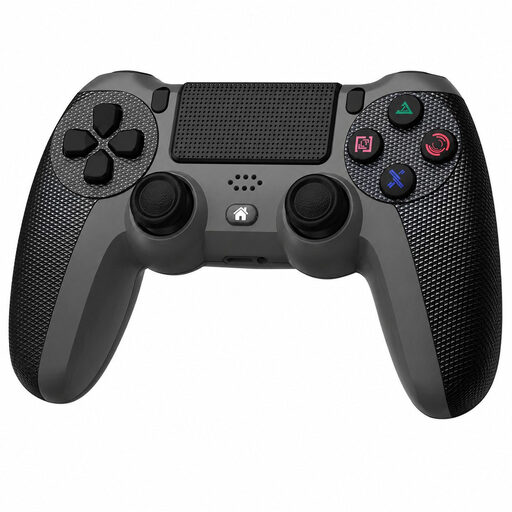
Wireless Dualshock controller for PS4 and PC
For anyone looking for a wireless controller for PS4 or PC; check that it’s supported by the specific skateboarding game.
The product name lists a wireless connection and compatibility with PS4 and PC.
View at Joybuy
 No image available
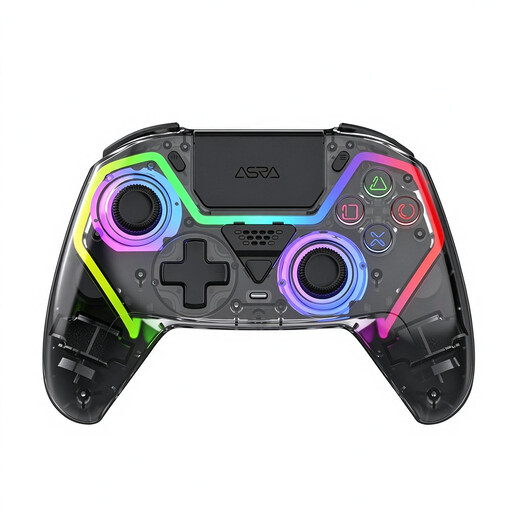
VIELLAN wireless game controller with Hall-effect sticks
Could suit anyone looking for a wireless PC controller with Hall-effect sticks; check that the exact model works with your game.
The product name lists a wireless controller with Hall-effect sticks.
View at Joybuy
 No image available
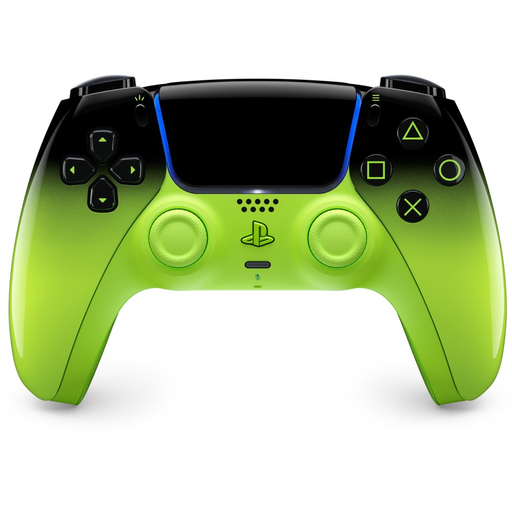
PlayStation DualSense Wireless Controller V3, Remix Green Edion
For anyone considering a DualSense for PS5 or PC: EA lists the DualSense controller family for skate. on PC, but check the requirements for your version of the game.
The product name lists a wireless controller for PS5 and PC. According to Sony, haptic feedback on PC requires both USB and support from the game.
View at Joybuy
 No image available
GameSir Cyclone 2, Black-Bundle Edition
For anyone looking for a PC controller with TMR sticks; check that it’s supported by your specific game and device.
The product name lists TMR sticks and use with PC, Switch, iOS and Android.
View at Joybuy
 No image available
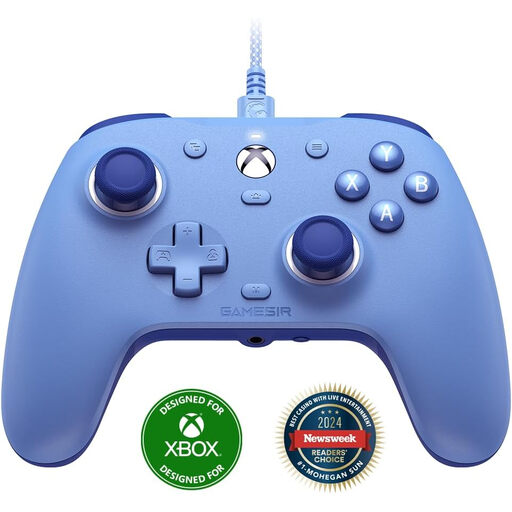
GameSir G7 SE Dynamic Blue
For anyone who wants to play on PC or Xbox using a wired connection and can position a cable conveniently in their room.
The product name lists Xbox Series X/S, Xbox One and Windows 10/11. GameSir specifies USB-C and Hall-effect sticks for the G7 SE.
View at Joybuy
Frequently asked questions
Do you really need a controller for skateboarding games on PC?
For the PC versions of Session: Skate Sim and Skater XL, Valve states that keyboard and mouse aren’t supported. EA also says that a controller is required for skate. during the PC early access phase described. Check the requirements for your game and version.
How do you connect a DualSense to your Windows PC?
Sony describes connecting via USB Type-C or Bluetooth on supported versions of Windows. For haptic feedback on PC, Sony specifies both a USB connection and support from the game.
Can you connect the 8BitDo Ultimate 2C Wireless to Windows via Bluetooth?
According to 8BitDo’s connection options, this model uses a 2.4GHz receiver or cable on Windows; Bluetooth is listed for Android.
Do you need to buy extra cover in the Netherlands if your controller breaks?
Not to replace your statutory rights. According to the Dutch government, you should be able to contact the retailer if a product is faulty; there’s no fixed statutory warranty period for all products in the Netherlands. Additional cover may only be worthwhile if its terms offer more than your existing rights.
Can you return a controller bought online within 14 days?
For a distance purchase from a business, the Dutch government says you’ll often have a 14-day cooling-off period. Check the terms of the specific purchase; according to its guidance, a purchase from a private seller online doesn’t count as a distance purchase.


