
Players who want to be sure it’ll connect
If you play on an existing console or PC, check that the controller works with both your device and the specific game. For EA’s skate., Electronic Arts describes controls that use two analogue sticks.


Choose a controller that works with both your device and the specific skateboarding game. EA’s skate. requires two analogue sticks, and EA lists DualSense and Xbox controllers as options for PC. In a shared bedroom, consider audio and vibrations too: a headset socket won’t work with every connection method, so check your particular setup.
If you play on an existing console or PC, check that the controller works with both your device and the specific game. For EA’s skate., Electronic Arts describes controls that use two analogue sticks.
If someone else is resting in the same bedroom, consider where the game audio will play and whether you can adjust the controller volume and vibration. Also check whether a headset works with your connection.
For EA’s skate., Electronic Arts describes using the left stick to steer and the right stick to perform tricks. So pay attention to the stick layout and the game’s control settings.
| What to consider | What should you check? | Who should pay extra attention? |
|---|---|---|
| Game and platform | Check the exact game title, your device and support for the full controller model. | If I want to be sure my controller works with my game and device, I check that this specific combination is supported. Around 36% of consumers put compatibility first. |
| Keeping the shared room quiet | Check where the game audio will play, whether your headset works with your connection, and which volume and vibration settings are available. | If someone else is resting in my bedroom, I want to be able to adjust the game audio and controller feedback to suit the situation. Around 29% of consumers take a roommate into account. |
| Analogue controls for tricks | Check that the controller has two sticks and note their layout, then review the control settings for the specific game. | If I want to perform tricks using analogue stick movements, I check which controls my game requires. Around 21% of consumers put trick controls first. |
| Cable and freedom of movement | Check the power source, what’s included in the box and whether a cable can be routed safely around your playing area. | If I want to move freely or avoid running a cable across the room, I compare wired and wireless options and check what power source they need. Around 14% of consumers prioritise freedom of movement and running costs. |
General PC compatibility doesn’t automatically mean a specific game will support the controller. For EA’s skate., Electronic Arts lists certain controller families for PC.
Before buying, check support for the exact game and full controller model.
According to Xbox Support, an Xbox controller connected to a PC via Bluetooth doesn’t support a headset plugged into the controller.
Check that your headset works with the connection you’ve chosen, or use a separate audio connection that works with your PC.
The official white DualSense doesn’t come with a USB cable. A wired controller also needs a safe cable route in a shared room.
Check what’s included in the box and keep any cable out of walkways.
DualSense controllers are designed for PS5 and are also listed as an option for supported PC games. Electronic Arts lists DualSense for skate. on PC.
Xbox Wireless Controllers are designed for Xbox and Windows. Electronic Arts lists Xbox One and Series X|S controllers for skate. on PC.
The Enhanced Wired Controller is a wired option officially licensed for Xbox Series X|S, Xbox One and Windows.
The Ultimate 2C Wireless is an option for Windows and Android, provided you’ve confirmed support for your specific game and device.
The Switch Pro Controller is worth considering if you play a skateboarding game on the original Nintendo Switch and the game supports it.
These Joybuy controller options are suited to skateboarding games and a range of gaming platforms. Always check that the specific game and your device support the full model.
 No image available
EA lists Xbox One and Series X|S controllers for skate. on PC. Check that this version works with your device and game.
The product name describes a wireless Xbox controller for Xbox Series and PC. Xbox doesn’t support a headset plugged into the controller when connected to a PC via Bluetooth.
 No image available
A possible choice for PS5 or a PC game that supports DualSense; Electronic Arts lists DualSense for skate. on PC.
The product name describes a white wireless PS5 controller. Sony says haptic feedback and adaptive triggers depend on game support and may require USB; the official white version doesn’t include a cable.
 No image available
Check that your specific skateboarding game supports this controller; compatibility with a platform alone doesn’t confirm that it will work.
The product name lists support for PC, Switch, iOS and Android, TMR sticks, Hall and Micro triggers, a 1000Hz polling rate and a charging dock.
 No image available
Check that your game supports this specific wired model, and route the cable so nobody can trip over it.
The product name lists support for Xbox Series X|S, XBOX1 and Windows 11|10.
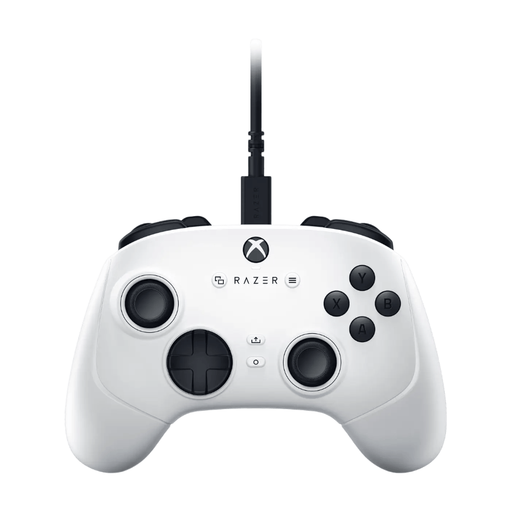 No image available
Check that this model works with your specific game and device. If you’re using it in a shared bedroom, bear in mind that it has a wired connection.
The product name describes a USB gamepad for PC and Xbox Series S and Xbox Series X.
Yes. According to Electronic Arts, the described PC version doesn’t support a keyboard and mouse. EA lists DualSense and Xbox controllers, among others, and describes controls using both analogue sticks. This doesn’t automatically apply to other skateboarding games.
On PS5, PlayStation says you can adjust the controller speaker volume and vibration intensity in the controller settings. Also check where the game audio is playing: these settings won’t automatically adjust audio from your screen or other speakers.
No. According to Xbox Support, Bluetooth in this setup doesn’t support a headset plugged into the controller. Check in advance whether a separate audio connection works with your PC.
For a faulty product, the seller must provide a solution according to the Dutch government; there is no fixed statutory warranty period in the Netherlands. Online purchases from a business generally come with a 14-day cooling-off period, subject to legal exceptions.