
Console players who use headphones
You’re looking for a controller that works with your Xbox, PlayStation or Switch 2, and want to know whether your headphones will work with it.


First, choose a controller that works with your console or PC and the skateboarding game you play. Then check that your headphones deliver audio through your preferred connection. With games such as Session, which describes control using two sticks, how both sticks feel also matters. On PC, audio support may depend on how you connect: for example, PlayStation requires a wired connection to use the DualSense headset port.
You’re looking for a controller that works with your Xbox, PlayStation or Switch 2, and want to know whether your headphones will work with it.
You play games such as skate. or Session and want to check in advance whether the game supports your controller and how to connect your headphones.
You prioritise controlling both sticks or want to assign the buttons yourself. In Session, the game describes control using two sticks.
First check that your device and game are compatible, then look at the audio connection, controls and practicalities.
| What to consider | What should you look for? | Who is this important for? |
|---|---|---|
| Compatibility | Check the exact device and model name, as well as whether the game supports the controller. | If I play on PC, I want to check first that my device and the game support the controller. Around 34% of consumers prioritise compatibility above all else. |
| Headphone audio | Check the plug and whether audio works through the controller with your chosen connection, such as USB or Bluetooth. | I want to listen through my headphones via the controller while I play, rather than having to find another audio option after buying it. Around 33% of consumers put working headphone audio first. |
| Sticks and extra buttons | See how the game uses the sticks and whether you can assign extra buttons to suit your preferences. | If control of both sticks is important, I want to know whether the layout suits my game. Around 20% of consumers prioritise stick controls or assignable buttons above all else. |
| Cables and maintenance | Check which cables you need, whether they’re long enough for your setup and what warranty terms apply. | I want to plan ahead for a cable in my play area or for maintaining a rechargeable controller. Around 13% of consumers put ease of use and maintenance first. |
PlayStation says that using the DualSense headset port on PC and Mac requires a wired controller connection.
For each controller, check the combination of device, connection and headphone socket.
When using it on PC, you may need to keep a USB cable connected while you play.
Nintendo says the Switch 2 Pro Controller is for Switch 2 only. The game version must also be compatible with your system.
Compare the full names of your console, controller and skateboarding game before choosing.
GameSir’s claim that they prevent stick drift is a manufacturer claim, not proof of how long they’ll last during skateboarding games.
Compare stick technology as one product feature, and consider the controls, connections and warranty terms too.
The Xbox Wireless Controller is for compatible Xbox consoles and Windows PCs, with a headset socket on compatible models.
DualSense is designed for PS5 and is listed by Electronic Arts for supported PC games such as skate.
The Switch 2 Pro Controller is for Switch 2; Nintendo lists Tony Hawk’s Pro Skater 3 + 4 for that system.
PowerA says the Enhanced Wired Controller is designed for Xbox Series X|S, Xbox One and Windows.
The G7 SE is a wired controller for Xbox and PC, with Hall effect sticks, rear buttons and controls for a connected headset.
This selection includes controller options for Xbox and Windows, PC and Nintendo Switch. For each game and model, check that the audio connection is compatible with your device and connection method.
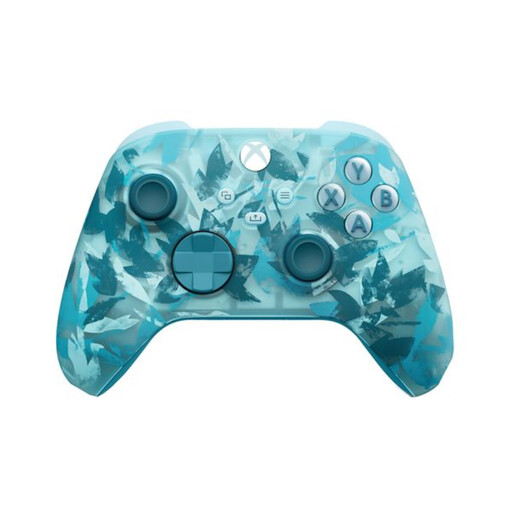 No image available
Worth comparing if you’re looking for an Xbox or Windows controller with a headset socket.
The product description lists Xbox and Windows, a 3.5mm headset socket and USB-C for wired use. On PC, check that audio works with your chosen connection.
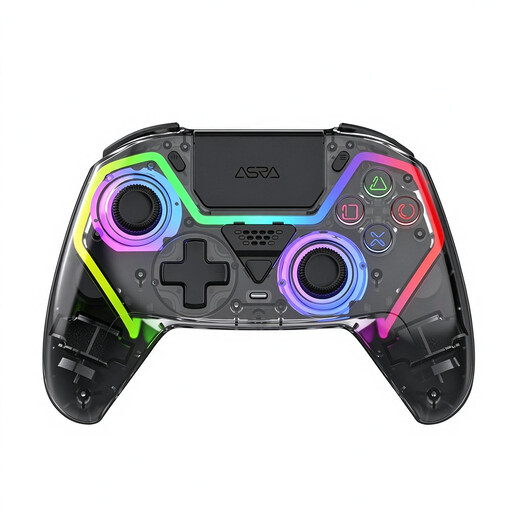 No image available
Worth comparing if you’re looking for a PC controller with Hall effect sticks and an audio socket.
The product information lists Hall effect sticks and triggers, programmable rear buttons, a 3.5mm socket, a 1000 mAh battery and USB-C charging. The title also mentions a PS5 layout; check actual compatibility with your device.
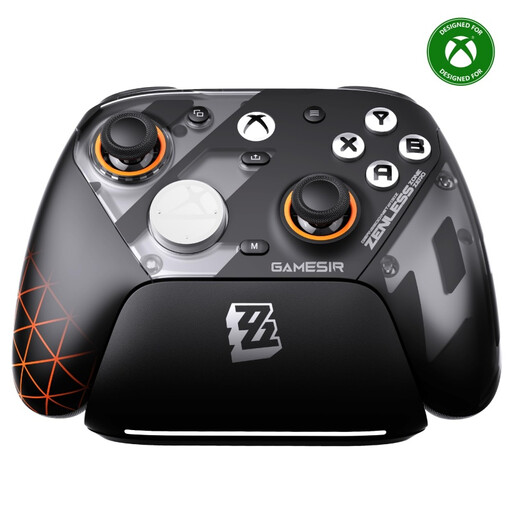 No image available
Worth a look if you want to compare extra assignable buttons and a headset socket for Xbox or PC.
The product information lists Xbox and PC use, TMR sticks, a 3.5mm socket and four remappable buttons. It lists wireless 2.4GHz and wired connections; according to the description, the 1000 Hz polling rate applies on PC.
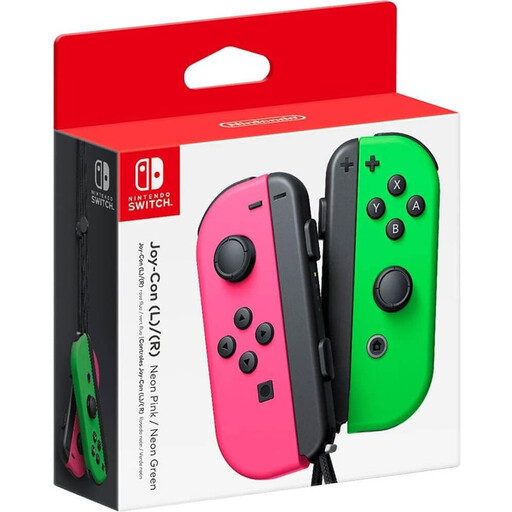 No image available
Worth comparing if you’re looking for a Joy-Con pair for a skateboarding game that supports these controllers.
The product information lists analogue sticks and use with Nintendo Switch. Check separately how to connect your headphones to your setup.
 No image available
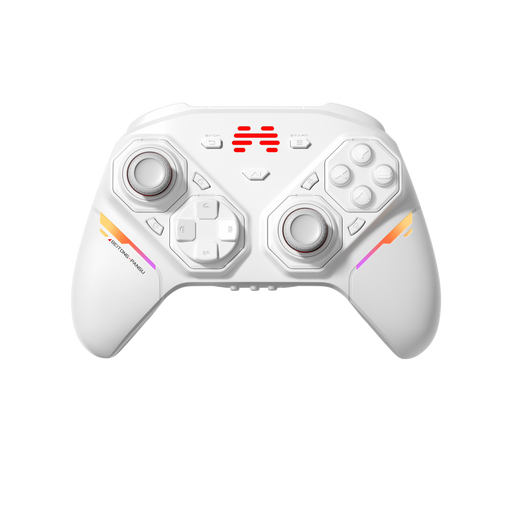
Worth comparing if you’re looking for a PC or Switch 2 controller with a customisable stick and button layout.
The product information lists interchangeable sticks, buttons and D-pads, wired and wireless connections, and Bluetooth. According to the description, the battery has a capacity of 1000 mAh. A headset socket isn’t listed here, so check your audio connection separately.
For the PC Early Access version, Electronic Arts says keyboard and mouse aren’t supported and lists DualSense and Xbox controllers among the options. Check the requirements again for the version you’re playing.
According to PlayStation, the DualSense headset port on PC and Mac only works with a wired controller connection. Also check your device’s audio output settings.
No. Nintendo says the Switch 2 Pro Controller can only be used with Switch 2. Also check whether the skateboarding game is available for that console.
Nintendo estimates around 40 hours of use per charge, depending on the conditions. Nintendo also says battery replacement is available for a fee through customer service.