
Vandaag of morgen in huis

Kwaliteit gegarandeerd

Welkomstaanbiedingen ontgrendelen: GRATIS bezorging | Tot 80% korting | Gratis 30 dagen JoyPlus-proefperiode
Download de app
More and more people are setting up a permanent home office. A sit-stand desk is often high on the wish list. The promise of a more active work posture is appealing, but the market is flooded with models that don't always deliver on their promises. Before you invest in an ergonomic desk, it's crucial to know what to look for.
Many buyers fall into the same traps, ending up with a wobbly desk or a motor that starts acting up after just a year. These are the three most common mistakes:
To avoid buyer's remorse, it's wise to look beyond just the aesthetics. These technical specifications determine the quality and lifespan of your height-adjustable desk.
The motor is the heart of an electric adjustable desk. The choice is typically between a single or a dual motor.
working while standing at the highest setting.A good sit-stand desk adapts to you, not the other way around. Therefore, always check the minimum and maximum height range. For a correct sitting posture, you should be able to rest your arms at a 90-degree angle on the desk with your feet flat on the floor. The same rule applies to your arms in the standing position.
Many desks offer memory presets. These allow you to save your ideal sitting and standing heights. Switching between postures becomes effortless with the touch of a button, which increases the likelihood that you'll actually use the desk as intended.
Add up the weight of all your equipment before choosing a desk. Consider: monitors, laptop, PC case, speakers, and any documents. Choose a desk with a load capacity that is well above this total. A typical professional home office setup quickly requires a load capacity of 80 kg or more for stable and durable operation.
Not everyone has the same needs. That's why we've highlighted a few popular choices that fit different user profiles and avoid the pitfalls mentioned earlier.
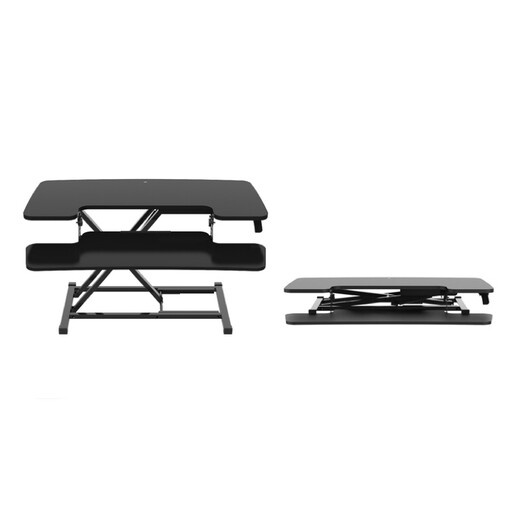
Why This Fits Their Persona: Ideal for those who want to try the benefits of standing work without immediately purchasing an entirely new desk. You simply place this riser on your existing desk.
This solution completely bypasses any motor and frame issues. It's an accessible way to add ergonomic variety to your workday, without the investment and installation of a full electric desk.
Affordable and ready to use out of the box. The two-tier design provides separate space for your monitor and keyboard, promoting good posture.
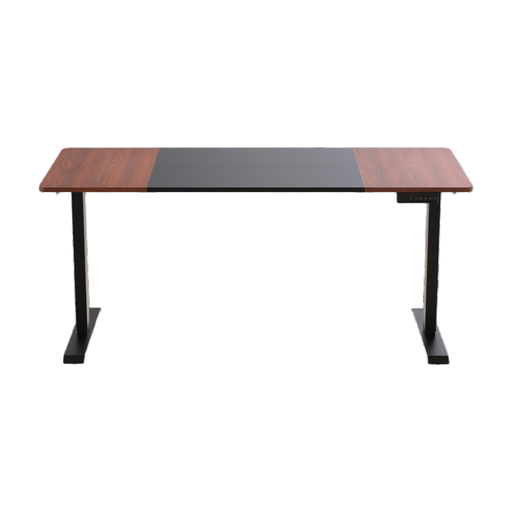
Why This Fits Their Persona: A complete and robust solution for those who spend many hours at their desk every day. This is a full-fledged electric desk for a serious home office setup.
The dual motor guarantees stable and smooth movement, even with a heavy setup. The generous load capacity and large desktop (160x70 cm) provide reliability and prevent the typical problems of cheaper models.
Comes as a complete set (frame and top). The control panel with memory presets makes switching between sitting and standing effortless.
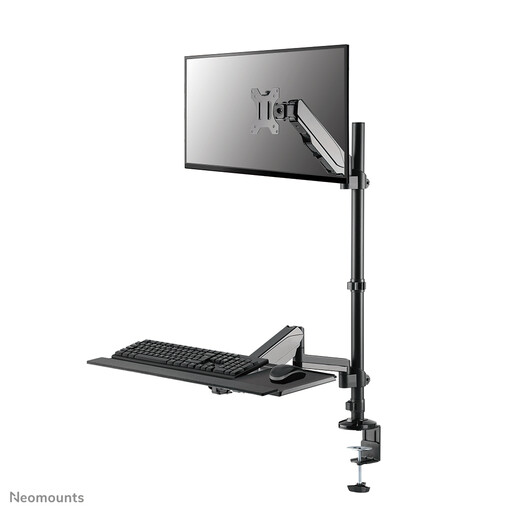
Why This Fits Their Persona: Perfect for those who want to keep their current desk but still want a full sit-stand experience. This arm clamps onto the desk and provides a platform for a monitor, keyboard, and mouse.
This model uses a gas spring for height adjustment. This is a reliable and quiet mechanism designed for the specific load of a monitor and keyboard, making it a durable choice for this type of workstation.
Turns any standard desk into a dynamic workspace. The VESA mount and integrated cable management ensure a clean and professional look.
We've compiled a complete, up-to-date list of products that meet these strict selection criteria and local safety regulations.
The lifespan of a motor heavily depends on its quality and usage. Motors from reputable brands in dual-motor desks are designed for thousands of cycles (one cycle is one up-and-down movement). With normal daily use, you can expect a lifespan of many years. Cheaper, single motors that constantly operate at their maximum capacity typically have a shorter lifespan.
For people who spend long days at a desk, the investment can be well worth it. Alternating between sitting and standing can contribute to a more active work posture. The key, however, is to use the feature consistently. A model with memory presets can help with this. If you're on a tight budget or want to try it out first, a desk riser is a great starting point.
