
Sim racers who prioritise side visibility
You want to see the sides of the racing environment from your usual cockpit position, and you have room for three screens. iRacing explains how to set up your viewing position for a multi-monitor setup.


Choose three monitors if side visibility is your top priority and your cockpit, PC and simulator support this setup. A single ultrawide is a better fit if you want a wide cockpit view on one screen; just check that its dimensions and aspect ratio work with your seating position and simulator. In either case, the refresh rates quoted on paper don’t guarantee a particular frame rate or comfort during long sessions.
You want to see the sides of the racing environment from your usual cockpit position, and you have room for three screens. iRacing explains how to set up your viewing position for a multi-monitor setup.
You want a wider view on a single screen for long stints. Screen width, readability and viewing position all factor into your choice.
You keep fixed interface elements on screen during long sessions, so you’ll also want to consider the panel type and care instructions. LG describes possible temporary image retention on OLED monitors when static elements remain on screen for a long time.
A good fit if: side visibility is your priority and your cockpit, PC and simulator support the setup.
Bear in mind: you’ll need extra space, connections and configuration. iRacing describes a basic setup using screens with the same resolution; using the same brand or model is recommended, but not essential.
A good fit if: you want a wide view without three separate screens, and the monitor suits your seating position.
Bear in mind: an ultrawide doesn’t automatically provide the adjustable side views available with three screens. Also check which resolution your PC can support.
A good fit if: you want to start with one screen, have limited space or are considering three screens later.
Bear in mind: one 16:9 screen offers less horizontal screen space than the ultrawides covered here. LG has marked the 27GS75Q-B as discontinued; it’s included here only as an example of this type of setup.
| What to consider | What should you check? | Who should pay particular attention? |
|---|---|---|
| Side visibility | Measure your viewing distance and available width from your usual racing position; check that your simulator supports the screen layout you have in mind. | If I also want to see the sides of the racing environment, I’ll check whether three screens will fit in my cockpit. Around 33% of consumers put side visibility first. |
| Readability and setup | Check how easy HUD text is to read from your intended viewing distance, as well as screen height, reflections and the adjustment options on the stand or mount. | When I’m driving long stints, I want to be able to read information from my usual seating position without the screen making the cockpit awkward to use. Around 27% of consumers prioritise readability and setup. |
| Output from your PC | Check that your simulator, graphics card, port, cable, resolution and intended refresh rate all work together. | If I want to use a particular resolution and refresh rate, I’ll check that my PC and connections can handle that combination. Around 20% of consumers choose mainly based on the output their PC can deliver. |
| Panel and fixed HUD elements | For OLED, read the care instructions and warranty terms for the exact model; compare them with a non-OLED option. | If a HUD stays in the same place for a long time, I’ll want to know in advance what care the panel needs. Around 20% of consumers prioritise panel care. |
A monitor’s stated refresh rate isn’t the frame rate your simulator and PC can achieve at your chosen resolution. Even on a single model, the maximum refresh rate may vary between connections.
Check the port and resolution combination, and see what your own PC can deliver in the simulator.
LG lists static game menus left on screen for a long time as a possible cause of temporary image retention on OLED monitors.
Before buying, read the care instructions and warranty terms for the exact model, and take them into account when comparing it with IPS or VA panels.
Sim Racer’s external list names the Samsung Odyssey G9 without giving the full model code. LG has marked the 27GS75Q-B covered here as discontinued.
Compare the full model codes and current product specifications before matching a model mentioned here to a listing.
The Odyssey G9 G95C is an example of a 49-inch screen with a wide 32:9 aspect ratio.
The UltraGear models illustrate both a 27-inch QHD IPS option and a 34-inch ultrawide OLED option.
The CU34G2XP/BK is an example of a 34-inch 21:9 ultrawide.
The MOBIUZ EX3410R is an example of a curved ultrawide that BenQ itself associates with sim racing.
The AW3423DWF is an example of a 34-inch QD-OLED ultrawide.
These product choices focus on one wide ultrawide monitor for a cockpit setup.
 No image available
An option for anyone looking for a very wide screen for their cockpit.
32:9, 5120 × 1440, 165 Hz and a 1500R VA panel.
AMD FreeSync is listed; check that your PC can handle your chosen resolution and refresh rate.
 No image available
A 34-inch ultrawide option for anyone looking to use a single wide screen.
21:9, 3440 × 1440 and 180 Hz.
FreeSync Premium Pro is listed; check how your own PC performs at your chosen settings.
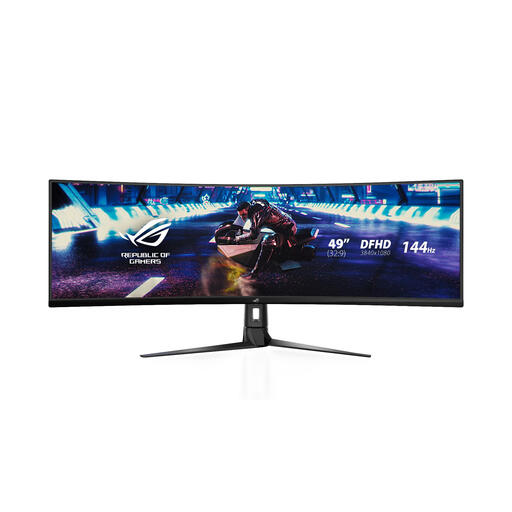 No image available
An option for anyone looking for a single, wide 49-inch screen.
32:9, 3840 × 1080 and 144 Hz.
FreeSync 2 HDR and an anti-glare surface are listed; check that the resolution and connections suit your setup.
 No image available
A 34-inch ultrawide for anyone considering a single wide screen and looking to factor in panel care.
21:9, 3440 × 1440 and 175 Hz.
Adaptive Sync and MSI OLED Care 2.0 are listed; check the guidance on static HUD elements left on screen for long periods.
 No image available
A 49-inch option for anyone looking to set up a very wide screen using one monitor.
32:9, 5120 × 1440, QD-OLED and 240 Hz.
FreeSync Premium Pro is listed. The product description advises against leaving still images on screen for very long periods; bear this in mind if you use a fixed HUD.
iRacing explains how to span a window across three screens and how to use full-screen mode via the graphics card. From your usual racing position, measure your viewing distance, screen width and angles, then use those measurements during setup. These instructions are for iRacing; another simulator may work differently.
The iRacing setup described uses three screens with the same resolution as its starting point. According to iRacing, using the same brand or model is recommended, but not essential.
Check the image-cleaning instructions for the exact model. LG notes that the controls may differ between models; its general guidance doesn’t automatically apply to every OLED monitor or warranty.
According to ACM ConsuWijzer, online purchases generally come with a statutory cancellation period of up to 14 days after delivery, subject to legal exceptions. A product must also do what you could reasonably expect under normal use; if it’s faulty, the seller is responsible for providing an appropriate solution. A manufacturer’s warranty doesn’t replace these statutory rights.
No. Arboportaal’s information on screen-based work concerns employers, employees and workplaces, so it doesn’t automatically set requirements for a private sim racing cockpit. However, its advice on posture and readability can help you assess your own setup.