
Racer with a narrow desk
Wants to practise long stints without the screen or stand extending beyond the available space. Measure the whole setup and your viewing distance. iRacing Support recommends measuring from your normal racing position.


If your setup is narrow, start with a single screen that fits the available width and depth. A 34-inch ultrawide is an option if you want a wider field of view and have the room for it. A 49-inch screen or three monitors will take up more space, and multiple screens require extra attention to configuration. Measure your setup and viewing distance, then check which resolution and refresh rate your PC supports through the connection you plan to use.
Wants to practise long stints without the screen or stand extending beyond the available space. Measure the whole setup and your viewing distance. iRacing Support recommends measuring from your normal racing position.
Wants a wider view from a single screen and is weighing up a 34-inch ultrawide against a much wider 49-inch setup. The physical space available is still the deciding factor.
Checks the refresh rate achievable through the chosen connection. If you’re considering an OLED screen and often have the same HUD on screen for long periods, it’s also worth checking the care and warranty terms for that specific model.
Choose this if: fitting the available width is your priority and you’re happy with a narrower field of view than an ultrawide offers.
The trade-off: set the field of view based on your measured screen width and viewing distance, rather than using a default value.
Choose this if: you want a wider view from a single screen and have enough room for its width and stand depth, with a suitable viewing distance.
The trade-off: it takes up more space than a standard monitor, but you won’t need to add two extra side screens.
Consider this if: you’ve confirmed that a very wide screen will fit your setup and a wider field of view is your main priority.
The trade-off: the width required can be a drawback, especially in a small workspace.
Choose this if: you have room for side screens and their positioning angles, and are happy to take on the extra configuration.
The trade-off: iRacing Support identifies viewing distance, screen width and the angle between screens as settings to consider. This isn’t a space-saving default option.
| What to consider | What should you check? | Who is this important for? |
|---|---|---|
| The screen and stand need to fit | Measure the available width and depth, including the stand and room for cables, then compare these with the dimensions of the model you’re considering. | If space is tight, I want to know whether the complete monitor will fit my setup. Around 33% of consumers put fit at the top of their list. |
| A wide enough field of view | Measure the available width first, then compare 16:9, 21:9 and 32:9. In iRacing, set the field of view based on your screen width and viewing distance. | If I want to see more of the surroundings beside the car during a race, I weigh that against the space a wider screen needs. Around 27% of consumers prioritise a wider field of view above all else. |
| A refresh rate your setup can achieve | Check the resolution and maximum refresh rate for each input on the exact model, and check what your PC can output. | If my PC and connection are the deciding factors, I want to know which combination is actually available. Around 20% of consumers prioritise the smoothest performance their setup can achieve. |
| Suitable for long sessions | Check the adjustment options and, for an OLED screen with a frequently visible static HUD, the care and warranty terms for that specific model. | During long stints, I want to be able to position my screen comfortably for my seat and know how to manage a static HUD. Around 20% of consumers prioritise long-term use above all else. |
A 34-inch diagonal doesn’t tell you how much space the complete screen and stand will take up. MSI lists the MAG 342CQRF E20 as 808,60 mm wide and 269,97 mm deep with its stand.
Check the dimensions with the stand fitted and allow room for cables. If you’re considering a different mount, check the VESA size and weight capacity for the specific model.
The stated maximum doesn’t necessarily apply to every input. For the MSI MAG 342CQRF E20, MSI lists a maximum of 100 Hz via HDMI and 200 Hz via DisplayPort at 3440 × 1440.
Compare the specifications for the resolution and connection you’ll actually use, and check your PC’s output too.
iRacing Support uses your measured screen width and viewing distance to set up a single screen. With three screens, the angle between them also matters.
Measure from your normal racing position and set the field of view in your chosen simulator to suit your setup.
According to MSI, displaying a static image on an OLED screen for long periods can lead to uneven pixel wear and permanent burn-in.
Weigh up OLED against LCD for the way you play, and read the care and warranty terms for the exact model.
The MAG 342CQRF E20 is a 34-inch curved UWQHD option for anyone looking for a single wide screen.
The AW2725DM is a 27-inch QHD model, while the AW3425DW is a separate 34-inch QD-OLED model.
The 34M2C3500L/00 is a 34-inch curved 3440 × 1440 model for those considering an ultrawide.
The Odyssey G9 G95C LS49CG954EUXEN represents the 49-inch 32:9 option.
The 34U511A-B is a 34-inch 21:9 model with WFHD resolution.
This selection includes compact 27-inch 16:9 screens and one 34-inch ultrawide. Choose the wider option only if the complete setup will fit in your available space.
 No image available
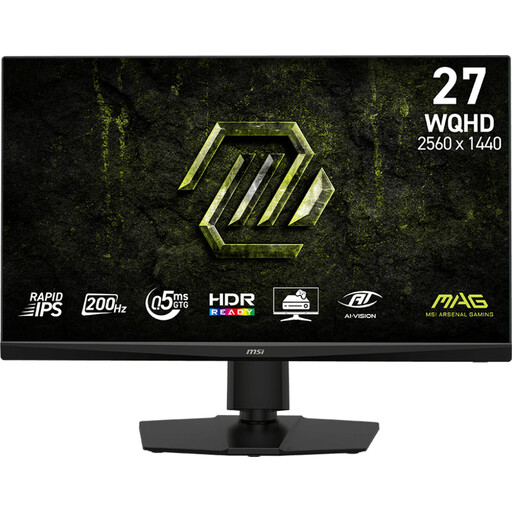
A compact 16:9 option if fitting the available width matters more than having a wider field of view.
The product name lists 2560 × 1440, 200 Hz and Rapid IPS.
 No image available
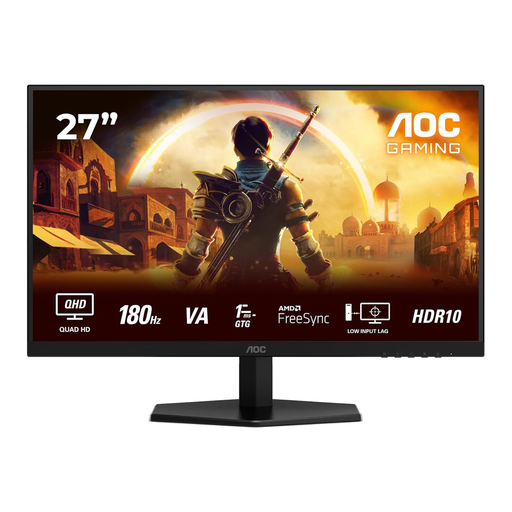
A 27-inch 16:9 option to consider if the width of your setup is a key constraint.
The product name lists 2560 × 1440, 180 Hz and 1 ms.
 No image available
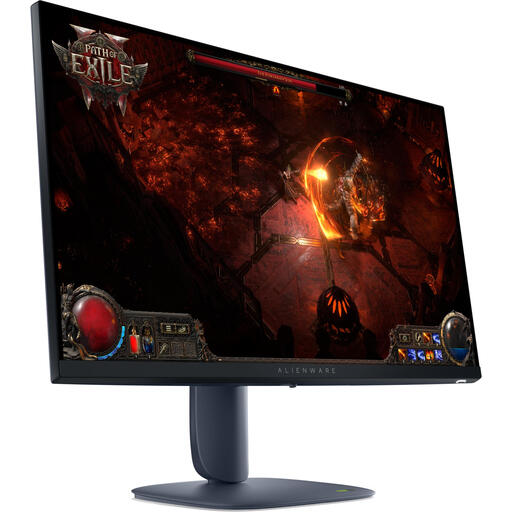
A compact 16:9 screen for anyone who wants a single monitor and needs to keep an eye on the width of their setup.
Dell lists the AW2725DM at 2560 × 1440, up to 180 Hz via DisplayPort and up to 144 Hz via HDMI.
 No image available
A compact 27-inch model to consider if you don’t want an ultrawide.
The product description lists 2560 × 1440 and 180 Hz, with overclocking up to 200 Hz, plus an adjustable stand.
 No image available
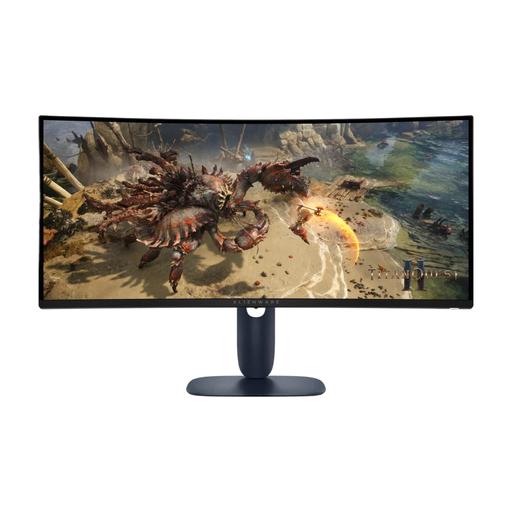
A single 34-inch ultrawide if you want a wider field of view and have room for the extra width in your setup.
The product description lists 3440 × 1440, 180 Hz and an adjustable stand.
From your normal racing position, measure the shortest distance from your eyes to the screen and the screen’s width. iRacing Support recommends entering these measurements in the monitor settings, then adjusting the horizon and driver height. Check the settings for other games separately.
No, it depends on the specific model and the combination of resolution and input. For the MSI MAG 342CQRF E20, MSI lists a maximum of 100 Hz via HDMI and 200 Hz via DisplayPort at 3440 × 1440. Check what your PC’s output supports too.
According to MSI, displaying a static image for long periods can lead to uneven pixel wear and burn-in. Follow the care instructions and check the warranty terms for the specific screen.
No. The Dutch government states that the Netherlands has no fixed statutory warranty period; you’re entitled to a product that meets what you can reasonably expect from it. If there’s a fault, the seller is your point of contact. Any additional manufacturer’s warranty doesn’t replace your statutory rights.
For distance purchases from a business, the Dutch government states that in many cases you have a 14-day cooling-off period. Check the terms that apply to your order and measure the space beforehand. The rules for distance purchases mentioned here don’t apply to purchases from a private individual.