
Night-time practice
You practise while someone else is resting in the bedroom. You want to avoid making repeated clicks unnecessarily audible, without confusing quietness with gaming responsiveness.


For timed drills, a wired gaming mouse or one with a gaming-focused USB receiver is a more obvious choice than a mouse selected solely for its maximum DPI. If someone else is sleeping in the room, assess click noise separately: quiet clicks don’t prove low click latency, and a gaming mouse isn’t automatically quiet. Check the connection, shape and noise level of the exact version before you choose.
You practise while someone else is resting in the bedroom. You want to avoid making repeated clicks unnecessarily audible, without confusing quietness with gaming responsiveness.
You practise timed clicks or quick aiming movements and want to match the connection mode and mouse shape to your drills.
You have limited room to move or use the same setup for other computer tasks too. Cable space, grip and maintenance all matter.
A good fit if: you want to practise without battery interruptions and don’t mind having a cable on your desk.
Trade-off: the cable takes up room to move; also check the shape and click noise of the version you’re considering.
A good fit if: you want more freedom to move and the exact mouse supports a gaming-focused receiver.
Trade-off: factor in charging or batteries. Logitech G’s stated battery life for the G305 on a single AA battery is manufacturer information, not a guarantee of how long it will last for you.
A good fit if: audible clicks are your main concern and you can assess gaming responsiveness separately.
Trade-off: Trust describes the Mydo as a productivity mouse with two quiet main buttons; that quietness claim doesn’t demonstrate low click latency.
A good fit if: you want to be able to adjust the click feel and the exact model supports this feature.
Trade-off: compatibility depends on the model and connection; replaceable switches don’t guarantee quiet clicks.
| Concern | What to look for when buying | Who is this most important to? |
|---|---|---|
| Click noise for your roommate | Check whether a quietness claim applies to the exact version and which buttons it covers; assess responsiveness separately. | If repeated clicks could disturb someone who’s resting, I want to know which buttons are quiet. Around 34% of consumers put click noise first. |
| Registering timed clicks | Check the connection modes supported by the exact model and, where available, look for a click-latency test for the mode you use. | For timing drills, I want the connection mode I choose to suit my timed clicks. Around 33% of consumers prioritise input responsiveness. |
| Grip and room to move | Compare the dimensions, weight, handedness and grip with the space available on your desk. | When practising repeated aiming movements, I want to handle the mouse comfortably without catching the cable or knocking into the edge of the desk. Around 20% of consumers prioritise fit and room to move. |
| Maintenance and ongoing costs | Check the battery type or charging method, what’s included and who to contact if there’s a problem with the product. | If I choose a wireless mouse, I want to know how to power it and who to contact if it develops a fault. Around 13% of consumers prioritise maintenance and ongoing costs. |
Trust positions the Mydo as a productivity mouse. The description of its quiet main buttons isn’t a measurement of click latency.
Assess quietness and click latency as separate features of the exact mouse.
Adjustable sensitivity and click latency describe different features; neither measures your human reaction time on its own.
Choose a usable sensitivity and, for timed drills, assess the connection mode and, if available, the measured click latency.
A wireless Pro version, a wired version and a variant with a different model designation may be different products.
Compare the full model name, connection, colour and variant; don’t identify a product based on a similar name alone.
The Dutch Government states that there is no fixed statutory warranty period of two years in the Netherlands. The circumstances of purchase and normal use are relevant.
Keep your proof of purchase and contact the retailer if there’s a fault. Treat any manufacturer’s warranty as a separate commitment.
The features mentioned apply to the specific product lines and versions below; they aren’t recommendations for an entire brand.
The G305 LIGHTSPEED is a wireless gaming mouse with an AA battery; the G203 LIGHTSYNC is a wired gaming mouse.
The wired Aerox 3 (2022) is worth considering if you’re looking for a lightweight mouse for movement-focused drills.
The Basilisk V3 Pro is a right-handed wireless gaming mouse with programmable buttons, for anyone who uses that kind of control.
Supported ROG mice are worth considering if you want to be able to replace the switches.
The Mydo and GXT 929W Helox illustrate the difference between a productivity mouse with a quietness claim and a gaming mouse.
This selection features wireless gaming mice for drills where you want to assess a USB or other wireless connection option.
 No image available
Worth considering if you want to choose between RF wireless and USB for your drills.
54 g; right-handed design; RF wireless, Bluetooth and USB Type-A; 42,000 DPI.
The listed 8,000 Hz applies to wired mode.
 No image available
A wireless gaming mouse worth considering if you’re looking for a 56 g design with several connection options.
56 g; 2.4 GHz, USB-C and Bluetooth; PAW3395 sensor; 26K DPI; 400 mAh battery; magnetic charging dock.
The product information warns you to keep the magnetic dock away from pacemakers, medical implants, and payment or identity cards.
 No image available
Worth considering if you’re looking for a wireless gaming mouse with a receiver and a compact design.
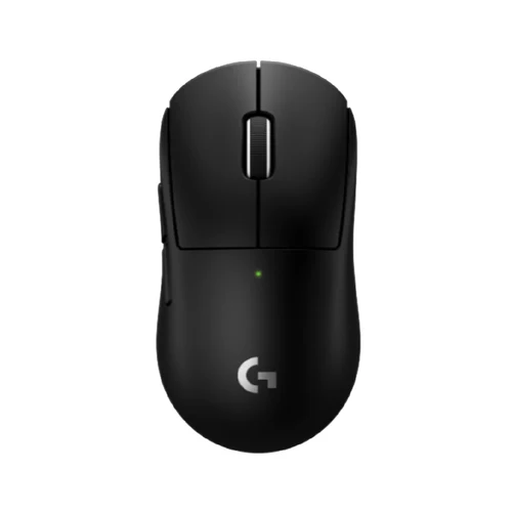
53 g; wireless LIGHTSPEED connection with receiver.
 No image available
Worth considering if you’re looking for an ergonomically shaped gaming mouse for wireless use.
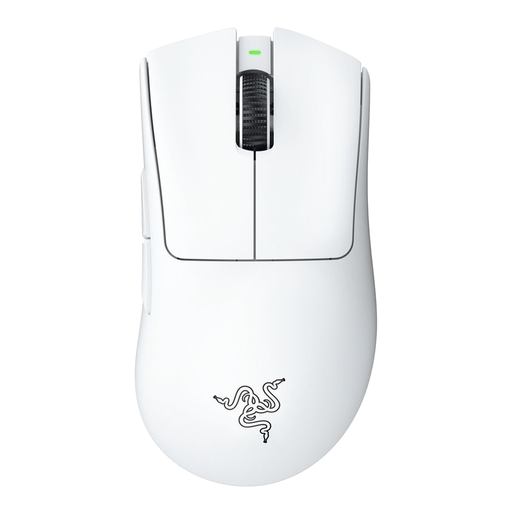
Razer HyperSpeed Wireless; USB dongle.
 No image available
Worth considering if you’re looking for a right-handed wireless gaming mouse for aiming movements.
54 g; HyperSpeed Wireless; supports 8K HyperPolling.
No. DPI describes adjustable sensitivity; click latency is the time between pressing a button and the computer registering it. Neither measures your human reaction time on its own.
Use the connection mode whose responsiveness you want to assess. RTINGS describes click-latency tests for each connection type and generally ranks Bluetooth behind a cable or gaming-focused USB receiver for gaming; check which modes your exact mouse supports.
Contact the retailer. According to the Dutch Government, there’s no fixed statutory warranty period of two years in the Netherlands; the circumstances of purchase and normal use matter. Any manufacturer’s warranty is separate.
The Dutch Government states that electronic devices sold in the EU must carry a CE marking. Check the marking and product information for the exact version; a mention on a sales page isn’t, by itself, an independent conformity test.
According to the Dutch Government, when you buy a similar new appliance, you can hand in an old electrical appliance through the ‘old for new’ scheme. Local authority collection points are another option.