Who is this relevant to?

Night-time player who puts quiet first

Plays while someone else is resting in the same room and mainly wants to reduce the clicking noise of the mouse version they choose. Keychron, Razer and Logitech describe specific silent switches or quiet-click features for certain models.

Player looking for a comfortable fit

Uses a mouse for pointing and dragging over longer periods, so wants to choose a size and shape that suits their hand size and preferred hand. Logitech offers different sizes and a left-handed version within the Signature M650 range.

Player who wants more control options

Wants to match the connection and any extra buttons to their computer and in-game actions. Keychron lists several connection options for the M6, while Razer specifies programmable buttons for the Pro Click Mini.

What should you look for?

What to consider What should you check? Who should pay extra attention?
Clicking noise Check which buttons have silent switches on the exact version. For the Keychron M6, Keychron distinguishes between silent main buttons and a version with silent switches on all buttons. If I play while someone else is resting, I want to know which buttons might make an audible click. Around 36% of consumers put reducing clicking noise first.
Fit Check the size and whether the version is suitable for left- or right-handed use; the Signature M650 range has several variants. If I spend a long time pointing and dragging pieces, I want a mouse shape that suits my hand. Around 29% of consumers prioritise fit.
Connection Check which connections your computer supports and what the exact version offers. Keychron lists Bluetooth, 2,4 GHz and USB for the M6; Razer lists Bluetooth and a 2,4GHz dongle for the Pro Click Mini. If I want to connect the mouse to my computer without using an unsuitable connection or port, I check this in advance. Around 21% of consumers choose connection as their main consideration.
Extra buttons Decide which in-game actions you want to assign and check whether the model has configurable buttons for them. Razer specifies seven programmable buttons for the Pro Click Mini. If I want to assign an in-game action to an extra button, I want that feature to suit the way I play. Around 14% of consumers focus mainly on extra buttons and shortcuts.

Common mistakes

  • Choosing a ‘silent M6’ without checking the switch version

    According to Keychron, ‘Silent Micro Switch’ applies only to the left and right buttons; ‘All Silent Micro Switch’ applies to all buttons.

    Compare the full version name and check which buttons you use while playing.

  • Assuming a gaming mouse clicks quietly

    The listed gaming features of the Logitech G305 do not confirm that it has silent switches.

    If noise matters in the bedroom, check the switch information for the exact version separately.

  • Choosing an M650 based on the range name alone

    Logitech distinguishes between the M650, M650 L and M650 L Left for different hand sizes and hand preferences.

    Before buying, check which size and handedness are right for you.

Brands to compare

Keychron

The M6 may be worth considering if you want silent switches and several connection options, but the exact version determines which buttons are quiet.

  • Keychron lists 2,4 GHz, Bluetooth or USB for the M6. The manufacturer also offers versions with different switch options.
  • According to Keychron, ‘Silent Micro Switch’ applies to the left and right buttons. If you want all the buttons to be quiet, check whether your chosen version has ‘All Silent Micro Switch’.

Razer

The Pro Click Mini is a compact productivity mouse worth comparing if silent switches, wireless connectivity and configurable buttons would be useful for your game.

  • Razer specifies silent mechanical switches, Bluetooth, 2,4 GHz and seven programmable buttons for this model.
  • These are the manufacturer's specifications, not an independent comparison of clicking noise or a guarantee that the model is right for every game.

Logitech

The brand offers silent mice for pointing and dragging, as well as a separate gaming range. Features of one model do not automatically apply to another.

  • Logitech describes SilentTouch for the M650 and quiet clicks for the MX Anywhere 3S. The M650 range includes versions for different hand sizes and left-handed use.
  • The G305 is specified as a gaming mouse, but the product information reviewed does not confirm that this model has silent switches. Check the details for the exact version.

SteelSeries

The Aerox range includes gaming-focused versions with different numbers of buttons, as well as wired and wireless options. Compare these only if those gaming features matter more to you than confirmed quiet clicks.

  • SteelSeries offers versions in the range with different numbers of buttons.
  • Check the switch information for the specific Aerox model before assuming it clicks quietly.

Mouse options at Joybuy

These mice are options to compare for quiet pointing and clicking during digital board games.
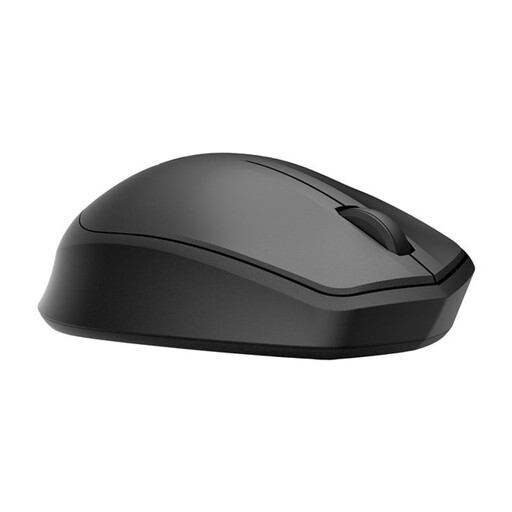
HP 285 Silent Wireless Mouse

HP 285 Silent Wireless Mouse

An option to consider if you want quieter clicks while playing and are looking for a wireless mouse.

The product name describes a silent wireless mouse.

View at Joybuy
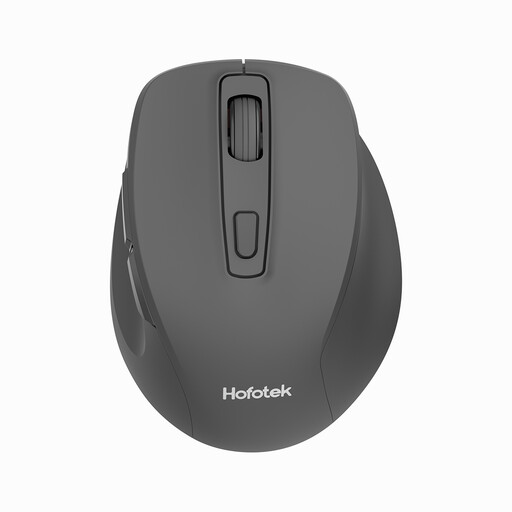
HOFOTEK M308 2.4G Silent Office Mouse

HOFOTEK M308 2.4G Silent Office Mouse

Worth comparing if you want a mouse with quiet clicks and a wireless connection for board game controls.

The product name lists 2.4G and adjustable DPI.

View at Joybuy
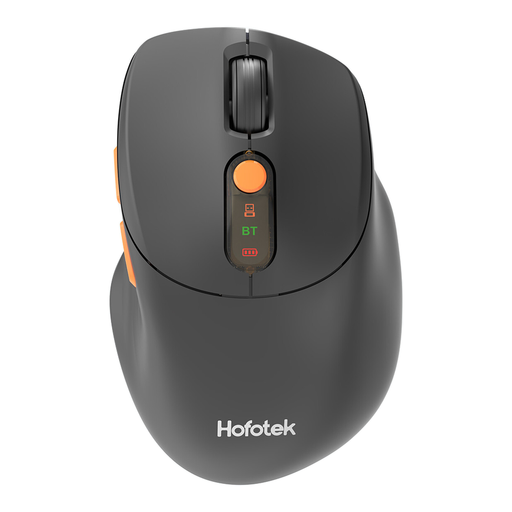
HOFOTEK M311 2.4G+BT Silent Office Mouse

HOFOTEK M311 2.4G+BT Silent Office Mouse

An option to compare if you want quiet clicks and a choice of connection options.

The product name lists 2.4G+BT and an AA battery.

View at Joybuy

DELL Pro Compact Silent Mouse MS355

DELL Pro Compact Silent Mouse MS355

Worth considering if you want a compact mouse described as silent for pointing and clicking.

The product name describes a compact silent mouse.

View at Joybuy
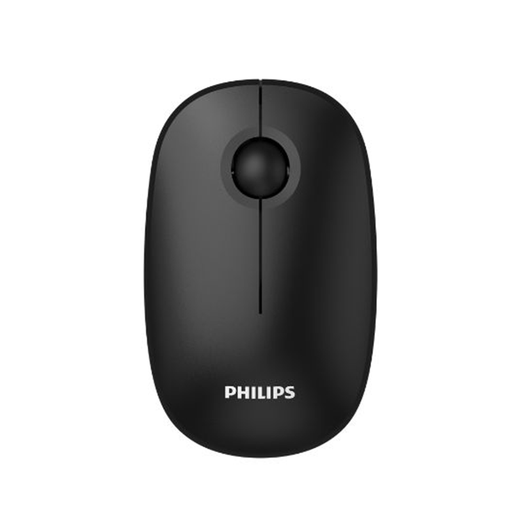
Philips 3000 Series SPK7378B/00 2.4GHz Silent Mouse

Philips 3000 Series SPK7378B/00 2.4GHz Silent Mouse

An option to compare if you want a mouse with quiet clicks and a wireless connection.

The product name lists 2,4 GHz, 1600 DPI and an optical sensor.

View at Joybuy

Frequently asked questions

Do I need a gaming mouse for digital board games?

No, not necessarily. If you mainly point, click and drag pieces, compare clicking noise and fit first. Extra buttons or a different connection are mainly useful if they suit your game and computer.

How do I connect a silent wireless mouse?

Before buying, check whether your computer has Bluetooth or a suitable USB connection, and which connections the version you choose supports. Keychron also lists a USB cable for the M6; Razer lists Bluetooth and a 2,4GHz dongle for the Pro Click Mini.

Do I need to think about batteries or charging?

Yes, power options vary by model. Razer specifies one or two AA alkaline batteries for the Pro Click Mini; Logitech lists one AA battery for the G305. Check the version and what is included with the mouse.

What are my rights when buying online in the Netherlands?

When you buy online from a business, you generally have a 14-day cooling-off period, with some exceptions. You also have a statutory guarantee: if a product breaks during normal use sooner than you could reasonably expect, the seller must provide an appropriate solution free of charge. The Dutch government and ACM ConsuWijzer explain these rights; in the Netherlands, there is no fixed statutory guarantee period that applies to every mouse.

Where can I take an old mouse and empty AA batteries?

According to the Dutch government, when buying a new electrical appliance, you can return an old, similar appliance under the take-back scheme; there are also other collection points. You can return empty batteries at shops and supermarkets that sell batteries, among other places.
