What should you look for when choosing?
Gaming mouse with silent switches
A good choice if: you play games where responsive control matters, as well as detective games.
Bear in mind: quiet main buttons don’t automatically mean the scroll wheel or other buttons are quiet too. Check the switch version as well.
Silent wireless office mouse
A good choice if: quiet clicks and comfortable browsing through clues or documents matter more than specific gaming features.
Bear in mind: a silent-click claim alone doesn’t prove gaming performance. Check the size, buttons and connection for the way you plan to use it.
Simple silent wired mouse
A good choice if: quiet clicks are your priority and you don’t mind a USB-A cable at your gaming space.
Bear in mind: according to CHERRY, the GENTIX SILENT has three buttons, with no thumb buttons or dpi switch.
Keychron, Razer and CHERRY describe silent switch options, but their claims aren’t directly comparable sound measurements. So also assess the scroll wheel, other buttons and connection on the specific model you’re considering.
| What to consider |
What to look for |
Who should consider this? |
| Clicking and operating noise |
Check the switch version and the noise from the wheel and other frequently used buttons separately. |
When I play in the evening, I want to limit repeated noise for my roommate. Around 36% of consumers put quiet first when making this choice. |
| Control across different games |
Compare the features of the specific model and check whether any buttons or software suit the games you play. |
I want to use the same mouse for games where control matters, not just for detective work. Around 29% of consumers prioritise versatile gaming controls. |
| Hand comfort and scrolling |
Choose a size that suits your hand and check which scrolling modes the model offers. |
During long search sessions, I want to point comfortably and scroll through text. Around 21% of consumers put hand comfort and scroll control first. |
| Connection and desk space |
Check which USB port or Bluetooth support your device has, and whether a cable suits your gaming space. |
I want to know in advance whether a wired or wireless connection will work better with my computer and desk. Around 14% of consumers put this practical consideration at the top of their list. |
Mouse options at Joybuy
These mice are options for anyone looking for wireless control and quiet clicks while investigating. Check which features and connections suit the way you plan to use each model.
 No image available
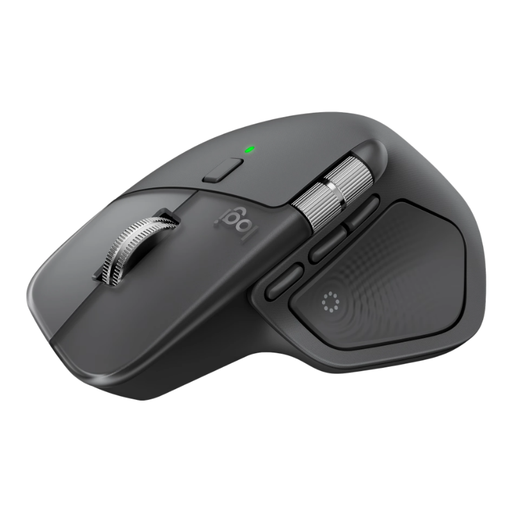
Logitech MX Master 4 Graphite
A wireless option for anyone who values quiet buttons and scrolling features when searching through clues or documents.
View at Joybuy
 No image available
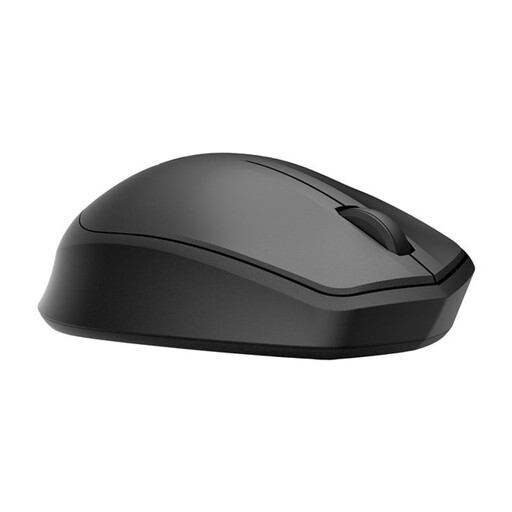
HP 285 Silent Wireless Mouse
A wireless mouse option for anyone who wants quiet clicks while investigating in a shared bedroom.
View at Joybuy
 No image available
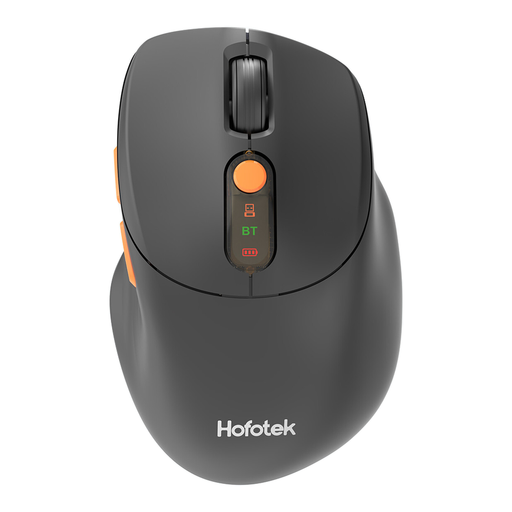
HOFOTEK M311 2.4G+BT Silent Office Mouse
An option for anyone looking for quiet clicks and a choice between 2.4GHz and Bluetooth; the product name lists adjustable DPI levels and an AA battery.
View at Joybuy
 No image available
DELL Pro Compact Silent Mouse MS355
A compact mouse option for anyone looking for quiet operation and considering a smaller model.
View at Joybuy
 No image available
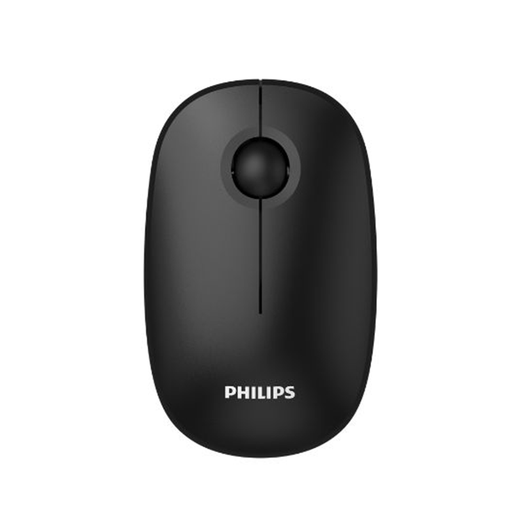
Philips 3000 Series Wireless Mouse SPK7378B/00
A wireless option for anyone looking for quiet clicks; the product name lists 2.4GHz, a USB receiver and 1600 DPI.
View at Joybuy
Frequently asked questions
Does a silent mouse for detective games need to be a gaming mouse?
No, not necessarily. If you mainly click on clues and search through documents, compare the clicking noise, scrolling controls and fit first. If you also want to use the same mouse for faster-paced games, check the features of the specific gaming version.
How do you connect these mice?
It varies by model. CHERRY lists a USB-A cable for the GENTIX SILENT; Logitech lists Bluetooth Low Energy or a Logi Bolt USB receiver for the Signature M650. Check which connection your computer supports.
What can you do if the mouse is still distracting despite its quiet clicks?
Check the scroll wheel and other buttons too. RTINGS.com describes the tested Keychron M6 8K as having quiet buttons, but also an audible scroll mode button; that finding applies to that model.
What are your rights when buying a mouse online in the Netherlands?
For a standard online purchase, you generally have a 14-day cooling-off period after receiving the item, subject to exceptions described by ACM ConsuWijzer. If a product doesn’t meet the reasonable expectations you had of it under normal use, the seller is responsible for providing a solution under the legal guarantee. This is separate from any manufacturer’s warranty.


