
Dark-room viewer
Usually watches films in a darkened room and is particularly interested in assessing black levels and contrast.


If you mostly watch in a darkened room, compare OLED models for black levels and how they handle your film source. If you also watch with ambient light, consider mini-LED LCD models too, and check for reflections and possible halos around bright intertitles. Test motion and picture settings using your own restoration and playback setup: a high stated refresh rate alone doesn’t tell you whether a TV will display films as you want.
Usually watches films in a darkened room and is particularly interested in assessing black levels and contrast.
Watches old or inconsistently restored footage and wants to preserve detail without overemphasising flaws in the source.
Uses the same TV during the day too, so needs to consider reflections, screen size and placement.
Compare this if: you usually watch in a darkened room and deep blacks matter to you.
Bear in mind: reflections in your room and prolonged static images; heavy static use is not the same as normal viewing.
Compare this if: you also watch with ambient light or want to assess an LCD option.
Bear in mind: local dimming can cause halos around bright details; results vary between models.
| What to consider | What should you check? | Who is this important for? |
|---|---|---|
| Contrast in dark scenes | Compare dark scenes and bright intertitles on the exact model, ideally in the lighting conditions you usually watch in. | If I mainly watch in a darkened room, I want to assess black levels properly; around 36% of consumers put dark-scene contrast first on their list of priorities. |
| Upscaling and detail | Watch a DVD, stream or restoration of your own, and compare the sharpness and noise-reduction settings. A 4K screen cannot add information that isn’t in the source. | If I watch older or inconsistently restored footage, I want to tell source flaws apart from fine detail; around 29% of consumers prioritise the processing of older footage. |
| Motion and playback setup | Test the same version of the film using your intended player or app, and compare playback with motion interpolation switched off. | If I want to assess distracting motion, I’ll test my own film version and player together; around 21% of consumers put suitable film motion first on their list of priorities. |
| Room, size and energy use | Measure the available space, check the connections you need and look up the energy label for the exact model in EPREL. | If I also use the TV during the day, I’ll want to consider its placement and running costs; around 14% of consumers prioritise room suitability and ownership costs. |
The film version, player and picture processing also play a part. RTINGS explains that a higher refresh rate alone has only a limited effect on the film motion you see.
Test your own edition using your intended playback setup and compare the motion settings.
According to RTINGS, strong sharpening can change the intended look, and processing can also affect fine detail.
Compare a familiar scene using different settings, paying attention to both flaws in the source and any loss of detail.
ACM ConsuWijzer explains that there is no fixed period for the legal guarantee in the Netherlands. What you can reasonably expect from the TV and the circumstances of the purchase both matter.
Check your legal rights with the seller before considering additional cover.
The OLED55C68LA.AEU is an OLED model to compare for watching films in a dark room.
The 55OLED810/12 combines an OLED screen with Ambilight, according to Philips, if you also want to factor in the room’s lighting.
The K-55XR5, also known as BRAVIA 5, is a mini-LED LCD option with local dimming.
The 55C7K is a mini-LED alternative to consider alongside OLED.
The QE55S90HAEXXN is an OLED model to compare for reflections and film picture quality.
These models include OLED and mini-LED LCD options for dark film rooms and watching in changing ambient light.
 No image available
An OLED model to compare for a darkened film room.
The product description lists a 77-inch 4K OLED screen, pixel dimming, Filmmaker Mode and AI Super Upscaling 4K.
Burn-in may be a consideration with prolonged static images; RTINGS discusses heavy static use, not the normal viewing habits of every buyer.
 No image available
A 55-inch OLED model to compare for dark scenes and older film sources.
The product information lists 4K, Filmmaker Mode, 120Hz native and VRR up to 165Hz. Refresh rate alone doesn’t determine whether the film cadence is right.
Burn-in may be a consideration with prolonged static images; RTINGS discusses heavy static use, not the normal viewing habits of every buyer.
 No image available
A 55-inch OLED model to include when comparing TVs for films in a dark room.
The product information lists a 4K OLED screen and four HDMI connections for external equipment.
Burn-in may be a consideration with prolonged static images; RTINGS discusses heavy static use, not the normal viewing habits of every buyer.
 No image available
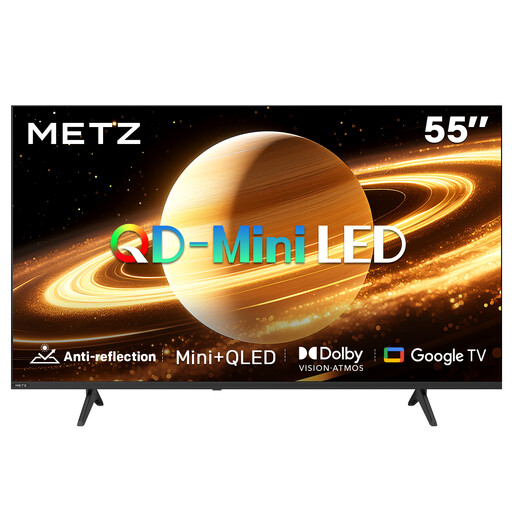
A mini-LED LCD model to compare if you also watch with ambient light.
The product title lists a matt screen, 60 Hz, Dolby Vision, Dolby Atmos, HDMI 2.1 and Google TV.
 No image available
A mini-LED LCD model to compare for a home cinema with a larger screen.
The product information lists 4K, 1,248 dimming zones, Full Array Local Dimming and 4K upscaling. RTINGS explains that local dimming can cause picture artefacts.
No. Check the specific restoration or edition, as well as your player’s output. The Library of Congress explains that the correct projection speed should be specified for each film print, so don’t assume there is one universal speed for the genre.
Not necessarily. Compare playback with the setting switched off, and only enable processing if you prefer the result with your source. A higher panel refresh rate doesn’t automatically change the original film frames.
Check the energy label for the exact model in the European product database, EPREL. Don’t estimate energy use based on the brand or screen type alone.
According to ACM ConsuWijzer, online product purchases are generally subject to a statutory 14-day cooling-off period from the date the product is delivered. Check which exceptions apply and read the returns information before you buy.
No. ACM ConsuWijzer explains that there is no fixed period for the legal guarantee: what you can reasonably expect from the TV and the circumstances of the purchase both matter. Contact the seller about a fault covered by the guarantee.