For watching silent films from a distance, choose your screen size based on how far away you sit, rather than relying on a fixed screen measurement. The Dutch Consumers’ Association suggests dividing your viewing distance by 2.4 as a starting point for the screen diagonal, not as a rule. Then compare OLED with LCD or mini-LED TVs, taking your room lighting and seating position into account. Check that the film release and player preserve the original aspect ratio and intended playback speed.
Who is this TV guide for?
Viewers sitting further away
If you sit a long way from the TV, you’ll want to make out faces and intertitles even within a narrower, older film frame. Measure the distance from your seat before choosing a screen diagonal. The Dutch Consumers’ Association suggests dividing your viewing distance by 2.4 as a starting point.
Black-and-white film fans
If you want to assess detail in dark and bright areas, consider screen technology alongside the light in your room. The Dutch Consumers’ Association notes that OLED TVs generally offer deeper blacks and wider viewing angles, while some QLED TVs can reach higher brightness levels. This isn’t necessarily true of every model.
Fans of restored films
If you watch particular film releases or use an external player, you’ll want to preserve the original framing and the playback speed intended for the restoration. The British Film Institute explains that silent films were not always shown at one fixed speed.
What should you look for?
Start with your viewing distance and the film’s frame, then compare screen technology and room lighting. Check that the TV will fit, and compare the energy label for the exact model.
| Consideration |
What to look for when buying |
Who is this most relevant to? |
| Screen size and viewing distance |
Measure from your eyes to where the screen will go. Divide the distance by 2.4 as a starting point for the diagonal in centimetres, and check the dimensions including the stand. |
I want to read intertitles from my usual seat, so I choose based on the visible picture size. Around 36% of consumers prioritise viewing distance and screen size. |
| Black-and-white picture and room lighting |
Compare specific models in lighting conditions similar to your home, and check for reflections and the viewing angle from your usual seats. |
If dark and bright details matter to me, I weigh them against daylight and where I usually sit. Around 29% of consumers prioritise this combination of picture quality and viewing environment. |
| Original frame and film playback |
Check the aspect ratio of the film release and the settings on both your player and TV. For a restoration, look up information about the chosen playback speed. |
I want to preserve the release’s framing and avoid judging the motion based on an incorrectly configured transfer. Around 21% of consumers prioritise the original framing and appropriate film playback. |
| Placement and energy use |
Measure the available space and compare the energy label and product information sheet for the exact model. Follow the manufacturer’s care instructions for OLED TVs. |
I want a TV that fits the available space and whose energy use I can take into account. Around 14% of consumers give top priority to placement and practical considerations. |
Common buying mistakes
-
Comparing only the diagonal and forgetting the film’s frame
A 4:3 film won’t fill the full width of a widescreen TV. Stretching or cropping the picture changes the framing.
Assess the size you want from your own seat, using a film in the aspect ratio you actually watch.
-
Assuming a high refresh rate restores the film’s original speed
The British Film Institute notes that silent films were shown at different speeds. A transfer may also have been made for a particular playback speed.
Check the film restoration or release, and adjust any motion processing to suit your preference. Don’t assume there’s one universal speed for every film.
-
Treating a similar model number as a full specification
A product description for the Philips 75MLED810/12 mentions three-sided Ambilight, but the manufacturer’s page doesn’t confirm this feature for this version.
Before buying, compare the full model number and check that any essential features are available on the specific version.
-
Confusing paid extended cover with your statutory rights
In the Netherlands, your statutory guarantee is separate from any additional cover you buy. According to ACM ConsuWijzer, there is no fixed time limit.
First check what the retailer must do if a product is faulty, then decide whether additional cover offers you anything worthwhile.
Brands and models to consider
LG
The Dutch OLED77B68LA is a 77-inch OLED model worth comparing if a large screen and deep blacks are important to you.
- For this version, LG lists a 4K screen and pixel-level black control.
- Compare energy information and placement for each model. With long periods of repeated images and fixed bars, image retention is a consideration with OLED; Sony describes this risk for OLED screens in general.
TCL
The Dutch 75C6K is a 75-inch QD mini-LED model to compare with OLED if screen size and brightness are factors for you.
- For this version, TCL lists an HVA panel, mini-LED and a native refresh rate of 144 Hz.
- A stated refresh rate doesn’t prove that a particular silent film will play at the correct speed. TCL’s claims about OLED-like contrast are brand claims, not independent measurements.
Samsung
The Dutch QE75Q7F3AUXXN is a 75-inch QLED LCD model for comparing screen size and picture technology.
- Samsung lists QLED and 4K upscaling for this version.
- This doesn’t demonstrate how it will handle a particular old film transfer. Check the full model number, as similar Q7F versions aren’t necessarily the same TV.
Philips
The 75MLED810/12 is a 75-inch mini-LED model to compare with other screen technologies.
- Philips lists QD MiniLED, 4K and 60 Hz for this model.
- Check whether three-sided Ambilight is available on the specific version; don’t assume it is just because a similar product description mentions it.
TVs at Joybuy for watching films from a distance
This selection includes large OLED and LCD TVs for comparing screen size and picture technology when watching films from a distance. A high stated refresh rate doesn’t automatically give you the right speed for a particular silent film.
 Image unavailable
LG OLED77G68LW
This OLED TV is worth comparing if you want to assess a large picture from a distance.
With long periods of repeated 4:3 images and fixed bars, image retention is a consideration with OLED; Sony describes this risk for OLED screens in general.
View at Joybuy
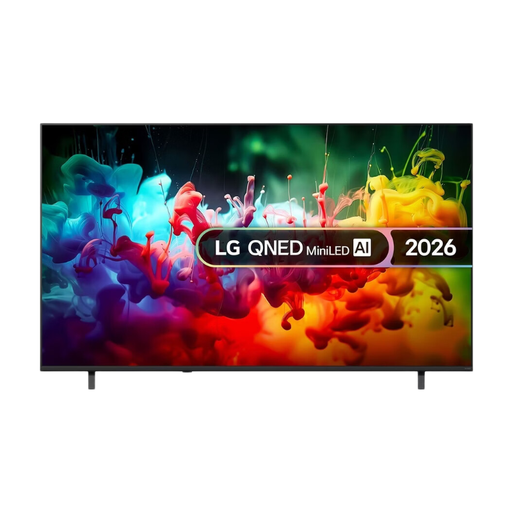 Image unavailable
LG QNED70 75-inch 4K Mini LED Smart TV (2026)
This LCD model is worth considering if you want to assess the screen size and Mini LED technology from your own seat.
Listed features: 75 inches, 4K, Mini LED and FILMMAKER MODE.
View at Joybuy
 Image unavailable
TCL 75T8D 75-inch QLED QD-Mini LED 4K TV
This 75-inch model is an LCD option to compare with OLED if you’re looking for a large screen.
The product name lists QD-Mini LED, 4K and 144 Hz VRR. This refresh rate doesn’t determine the intended playback speed of a film release.
View at Joybuy
 Image unavailable
METZ 86MQE8000Z 86-inch QLED 4K TV
This is a large-screen option to assess against your viewing distance and available space.
The product name lists 86 inches, 4K, HDR10+ and 144 Hz. A stated refresh rate won’t correct an incorrect film speed in a transfer.
View at Joybuy
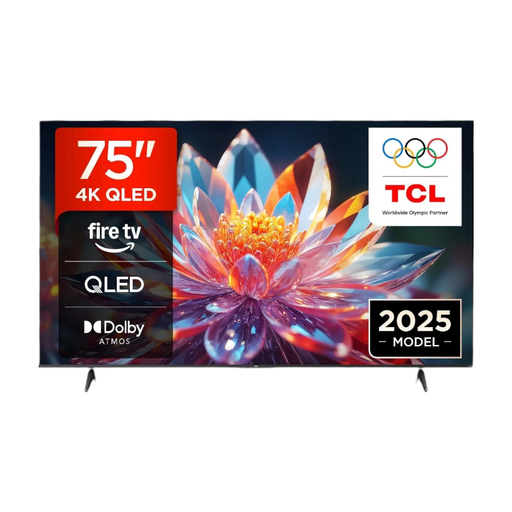 Image unavailable
TCL 75T6C 75-inch 4K QLED Smart TV
This 75-inch model is a large-screen option to assess from your seat.
The product name lists 4K, QLED and 120 Hz. This refresh rate alone doesn’t tell you which speed is right for a particular film restoration.
View at Joybuy
Frequently asked questions
How do you work out a starting screen size if you sit far from the TV?
Measure the distance from your eyes to where you plan to put the screen, in centimetres. The Dutch Consumers’ Association suggests dividing the distance by 2.4 as a starting point for the screen diagonal in centimetres. Compare nearby sizes too, and measure the available space.
Should a silent film fill your entire widescreen TV?
No, not if you want to preserve the original frame. Early 35mm films were often in 4:3, so there will be space at either side when they’re shown on a wider screen. Check the specific release and the settings on your player and TV before stretching or zooming in on the picture.
Which picture settings can you try after installation?
Start with a home viewing mode rather than a brighter shop mode. In your usual room lighting, assess a scene with both light and dark areas, and check the aspect ratio settings on your player and TV separately.
How do you compare energy use, and what are your rights if the TV develops a fault?
Compare the EU energy label and product information sheet for the exact model. In the Netherlands, your statutory guarantee is separate from any manufacturer’s guarantee. If a product is faulty despite being used normally, the retailer is responsible for providing an appropriate remedy free of charge. According to ACM ConsuWijzer, there is no fixed statutory guarantee period.
Can you return a TV bought online if you don’t like the size at home?
For a standard online purchase of a new TV, you’ll generally have a statutory 14-day cancellation period after delivery. Check the applicable terms for trying out and returning the TV.


