What should you look for when choosing?
Short-throw projection
Suitable when: there’s a suitable spot some distance from the wall. BenQ lists a throw ratio of 0.69–0.83:1 and a native resolution of 1920 × 1080 for the TH671ST.
Keep in mind: the distance and image width need to suit the optics; the term ‘short throw’ doesn’t guarantee that it will fit your set-up.
Laser short-throw projection
Suitable when: you want a short throw distance and an HDMI connection. Optoma lists a throw ratio of 0.496:1 and a native resolution of 1920 × 1080 for the GT2000HDR.
Keep in mind: according to Optoma, the GT2000HDR has fixed optics, so check the exact placement in advance.
Ultra-short-throw projection
Suitable when: a projector placed further into the room would get in the way of a walkway or line of sight. Epson positions the EB-760W for presentations and lists a scalable HD display of 60–150 inches.
Keep in mind: check small captions using your own material and make room for the projector close to the wall.
Measure the room, then check that photos are easy to read, your archive device can be connected and the projector’s upkeep suits your expectations.
| Consideration |
What to look for when buying |
Who is this important for? |
| Will the set-up fit? |
Measure the available image width and the distance from the lens to the projection surface. Compare these with the throw ratio and optics of the exact model. |
If I don’t want to put the projector in the middle of the room, the lens position needs to work with the image width I want. Around 33% of consumers give placement top priority. |
| Will details be easy to read? |
Compare the native resolution with the input signals, then view a test presentation from the back row in the lighting you plan to use. |
If you want to view photos and small captions from different seats, it’s worth testing with your own archive material. Readability is the top priority for around 27% of consumers. |
| Can the archive device be connected? |
Check the outputs on your laptop or player, and the projector’s inputs and sharing options. Epson lists wired connections and Miracast among the options for the EB-760W; BenQ and Optoma list HDMI inputs. |
If I want to show files from my own laptop or player, the connections need to be compatible. Connecting devices is the main concern for around 20% of consumers. |
| What will it need after purchase? |
Check the light source type, the stated lifespan for each operating mode, any mounting equipment required and the offer’s warranty terms. |
If you plan to use the projector regularly, you can check in advance what maintenance and set-up it will need. Around 20% of consumers prioritise running costs and work required after purchase. |
Projectors on Joybuy
These projector selections from Joybuy are designed to display images. Check the throw distance, connections and placement for each model before choosing one for a narrow living room.
 No image available
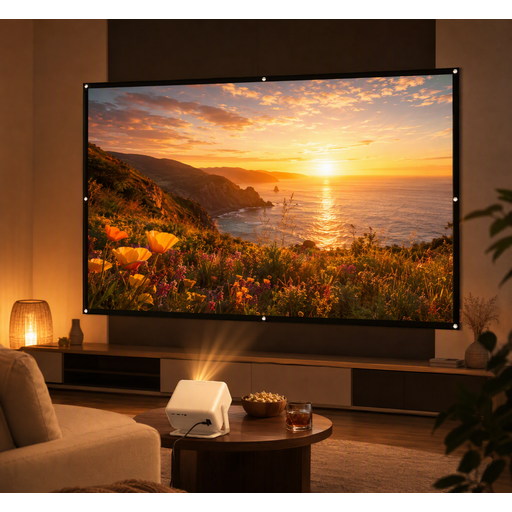
Yaber L2 projector with flexible stand
Worth a look if you’re after a projector with native 1080p and a flexible stand; check where it will fit in your room.
Native 1080P; 520 ISO Lumens; Google TV Built-in; Dual 5W Speakers; 360° Ceiling Mount Compatible.
Joybuy
 No image available
XGODY Gimbal A6 Pro with 100-inch screen
An option to consider if you’re looking for a projector bundle with a screen; check that the screen size and planned set-up suit the available wall space.
Bundle with 100-inch projector screen.
Joybuy
 No image available
Yoton Y6 projector
Could suit anyone looking for a model with native 1080P; check the throw distance and connections against your own set-up.
Native 1080P; Bluetooth 5.2.
Joybuy
 No image available
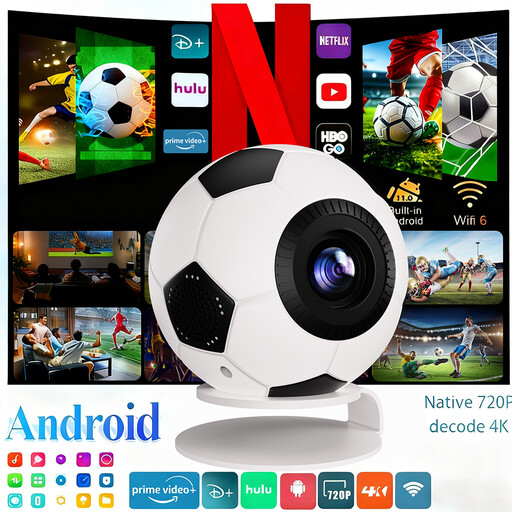
XBJ portable projector
Worth considering if you’re looking for a portable option with 1080P Full HD; check that the connections and planned placement suit your archive device.
1080P Full HD; 800 ANSI Lumens; Android 14; WiFi 6; Bluetooth 5.4.
Joybuy
 No image available
Dangbei N2 Mini projector
A compact model to compare if you’re looking for native 1080p and wireless connections; check the placement and connection to your archive device in advance.
1080P; Wi-Fi; Bluetooth.
Joybuy
Frequently asked questions
How can I check before buying whether the image will fit on the wall?
Measure the usable image width and the distance from the intended lens position to the projection surface. Compare both with the optical specifications of the exact model; don’t rely on the term ‘short throw’ alone.
Can I show the community archive directly from my laptop?
That depends on your laptop’s outputs and the projector’s inputs. BenQ and Optoma list HDMI inputs; Epson lists wired and wireless sharing options for the EB-760W, including Miracast. Also test the files and sound you plan to use at the event.
What if the projector breaks sooner than expected under normal use?
In the Netherlands, statutory guarantee rights apply alongside any commercial warranty. ACM ConsuWijzer explains that the retailer must offer an appropriate free solution if a product breaks under normal use sooner than you could reasonably expect; this doesn’t mean that every projector is covered for a fixed number of years.
Can I try out a projector bought online and return it?
For online consumer purchases, there is generally a statutory cooling-off period which ends 14 days after delivery, according to ACM ConsuWijzer. Check the terms for unpacking, trying out and returning the product before you buy; there are exceptions to the right to a cooling-off period.
Can I show protected photos, films or music to people in my community?
Not necessarily: according to the Dutch government, you need the creator’s permission to use copyright-protected photos, films and music, and a private copy can’t be made public. Whether a particular screening is covered by an exception or permission depends on the material and the event. Auteursrecht.nl describes a domestic circle as limited to family, close friends and a comparable group.


