
Catalogue users who enlarge text
You enter titles and other details, and want to set fields and menus to a readable size. Try your preferred magnification in your own catalogue software before choosing based on screen size.


First, choose a monitor on which both your catalogue software and a sample of your sheet music remain readable at your preferred magnification; more pixels won’t automatically make text larger. An adjustable 27-inch QHD monitor is one option to try, particularly for data entry. A larger 4K screen could be a good fit if you often use two windows side by side and have enough desk space. Also check the scaling settings, connections and compatibility with your computer.
You enter titles and other details, and want to set fields and menus to a readable size. Try your preferred magnification in your own catalogue software before choosing based on screen size.
If you want to see a digital score and catalogue fields at the same time, check how much workspace remains after enlarging the text. Screen size alone won’t tell you how much content will be visible at your chosen scaling.
If you switch between reading sheet music and entering data, consider how adjustable your workstation is and whether glare could be distracting. Arboportaal outlines specific requirements for employees; these don’t automatically apply as legal obligations to personal use.
Suitable for: mainly reading and entering catalogue details, with magnification through software or Windows. Dell Netherlands lists the P2725D as a 27-inch monitor with a 2560 × 1440 resolution and height adjustment.
Keep in mind: check that your score and entry fields both fit at the magnification you need; resolution alone won’t tell you that.
Suitable for: regularly viewing a digitised score alongside catalogue fields, if you have enough desk space. LG Netherlands lists the 32UN650P-W with a 31.5-inch screen and 3840 × 2160 pixels.
Keep in mind: allow for the larger screen and set the text scaling separately. Check that your computer supports your preferred display settings.
Suitable for: combining a 4K display with a compatible laptop connection. EIZO lists the FlexScan EV2740X as a 4K monitor with USB-C DisplayPort Alt Mode and up to 94 W power delivery.
Keep in mind: a higher pixel density doesn’t replace text magnification. Check that your laptop supports video over USB-C and that the charging power is suitable for your laptop.
| What to consider | What should you check? | Who is this important to? |
|---|---|---|
| Readable fields and menus | Try your catalogue software with your preferred text size or display scaling, and view a sample of the sheet music too. | I want to be able to set menus and entry fields to a readable size in my own software. Around 36% of consumers put readable fields and menus at the top of their buying priorities. |
| Space for a score alongside the catalogue | Open both windows at your preferred magnification and check how much space is visible. Dell Netherlands lists the P2725D as 27 inches with a 2560 × 1440 resolution; LG Netherlands lists the 32UN650P-W as 31.5 inches with a 3840 × 2160 resolution. | If I want to see sheet music and entry fields at the same time, I check that both fit at my chosen scaling. Around 29% of consumers put the visible workspace at the top of their priorities. |
| An adjustable, non-reflective workstation | Check the adjustability of the exact model, possible glare in your intended location, and the space available for sheet music and a keyboard. | I want to position the screen comfortably beside my sheet music and avoid distracting reflections. Around 21% of consumers put workstation adjustment at the top of their buying priorities. |
| Connection to your computer | Compare your computer’s video output with the inputs on the exact model. For USB-C, check both video support and the power delivery you need. | If I want to connect a laptop, I check that the display and, where relevant, charging work with my devices. Around 14% of consumers prioritise a suitable laptop connection. |
How many catalogue fields and how much sheet music you can see at once also depends on magnification and the software you use.
Try a representative catalogue page and a source window at your preferred scaling before comparing QHD and 4K.
Both the monitor port and the laptop must support the video connection and power delivery you need.
Check USB-C’s video capabilities and the available charging power on both devices.
You may still need a separate video or power connection.
iiyama marks the ProLite XUB2793QS-B7 as EOL and lists a successor. Finding a product page doesn’t, by itself, mean the model is currently available.
Before choosing, check the exact model code, current availability and the listed successor.
ACM ConsuWijzer distinguishes between your statutory guarantee rights and any retailer or manufacturer’s warranty.
Keep your proof of purchase and assess any fault against what you could reasonably expect from the product under normal use.
The P2725D is an example of a 27-inch QHD work monitor.
The 32UN650P-W is an example of a larger 31.5-inch 4K monitor.
The FlexScan EV2740X is an example of a 27-inch 4K monitor with USB-C docking.
The 27E1N5600HE/01 is an example of a 27-inch QHD monitor.
The ProLite XUB2793QS-B7 is an example of a 27-inch QHD model with height adjustment.
This selection includes monitors for enlarged catalogue fields, space for sheet music alongside data entry, and an adjustable workstation.
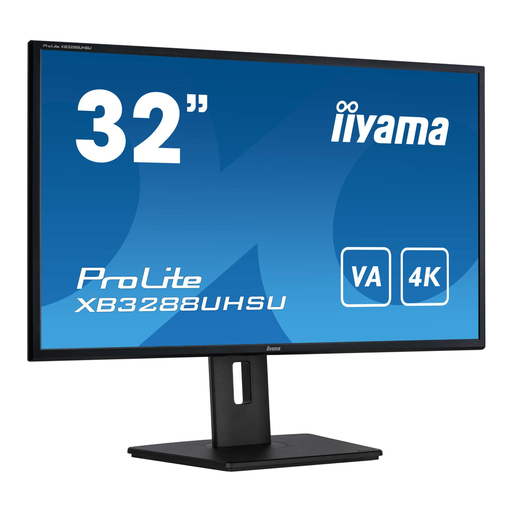 No image available
An option to consider if you want a larger workspace for catalogue fields and source material side by side.
 No image available
An option if you want a wide screen for viewing a score and catalogue fields side by side.
 No image available
An option with a larger screen to try if you want to see your source and entry fields at your preferred magnification.
 No image available
An option to consider if you want a 27-inch screen with a 4K display and an adjustable viewing position.
 No image available
An option to consider if you want to read and enter catalogue details on an adjustable 27-inch screen.
No. Set the text size or display scaling separately. Then check how much of your catalogue software remains visible. Windows has settings for text size, scaling and Magnifier.
First, position your source material, keyboard and screen as you use them when cataloguing. Then adjust the screen height and magnification, and check the lighting and any reflections. Arboportaal outlines workstation factors for employees; whether the requirements apply depends on the working situation.
Not without checking that both devices support it. According to EIZO, the EV2740X supports video over USB-C DisplayPort Alt Mode and up to 94 W power delivery. Your laptop must support the appropriate video function, and the power delivery must meet its charging requirements.
According to ACM ConsuWijzer, online consumer purchases generally come with a statutory 14-day cooling-off period after delivery, subject to exceptions. You also have statutory guarantee rights if a product used normally fails to meet what you could reasonably expect from it; this is not the same as a fixed manufacturer’s warranty period.
The relevant Dutch government information doesn’t specify a mandatory screen size or QHD or 4K resolution. However, Arboportaal outlines requirements for employees’ display screen workstations, including height adjustment and glare prevention under the stated conditions.