
Student with limited desk space
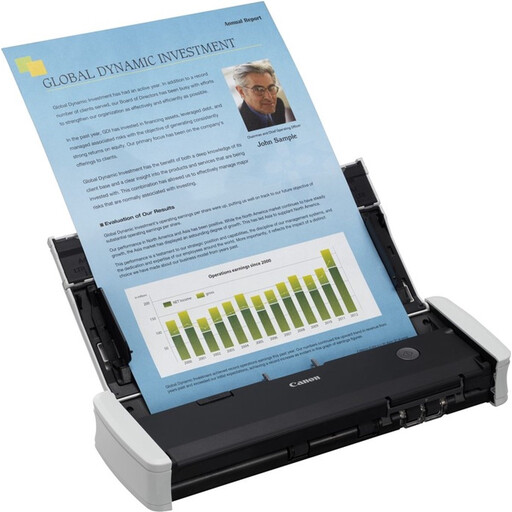
If you scan a letter now and then and want to put the scanner away afterwards, consider how much space it needs when feeding paper, too. Canon lists separate dimensions for the imageFORMULA R10 when closed and open.


For the occasional appointment letter, a compact mobile scanner is a sensible choice. If you regularly scan several sheets or both sides of a document, look for a model with an automatic document feeder and duplex scanning. Also compare how much space the scanner needs when in use, and check software compatibility and where your scans will be saved.
If you scan a letter now and then and want to put the scanner away afterwards, consider how much space it needs when feeding paper, too. Canon lists separate dimensions for the imageFORMULA R10 when closed and open.
If you often scan several sheets or documents printed on both sides, compare models with an automatic document feeder and duplex scanning. Canon and Brother specify a 20-sheet feeder capacity and duplex scanning for the models mentioned here.
Choose a scan destination that suits who should be able to view the files and where you’ll find them later. The Dutch Data Protection Authority defines information about individuals as personal data. Your choice of storage still matters, even if you’re only digitising your own post.
Best for: scanning an appointment letter now and then and putting the scanner away afterwards.
Bear in mind: an automatic feed mode for individual sheets doesn’t necessarily mean the model has a specified sheet capacity.
Best for: regularly scanning several sheets or documents printed on both sides.
Bear in mind: check the connection, software and space needed at your workstation. A stated capacity won’t necessarily apply to every type of paper.
Best for: a dedicated scanning space where there’s limited room in front of and behind the scanner.
Bear in mind: Epson lists a separate straight-through mode for thicker documents on the ES-C320W. Decide whether you need it for your post.
| What to consider | What should you check? | Who is this important for? |
|---|---|---|
| Space and storage | Compare the scanner’s dimensions when closed with the space it needs while scanning. Canon gives the imageFORMULA R10’s dimensions as 285 × 95 × 40 mm when closed and 285 × 257 × 174 mm when open. | If space is limited in my room, I want to be able to put the scanner away after use and still have enough room to feed in paper. Around 33% of consumers prioritise space and storage. |
| Multiple or double-sided sheets | Check separately whether the model has an ADF and duplex scanning. Canon and Brother specify a 20-sheet ADF for the R10 and ADS-1300 respectively. | When I scan piles of paper or documents printed on both sides, I want every page to appear in the file. Around 25% of consumers prioritise completeness when scanning multiple sheets or both sides of a document. |
| Saving and finding your scans | Check whether you can scan to your preferred folder or destination, and who can access shared storage. Then check that the file is readable and easy to find. | If my appointment post contains personal information, I want to know where my scans are saved and who can open them. Around 25% of consumers prioritise careful storage and easy retrieval. |
| Connection and support | Check the connection, operating system and software available for the exact model. Read any additional warranty terms alongside your statutory rights. | For occasional use, I only want to choose the features I need and know in advance whether the scanner will work with my computer. Around 17% of consumers prioritise connection and support. |
An automatic feed mode doesn’t tell you, by itself, how many sheets you can feed through one after another. Epson describes the ES-60W as a mobile scanner, while a 20-sheet ADF capacity is specified for the Canon and Brother models mentioned here.
If you regularly scan piles of paper, check the specified ADF capacity for the exact model.
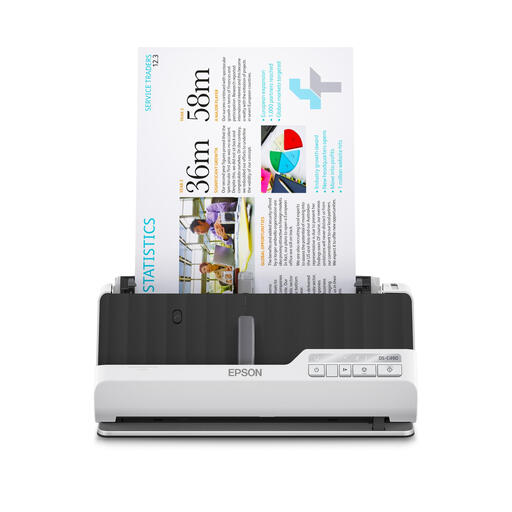
Canon lists different dimensions for the imageFORMULA R10 with its tray closed and open. Epson, by contrast, describes the ES-C320W’s U-shaped paper path as a way to reduce the space it takes up while scanning.
Measure your scanning area in use and compare it with the setup of your chosen model.
According to the Dutch Government, an additional warranty is mainly relevant if it gives you rights beyond your statutory protection. If a product is faulty, the retailer is your point of contact.
Check exactly what an additional warranty covers, and contact the retailer if your product is faulty.
The imageFORMULA R10 is a portable USB sheet-fed scanner for individual sheets.
The ADS-1300 combines portable use with automatic document feeding.
The WorkForce ES-60W is a mobile option for individual letters, while the ES-C320W is a compact choice for a dedicated scanning area.
The MobileOffice S410 Plus is a slim, USB-powered mobile scanner for individual documents.
These sheet-fed scanners are suited to individual appointment letters, multi-page scans and use in a compact scanning area. Compare each model’s feed capacity, duplex function, space requirements and connection.
 No image available
An option for scanning several appointment sheets or both sides of a document, with the convenience of putting the scanner away after use.
20-sheet ADF and duplex scanning. A4, 600 × 600 DPI and USB connection.
 No image available
An option for multi-page scanning when you want to limit the space needed in front of and behind the scanner.
U-shaped paper path, automatic duplex scanning and standard feed capacity of 10 sheets. A4, 600 × 600 DPI.
 No image available
A compact desktop scanner for anyone scanning several sheets or both sides of a document in a dedicated area with limited space.
Automatic duplex scanning, Wi-Fi and a U-shaped paper path. A4, 600 × 600 DPI.
 No image available
A mobile option for scanning an individual appointment letter wherever you happen to be.
Handheld scanner for A4 documents with Wi-Fi and battery power. The description mentions OCR software and saving files as searchable PDFs.
 No image available
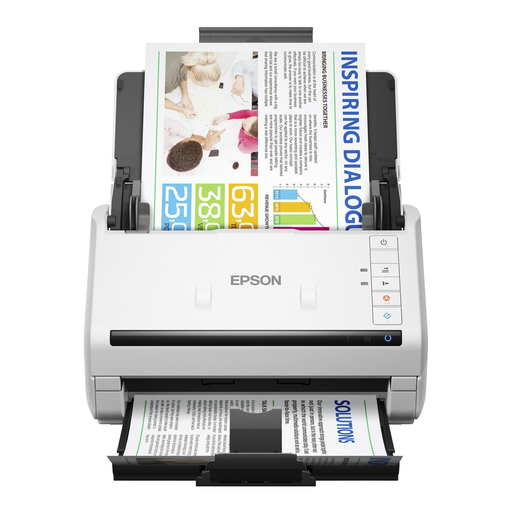
An option for processing several documents or both sides of a document using a computer.
50-sheet ADF and single-pass duplex scanning. A4 and USB 3.0.
Not necessarily. Think about how often you scan several sheets at once: Epson describes the ES-60W as a mobile scanning solution, while Canon and Brother each specify a 20-sheet ADF for the R10 and ADS-1300.
If you regularly need both sides, choose a model that explicitly specifies duplex scanning. After scanning, check that every sheet and both sides are present and readable; a specification doesn’t replace this check.
Yes. Check the connection, operating system and scanning software available for the exact model. Canon lists certain older Windows and macOS versions for the R10, so don’t assume newer versions are supported without checking.
Check that the paper size and thickness are within the limits for your model, and consult the model-specific manual before carrying out any maintenance. The limits Canon gives for the R10 don’t automatically apply to other scanners.
According to the Dutch Government, consumers in the Netherlands have statutory protection if a product is faulty; there’s no fixed statutory warranty period, and the retailer is your point of contact. When buying online from a business, you generally have a 14-day cooling-off period. Check whether an additional warranty offers anything beyond your statutory rights.
According to the Dutch Data Protection Authority, processing carried out solely for personal or household use falls outside the GDPR. That doesn’t mean sharing the files or storing them somewhere others can access is risk-free from a privacy perspective. It doesn’t follow that a particular letter can be thrown away after digitising it.