What should you look for when choosing a scanner?
First decide whether stacks, limited desk space, easy-to-find files, mobile use or protecting fragile originals matters most to you. The percentages below relate to these different main needs.
| What to consider |
What to look for when buying |
Who this matters to |
| Stacks of double-sided sheets |
Check the sheet capacity, duplex scanning and supported paper sizes. |
If I regularly scan double-sided reports, I want to spend less time feeding and turning sheets by hand. Around 33% of consumers prioritise handling stacks. |
| Desk space |
Check the dimensions during use, the paper path and where scanned sheets come out. |
On a small desk, I want to keep some space free while scanning. Around 27% of consumers prioritise a small footprint. |
| Finding files again |
Check the scan destination, support for searchable PDFs and compatibility with your operating system. |
I want to be able to find a record later and choose where the files are saved. Around 20% of consumers prioritise being able to find and store files. |
| Putting it away or taking it with you |
Check the power supply, connection to your device and whether the model is suited to stacks or individual sheets. |
If I want to put the scanner away or take it with me after use, that matters more than automatically processing stacks. Around 13% of consumers prioritise portability. |
| Fragile originals |
Check which documents the manufacturer allows you to scan and assess the condition of each original; if in doubt, use a method that doesn’t feed paper through the machine. |
I want to be careful with the feed rollers when handling fragile or damaged papers. Around 7% of consumers prioritise protecting originals that are difficult to feed. |
Joybuy product picks for service records
These product picks are intended for scanning individual service documents, with models for use in a fixed location and for portable storage.
 No image available
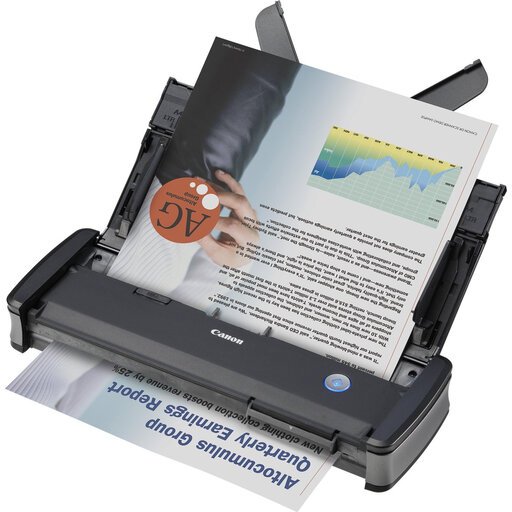
Canon imageFORMULA P-215II
A sheet-fed option for individual sheets; check that the connection and setup work with your computer and scanning routine.
The product name lists 600 × 600 DPI and A4.
View at Joybuy
 No image available
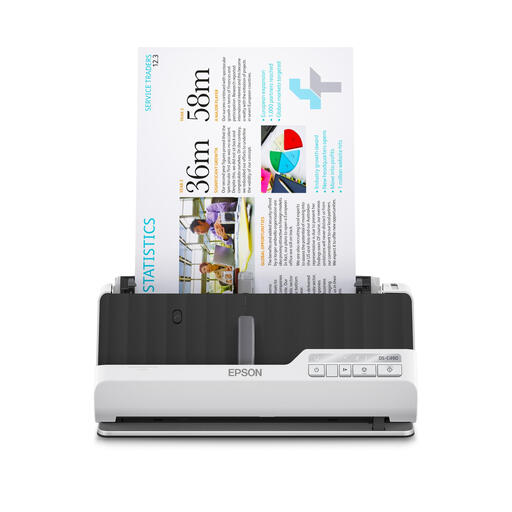
Epson DS-C490 ADF + sheet-fed scanner
An option to compare if you want to scan individual documents; check the paper path and how much space the device takes up in use.
The product name lists 600 × 600 DPI and A4.
View at Joybuy
 No image available
Epson ES-C320W
Suited to anyone who wants to scan double-sided sheets in a fixed location and values Wi-Fi. Epson Netherlands describes this model as having Wi-Fi and a U-shaped paper path that, according to the manufacturer, doesn’t increase its footprint.
The product name lists 600 × 600 DPI and A4. Epson warns that staples and wet ink can damage the rollers and scanning window.
View at Joybuy
 No image available
Epson WorkForce DS-70
A handheld scanner to compare if you want a model you can put away or take with you. Check that the way it feeds documents suits the number of pages you scan.
The product name lists 600 × 600 DPI and A4. Don’t feed damaged documents into the slot.
View at Joybuy
 No image available
Epson WorkForce DS-80W
A handheld scanner to compare if you want a compact model you can put away or take with you; check that its feed method suits your scanning routine.
The product name lists 600 × 600 DPI and A4. Don’t feed folded, damaged or stapled documents into the scanner.
View at Joybuy
Frequently asked questions about sheet-fed scanners and service records
Do I need an ADF for a stack if I only have a few loose service sheets?
Not necessarily: a mobile sheet-fed scanner may be enough for occasional scanning. If you regularly process stacks of double-sided sheets, compare the ADF capacity and duplex function; Brother Netherlands and Canon Netherlands say that the ADS-1300 and imageFORMULA R10 each have a 20-sheet feeder.
How can I prevent streaks and paper jams?
Follow the document limits and maintenance instructions for your chosen model. For the ADS-1300, Brother Support recommends, among other things, fanning the stack and cleaning the separation pad and feed roller to help prevent repeated jams. If you see streaks or missing parts of an image, Brother recommends cleaning the glass and rollers.
What do the manufacturer’s warranty and cooling-off period mean when buying online?
In the Netherlands, the statutory guarantee applies alongside any seller’s guarantee; what you could reasonably expect from the product is relevant to your claim. ACM ConsuWijzer says that online consumer purchases generally come with a statutory 14-day cooling-off period from delivery, subject to legal exceptions.
Can I digitise service records, and should I keep the paper originals?
This depends in part on how the records will be used and what type they are. The Dutch Data Protection Authority says the GDPR does not apply to personal data processed solely for personal or household use; this is not a general exception for professional use or publication. The Dutch government says individuals have no general legal obligation to keep financial records, but recommends keeping them for five years because of possible subsequent tax assessments. Before disposing of an original, check whether there are any requirements for evidence or retention that apply to your records.


