
Processing invoices on a small desk
You regularly scan stacks of supplier invoices and want an automatic feeder that takes up little desk space.


If you regularly process stacks of supplier invoices, look for an automatic document feeder and check how much space the paper path takes up while scanning. A portable scanner may be more convenient for the occasional loose sheet. If you store invoices digitally, you should also check that scans are complete and easy to find again.
You regularly scan stacks of supplier invoices and want an automatic feeder that takes up little desk space.
You usually scan individual sheets and want to be able to put the scanner away or take it with you when you’re finished.
Alongside choosing suitable scanner hardware, you want to be able to find files again and check that they’re complete.
| What to consider | What should you check? | Who should consider this most? |
|---|---|---|
| Space while in use | Measure the scanner with its input and output trays open, and check that the paper path works with your invoices. | If you have limited desk space, you’ll want to know how much room the scanner takes up while scanning. Around 36% of consumers say space is their main concern. |
| Scanning stacks of invoices | Check whether the model has a stack-feeding ADF, how many sheets it can hold and whether duplex scanning is specified. | If you regularly process several invoices, you won’t want to feed each sheet individually. Around 29% of consumers prioritise processing stacks. |
| Digital archiving | Check that the output formats and software suit your workflow, and check scans for completeness and authenticity features. | If you store invoices digitally, you’ll need to be able to find and check them later. Around 21% of consumers prioritise archiving. |
| Taking it with you or putting it away | Check the power options and connections for the exact model, and consider whether you’ll mainly scan individual sheets or stacks. | If you move between workspaces or put the scanner away after use, you’ll want its size and feed system to suit your needs. Around 14% of consumers prioritise portability. |
The Canon imageFORMULA DR-C225 II has different dimensions with the tray closed and open. On a small desk, what matters most is the space the scanner needs while in use.
Measure the available space, including the paper input and output.
Epson lists an automatic feed mode for the ES-60W, while Brother explicitly specifies a 20-sheet ADF for the ADS-1800W. These descriptions don’t indicate the same stated stack capacity.
Check how sheets are fed into the exact model and what document feeder capacity is specified.
The Dutch Tax and Customs Administration sets conditions for digital storage: the scan must be an accurate and complete copy and include features that confirm its authenticity.
Check your scans and storage method before deciding whether to dispose of the paper originals.
Epson offers models for limited desk space and for scanning individual documents.
According to Brother, the ADS-1800W combines a portable design with an automatic document feeder.
The imageFORMULA DR-C225 II is a desktop scanner for a fixed workspace, with a USB connection.
Ricoh positions the SP series for everyday scanning; the SP-1130N is a desktop model.
These models are designed for scanning paper invoices, with options for a compact paper path or a portable setup.
 No image available
Suitable for small stacks of invoices and workspaces where a portable scanner comes in handy.
20-sheet ADF and automatic duplex scanning.
Up to 30 ipm duplex; USB-powered, with ID card support specified.
A4; 600 × 600 dpi.
 No image available
Suitable for invoices on a small desk if a U-shaped paper path works with your documents.
A4 ADF and sheet-fed scanner; U-shaped paper path for scanning in confined spaces.
600 × 600 dpi.
 No image available
Suitable for invoices on a limited desk surface when you want the option of a U-shaped or straight-through paper path.
10-sheet ADF and automatic duplex scanning.
A4; 600 × 600 dpi.
 No image available
Suitable for invoices on a small desk when the U-shaped paper path works with your documents and setup.
A4 ADF and sheet-fed scanner with U-shaped and straight-through paper paths; automatic duplex scanning and Wi-Fi are specified.
600 × 600 dpi.
 No image available
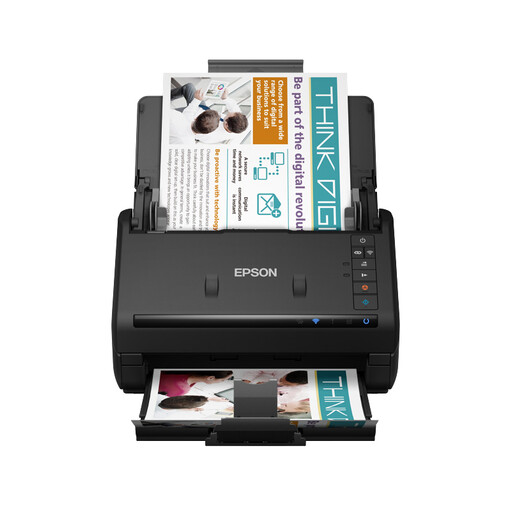
Suitable for processing several supplier invoices when a larger stack feeder matters more than a portable setup.
100-sheet ADF and automatic duplex scanning.
35 ppm; Wi-Fi and USB connectivity are specified.
A4; 600 × 600 dpi.
Not automatically. The Dutch Tax and Customs Administration allows digital storage if the scan is an accurate and complete copy and features that confirm its authenticity are also stored. Check that you meet these conditions before disposing of paper originals.
The Dutch Tax and Customs Administration generally specifies a retention period of 7 years; a 10-year period applies in certain cases to invoices relating to immovable property and the specified special schemes. Make sure your digital records remain accessible for checks throughout the applicable period.
No, don’t assume that it is. Brother specifies a 20-sheet ADF for the ADS-1800W, while Epson lists an automatic feed mode for the ES-60W. Check how sheets need to be fed into the exact model and what stack capacity is specified.
If your organisation processes personal data, the Dutch Data Protection Authority says it must decide for itself which security measures are appropriate. So look beyond the scanner itself and consider how files are stored and who can access them.
That doesn’t follow from the plans announced so far. On 11 September 2026, the Government of the Netherlands reported that the government intends to introduce e-invoicing for certain business transactions from 1 July 2030; further details of a draft bill were still to come. This is not a general requirement that immediately replaces existing paper supplier invoices.