
Contract file administrator
You scan multi-page contracts and want to check the reverse sides, page order and whether any sheets have been fed through twice. Canon and Epson describe duplex scanning and document feeding features on specific models.


Start by considering how many sheets you’ll scan at a time, whether you need duplex scanning and how much space the scanner takes up in use. A compact USB scanner works well at a dedicated computer station. For shared use, network destinations can be handy, but you’ll need to manage access and storage carefully if scans contain personal data.
You scan multi-page contracts and want to check the reverse sides, page order and whether any sheets have been fed through twice. Canon and Epson describe duplex scanning and document feeding features on specific models.
You share a small workspace with colleagues and want to decide in advance where scans will be saved and who can open them. The Dutch Data Protection Authority stresses that organisations must protect personal data properly.
You occasionally scan small batches and need a device that fits beside a computer or in a compact workspace. Epson describes compact and portable scanners as options for anyone who needs to move their device around.
First decide whether you need a scanner for one dedicated computer, a shared scanning station or larger batches. Then check the feeder and make sure the scan file is complete.
A good fit if: you scan small batches beside the same computer. Canon states that the imageFORMULA R10 has a 20-sheet ADF and duplex scanning; Brother lists the same features for the ADS-1300.
Check: make sure the connection and software are compatible with your computer and the way you save scans.
A good fit if: several staff members need to scan without connecting to the same computer each time. Brother lists wireless connectivity for the ADS-1800W; Epson says the ES-C380W can scan to destinations including network folders.
Check: if contracts contain personal data, make sure the scan destination and access permissions are appropriate too.
A good fit if: you regularly process larger batches and have room for a dedicated space. Epson lists a 100-sheet ADF and single-pass duplex scanning for the WorkForce ES-590W.
Check: it has a higher capacity than the compact models mentioned here, so consider whether you’ll make use of the extra feeder capacity.
| What to consider | What should you check? | Who is this important for? |
|---|---|---|
| Complete contract scans | Check for duplex scanning, ADF capacity and, where available, double-feed detection. Afterwards, compare the number, order and legibility of the pages. | When I scan signed contracts, I don’t want to miss a reverse side or a page. Around 33% of consumers prioritise complete contract scans above all else. |
| Storage and access | Decide who can access the scan folder and which destinations staff are allowed to use; check documents before sharing them. | When contracts contain personal data, I want to know where scans are saved and who can open them. Around 27% of consumers prioritise controlled storage and access. |
| Space and connection | Measure the space with the feeder open, and check whether USB, a dedicated computer or network access suits the way you work. | If my workspace is small, I want to be able to position and connect the scanner in use without making the space unusable. Around 20% of consumers prioritise space and connection above all else. |
| Searchable files | Check whether the software supports the file format and OCR you need. Then review signatures, page order and legibility. | If I want to search for text in contracts later, I want to know whether the digital filing workflow supports this. Around 20% of consumers prioritise searchable files and checking the completed document above all else. |
The feeder and output tray may need more room when the scanner is in use. Canon gives different dimensions for the R10 with its tray closed and open.
Measure the available space with the feeder open and leave room for the paper.
A convenient scan destination doesn’t automatically control who has access. The Dutch Data Protection Authority points out that organisations must protect personal data properly.
Before sharing the scanner, decide which scan destinations are allowed and who can access them.
If contracts have printing on both sides, a scanning function that isn’t suitable could cause you to miss a page. Check the feature for the exact model variant.
Confirm that automatic duplex scanning is available before choosing a model for this purpose.
The imageFORMULA R10 is an option for small scanning jobs beside a computer.
The ADS-1300 is a compact USB-C option; the ADS-1800W adds wireless connectivity and a touchscreen.
The ES-C380W is a compact network option; the WorkForce ES-590W is designed for larger batches.
The fi-8040 is a business option for a dedicated scanning station where USB or LAN integration matters.
This selection includes sheet-fed and handheld scanners for digitising contracts in a limited workspace. Check that each model’s feeder and workflow suit the size of your contract batches.
 No image available
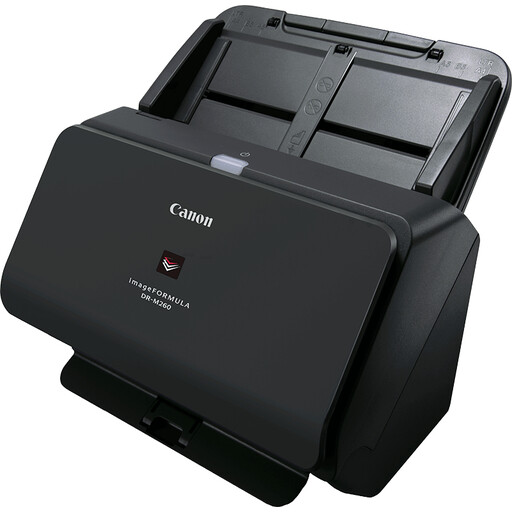
A model to compare for scanning contracts; check that its feeder and scanning workflow suit your batches.
A4; 600 × 600 DPI; black.
 No image available
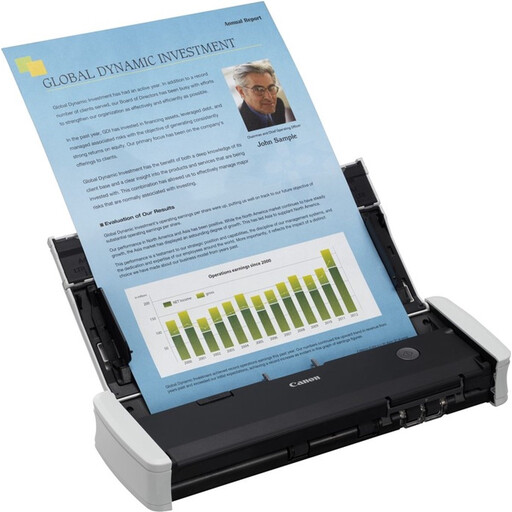
Suited to small scanning jobs beside a computer; Canon lists USB power, duplex scanning and a 20-sheet ADF for this model.
A4; 600 × 600 DPI; white.
 No image available
A handheld scanner to consider if manual feeding suits the way you scan contracts.
A4; 600 × 600 DPI; white.
 No image available
A handheld scanner to compare if your workflow has room for a manually fed model.
A4; 600 × 600 DPI; white.
 No image available
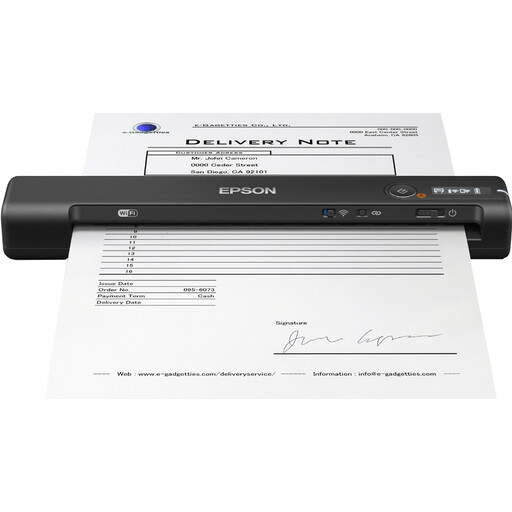
A handheld scanner to compare for a compact scanning station; check that its feeding method suits your contracts.
A4; 600 × 600 DPI; black.
If there’s printing on both sides, choose a model confirmed to support duplex scanning. After each scan, check the page order, reverse sides and signatures in the saved file; an ADF doesn’t replace this final check.
Decide in advance where scan files will be saved and who needs access. If contracts contain personal data, make sure access permissions and security measures suit the way you work; a network or cloud feature doesn’t automatically make storage secure.
For each version, check which power supply is included and which model-specific parts can be replaced. Brother sells a USB-C power adapter separately for the ADS-1300 and ADS-1800W; Canon lists a separation pad and feed roller as consumable parts for the R10.
No. According to the Dutch Data Protection Authority, personal data must not be kept for longer than necessary; the GDPR does not set one general retention period. Check documents before sharing them, and set a retention period based on the specific purpose and any other applicable legal obligations.