
Listeners away from home
You want several people to be able to access your music library over the internet. Synology describes remote access as a separate feature of the server or music service, independent of your home Wi-Fi coverage.


For one weak listening spot, choose a wireless repeater if it can still receive a usable signal from the router halfway along the route. Choose a wired access point if you can run an Ethernet cable to that spot, or a compatible mesh system if you need coverage in several rooms. To listen over the internet when you’re away from home, you’ll also need a suitable music server or service with remote access: a Wi-Fi extender can’t provide this on its own. Check who will have access and whether you’re allowed to share the music with them. According to the Dutch Government, a private copy for personal use must not be distributed or made publicly available.
You want several people to be able to access your music library over the internet. Synology describes remote access as a separate feature of the server or music service, independent of your home Wi-Fi coverage.
Your connection keeps dropping in one particular room. A wireless repeater could be a good fit if there’s a spot between the router and that room where it can still receive a usable signal. TP-Link recommends placing it between the router and the area with poor coverage.
You want to extend Wi-Fi to several rooms and decide whether you can run a cable or need compatible mesh devices. TP-Link and ASUS describe mesh features that depend on which devices are used together.
| What to consider | What to look for | Who it matters most to |
|---|---|---|
| Access away from home | Check which server or service provides remote access and how you can give users access. | If I want people to listen when they’re away from home too, I need a server or music service with remote access as well as Wi-Fi. Around 31% of consumers prioritise remote access. |
| One weak listening spot | Find a spot between the router and the room where the repeater can still receive a usable signal from the router. | I mainly want a connection in the room where the Wi-Fi drops out; a repeater only helps if it can still receive a signal from the router. Around 25% of consumers give coverage in one spot their highest priority. |
| Several listening rooms | Check whether you can run a cable and whether your router and access points support the mesh features you want when used together. | If several rooms need coverage, I want to know whether I can run a cable or whether my devices have compatible mesh features. Around 25% of consumers prioritise coverage in several rooms. |
| Access and security | Check for updates to your router, Wi-Fi access point and any NAS, and set user permissions carefully. | I want to share music without automatically giving everyone access to all my files. Around 19% of consumers prioritise access management and security. |
A Wi-Fi extender improves the connection in one part of your network, but it won’t automatically make stored music available over the internet.
First, work out whether you have a Wi-Fi coverage problem or need remote access to your library. For the latter, check what your music server or service can do.
A wireless repeater relies on its connection to the existing router. Placing it beyond the weak spot won’t solve that limitation.
First, find an intermediate spot where the repeater can still receive a signal, then test the connection in your listening areas. Consider a wired access point if you can run a cable to the room.
A device may work with a router without automatically becoming part of its mesh network. The supported combination may depend on the model and firmware.
Before you buy, check the exact combination of router, access point and mesh features you want.
Shared files could become accessible unintentionally. VeiligInternetten points out that a NAS accessible directly over the internet needs extra attention to security.
Keep any internet-accessible NAS up to date and give users only the access they need for sharing. Also check that you have permission to share the music with others.
The RE705X is a Wi-Fi 6 repeater with a Gigabit port and access point mode. It’s for anyone who wants to start wirelessly and may use a cable later.
The FRITZ!Repeater 1200 AX has a LAN port and can be used with a FRITZ!Box or another router.
According to ASUS, the RP-AX58 supports repeater and access point modes, with an AiMesh option for use with a suitable router.
According to devolo, the WiFi 6 Repeater 5400 can be used as a repeater or access point.
According to NETGEAR, the EAX17 is a Wi-Fi 6 extender with an Ethernet port for expanding an existing home network.
This selection includes mesh systems for Wi-Fi coverage in several rooms and wired access points for places with a network connection. None of these networking products can provide remote access to a music library on its own. If you choose a wireless model, also check that it has the required CE marking. The RDI explains that this is required for radio equipment sold in Europe.
 No image available
This mesh set is a good fit for households looking to extend Wi-Fi to several rooms. You’ll need to arrange remote access to your music separately.
The product name specifies a set of 2.
 No image available
This mesh set is designed for anyone looking to extend Wi-Fi to several listening rooms. Check that the mesh combination you choose is suitable for your network.
The product name specifies 3 units, dual-band (2,4 GHz/5 GHz) and Wi-Fi 6 (802.11ax). Remote access to your music library is a separate feature.
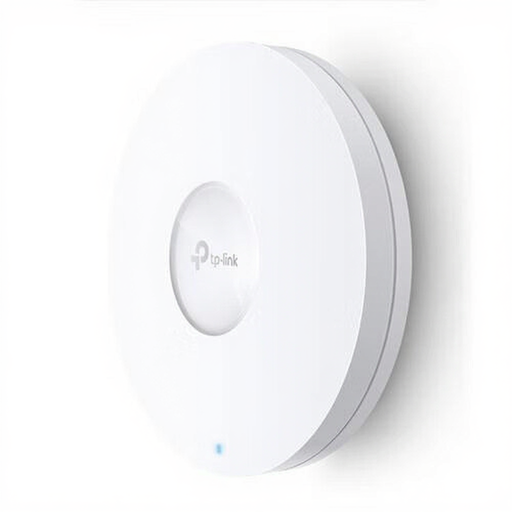 No image available
A wired access point is a good fit for a listening room where you can connect an Ethernet cable. It won’t provide access to music over the internet on its own.
The product name specifies 1201 Mbit/s and Power over Ethernet (PoE).
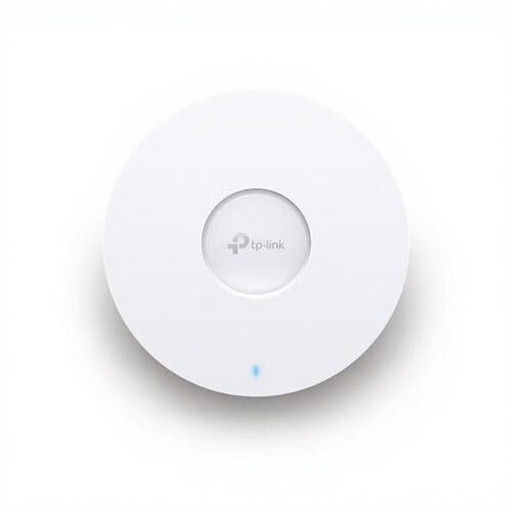 No image available
This wired access point is an option if you can run an Ethernet cable to its location. Check that the connections are suitable for your network.
The product name specifies 5400 Mbit/s and Power over Ethernet (PoE). You’ll also need a suitable server or service for remote access to your music.
 No image available
This mesh system is a good fit if you want to extend Wi-Fi to several rooms. It won’t provide remote access to a music library on its own.
The product name specifies tri-band Wi-Fi 6E on 2,4 GHz, 5 GHz and 6 GHz.
No. An extender expands your network connection; you’ll also need a suitable music server or service for access from outside your home. Synology describes Audio Station and QuickConnect as a product-specific example, not a feature of every repeater.
Place it between the router and the room with poor Wi-Fi, somewhere it can still receive a usable signal from the router. Obstacles can affect the connection, so test it afterwards in the places where you listen.
No, don’t assume it will. Check that the exact model and router support the mesh features you want when used together. General compatibility doesn’t prove that the mesh features will work.
Keep the NAS up to date, use strong login details and check who can see the shared music. VeiligInternetten warns that a NAS accessible directly over the internet needs extra attention to security.
Not simply because you own the music file. According to the Dutch Government, a private copy is for personal use and must not be distributed or made publicly available. Whether the access you want to set up is permitted depends on the rights and permissions for the music.